Understanding the Workout Charts
Understanding the chart
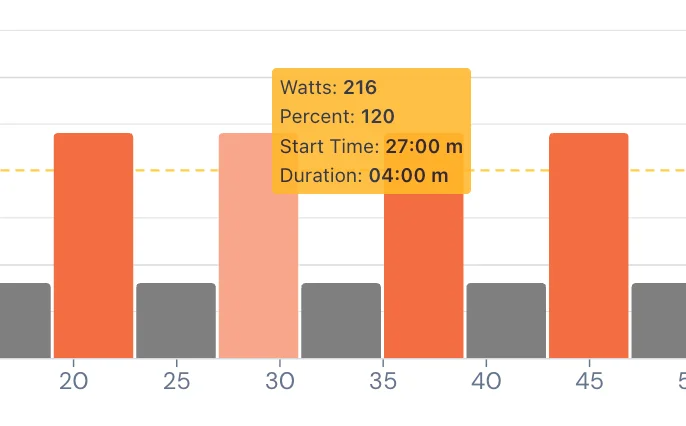
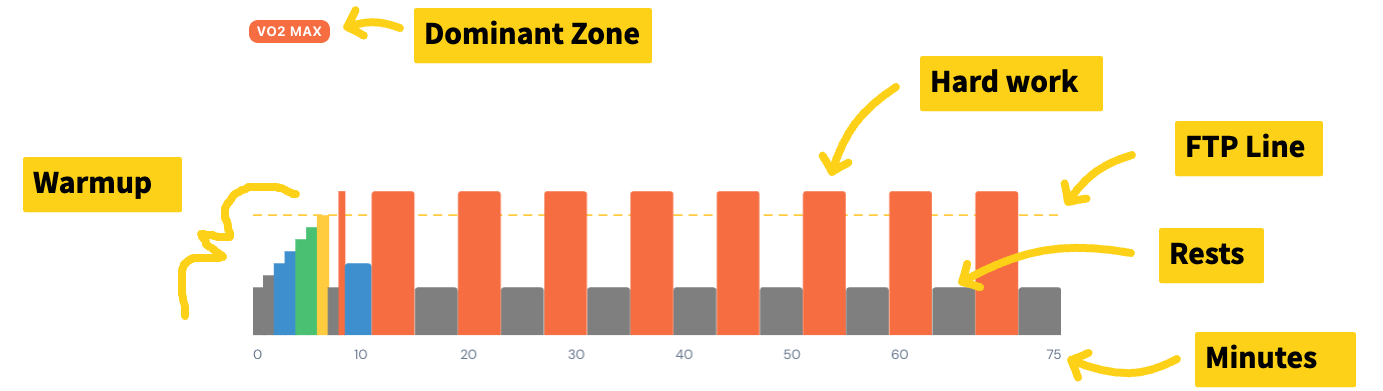
Here is an example of a hard workout. The taller the bars, and if the tall bars are wider, then they are hard.
FTP line explained
Your FTP is your Functional Threshold Power — the intensity you can hold for 40–60 minutes. It's measured as power in watts, but it's related to speed. The faster you can go for longer, the higher your FTP.
We don't use speed because even a beginner can go faster than a strong rider downhill. Power is the amount of force you apply to the pedal — similar to horsepower. And TrainerDay can help you improve it.
The colors explained
Each color is a training zone.
- Grey — Zone 1. Rest or easy.
- Blue — Zone 2, aerobic. With a bit of training you can hold this intensity for hours.
- Green — Zone 3, tempo. The speed most people like to ride at.
- Yellow — Zone 4, threshold power. The pace you could hold for 40–60 minutes if your life depended on it.
- Red — VO2max. Depending on the shade and your fitness, this is more like a 3–8 minute sprint duration.
- Above red — anaerobic. For very short intervals.
The measurements
Most of our riders have a smart trainer or power meter, so watts are measured directly — and an FTP test pins the right intensity for every workout. If you only have a speed sensor, we can estimate watts from that too — it's called "virtual power." Heart rate works, and so does RPE — rate of perceived exertion, or simply "how hard does it feel." We focus on power, but any of these will get you through a structured workout.
The workout above
The workout above is 8 × 4-minute VO2max intervals. It's the most popular workout on TrainerDay — incredibly hard for most and impossible for some. It's not just your FTP, it's also your body type. That gets into something more complex — defining your body type or energy type, called W' (w-prime), or anaerobic work capacity.
Anyway — this is starting to get into the weeds. Hop on your bike, have some fun, and keep your training smart.
Thanks, ~Alex