

怎么用 AI 移动日历上的训练,以及在训练库里创建、编辑或删除训练?
把 Claude 或 ChatGPT 这样的 AI 应用连接到 TrainerDay,然后在聊天里让它移动日历上的训练,或者在训练库里创建、编辑、删除训练。
如果你只是想根据描述创建一个训练,先试试 TrainerDay 自带的 AI 训练生成器:怎么通过向 AI 描述来创建训练?。下面的步骤是连接独立 AI 应用用的。
- 在网站上打开 我的日历。在页面底部点击 API / MCP,打开 TrainerDay 的 AI 应用设置指南。
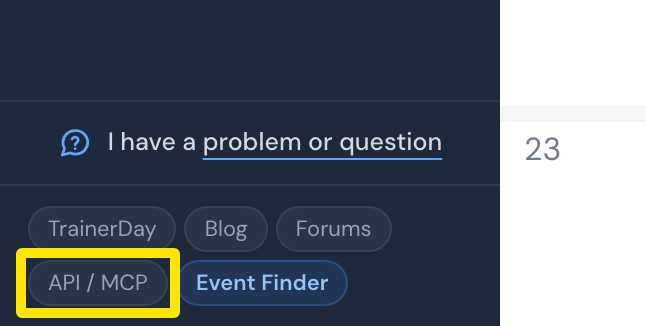 位置:网站 · 我的日历 · 打开
- 在 AI 应用里添加到 TrainerDay 的连接。在 Claude 里选择 Add custom connector。名称填 TrainerDay,URL 填 **https://api.trainerday.com/mcp**,然后点击 添加。
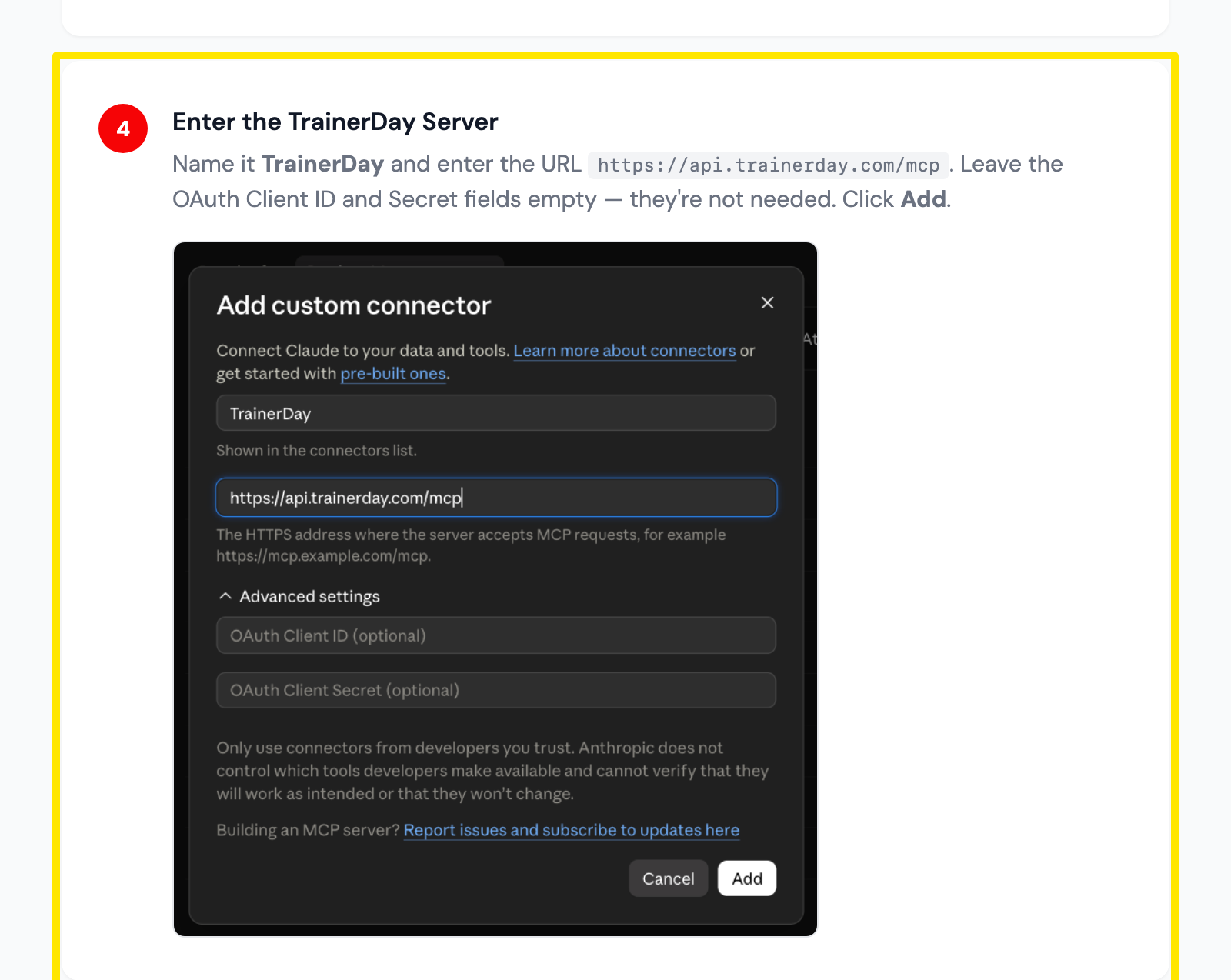 位置:Claude 的 Add custom connector 窗口,见 TrainerDay 的 Claude 设置指南
- 在 AI 应用里开始一个聊天。让它移动日历上的某个训练,或者在训练库里创建、编辑、删除训练。
小提示: 在 ChatGPT 里用同一个 URL,认证方式选 OAuth。