

如何为订阅申请退款?
退款方式取决于你在哪里付的款:在网站付款的,到 TrainerDay 网站的付款历史里找到这笔付款,然后发邮件到 [email protected];在 App Store 和 Google Play 购买的,通过商店退款。
是在 App Store 或 Google Play 购买的?这类退款要通过商店办理:见 通过 Google Play 购买的订阅如何退款?。App Store 的购买由 Apple 负责退款。
- 在 TrainerDay 网站 上,点击左侧菜单顶部的齿轮图标,选择 账户。
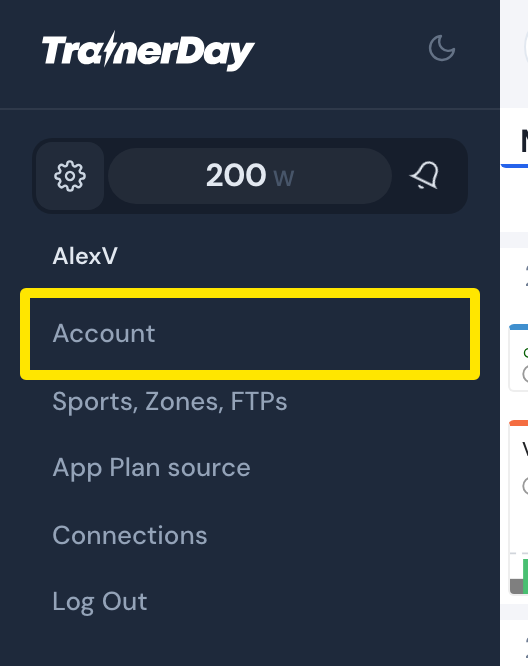 位置:网站 · 左侧菜单 → 齿轮图标
- 在 账户信息 下,点击 管理您的订阅。
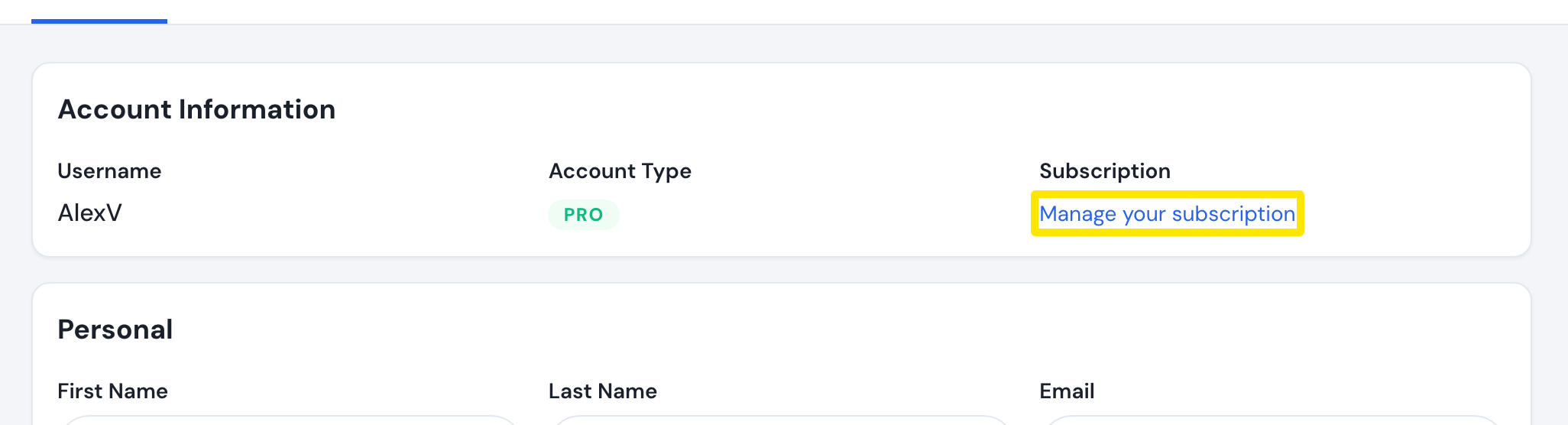 位置:网站 · 账户 · 打开
- 在 付款历史 里找到这笔付款(发票编号、金额、日期)。点 查看收据 可以打开收据。
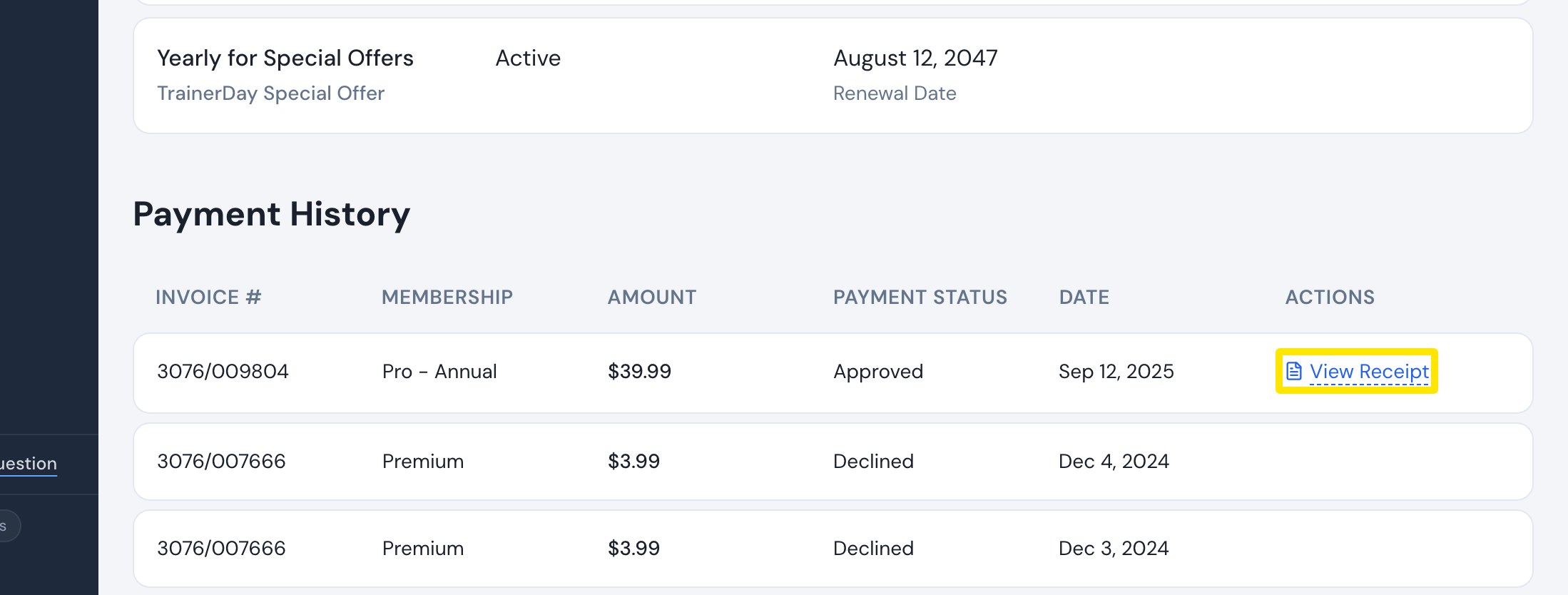 位置:网站 · 管理您的订阅 · 打开
- 用你的账户邮箱发邮件到 [email protected](或者使用 trainerday.com/contact-us 上的表单),写明发票编号或日期。没有退款按钮,退款由 TrainerDay 来处理。
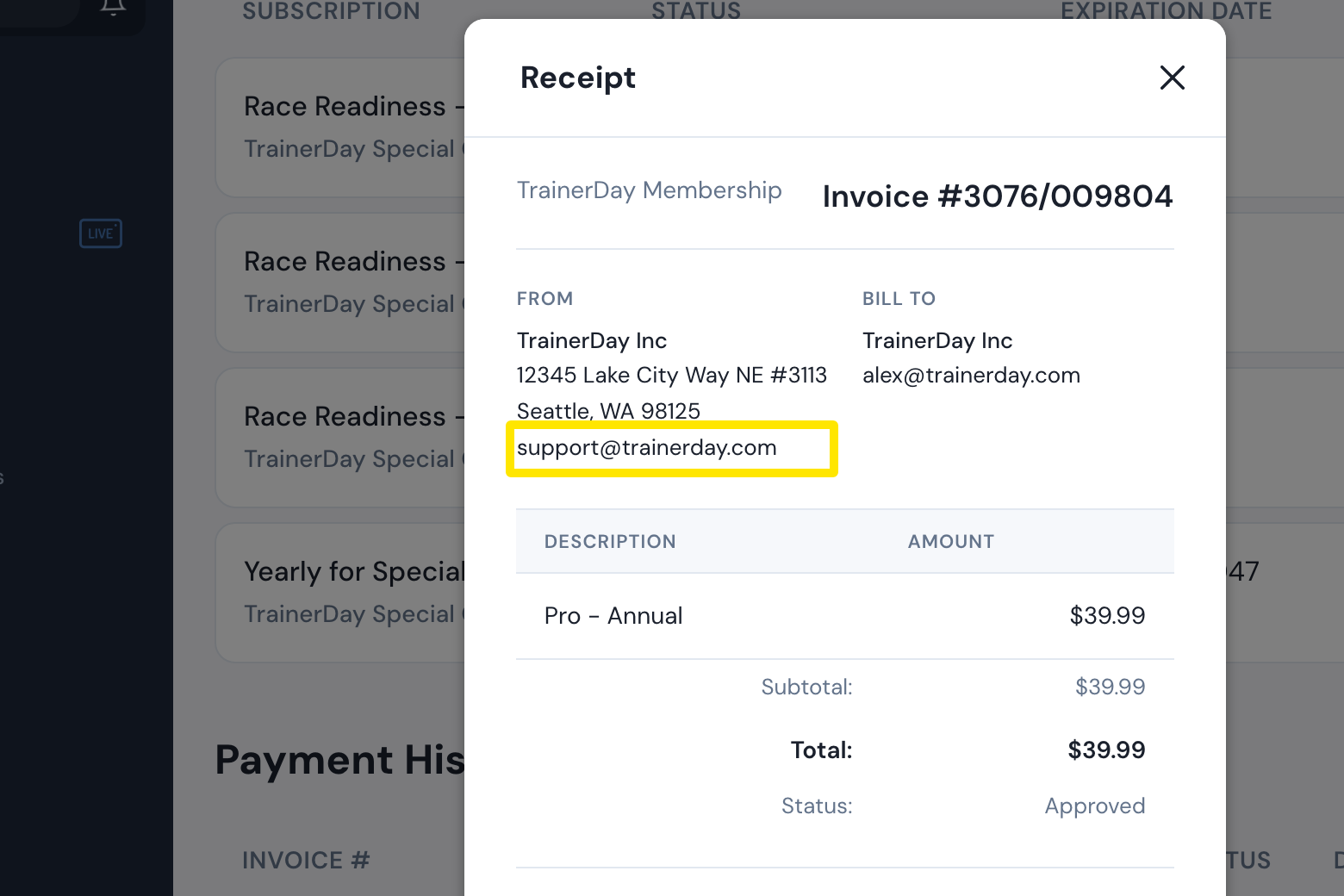 位置:网站 · 管理您的订阅 · 打开
- 不想再续费?回到 管理您的订阅 页面,在 操作 列点击 取消订阅,然后再按 取消订阅 确认。
小提示: 退款本身不会取消订阅,如果你不同时取消,订阅还会继续续费。
适用于: 网站。手机应用会把你带到 App Store 或 Google Play;桌面应用没有账单页面。