

踏频传感器连不上,怎么办?
在 TrainerDay 手机或桌面 App 的设备页面连接踏频传感器,用它的 + 标签让它负责踏频;如果还是连不上,就用 Missing Device?。
- 在 TrainerDay 手机 App 中,打开 设置,点 添加设备 进入 设备 页面(桌面 App:点击窗口右上角的 Bluetooth / ANT+ 按钮)。
- 转动曲柄唤醒踏频传感器。它出现在 可用 下后,点旁边的 +(桌面 App:连接)。
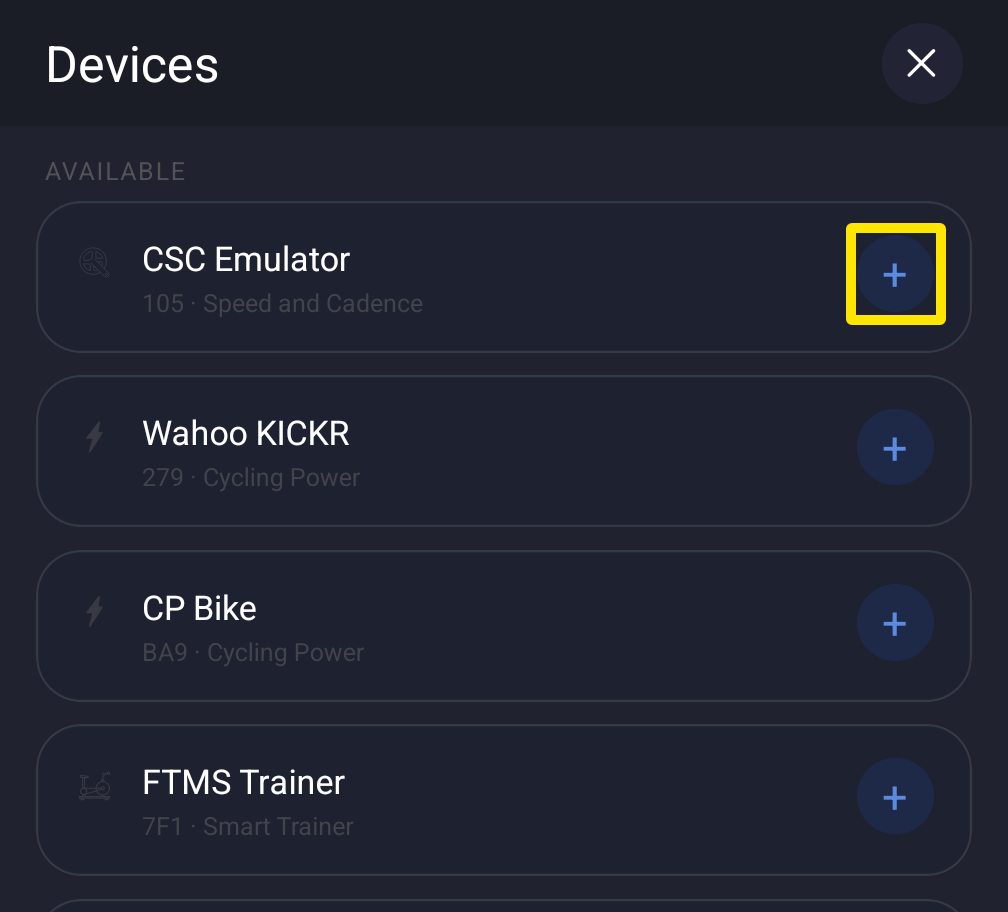 位置:手机 App · 设置标签页 → 添加设备
- 在传感器的卡片上点 + 踏频,让踏频来自传感器,而不是智能骑行台。
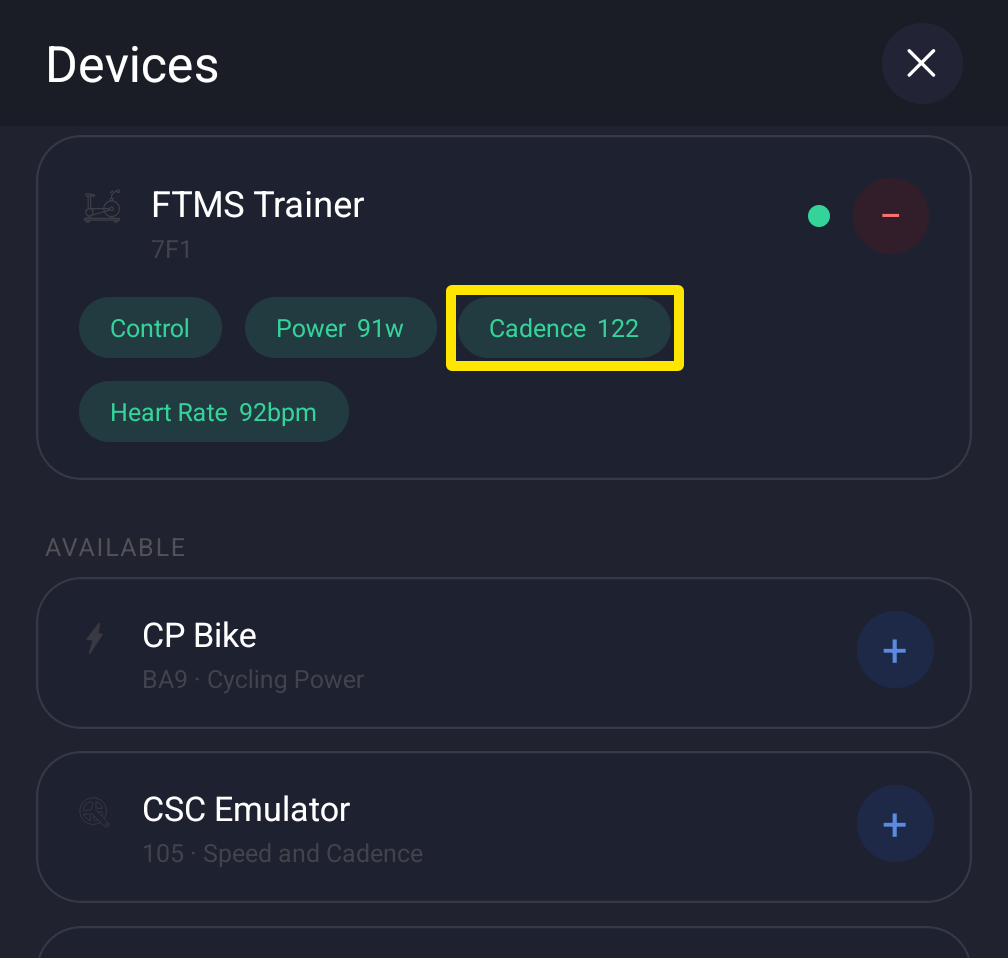 位置:手机 App · 设置标签页 → 添加设备
- 还是不在列表里或连不上?点 设备 页面底部的 Missing Device?(桌面 App:Can't find your device? 或 Not connecting?),按步骤操作。
小提示: 只在 TrainerDay 里配对传感器,不要在手机或电脑的蓝牙设置里配对,否则可能会挡住 TrainerDay 的连接。
适用于: iPhone、Android、Mac 和 Windows App。ANT+ 传感器只能在 Mac 和 Windows App 上配合 USB ANT+ 接收器使用。网站无法连接设备。