

如何用 Claude 或 ChatGPT 创建 TrainerDay 训练?
在网站的创建锻炼计划页面把 Claude 或 ChatGPT 连接到 TrainerDay,然后在 AI 助手的聊天中让它创建训练。
大多数骑手直接向 TrainerDay 内置的 AI 描述训练就行:参见 如何通过向 AI 描述来创建训练?
- 在 TrainerDay 网站上,点击左侧边栏中的 创建锻炼计划(app.trainerday.com/workouts/create)。
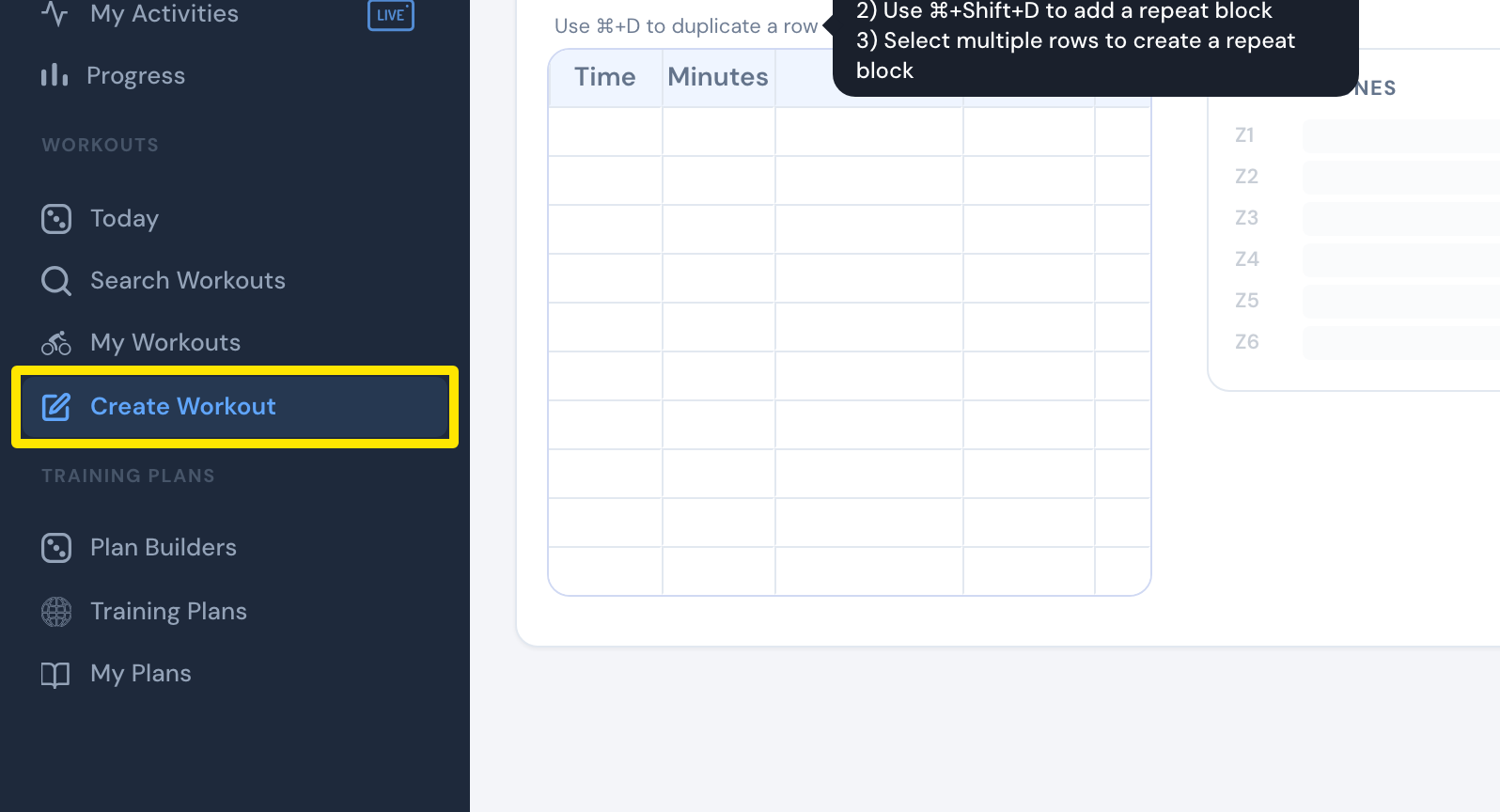 位置:网站 · 创建锻炼计划 · 打开
- 点击 从文件创建 标签。
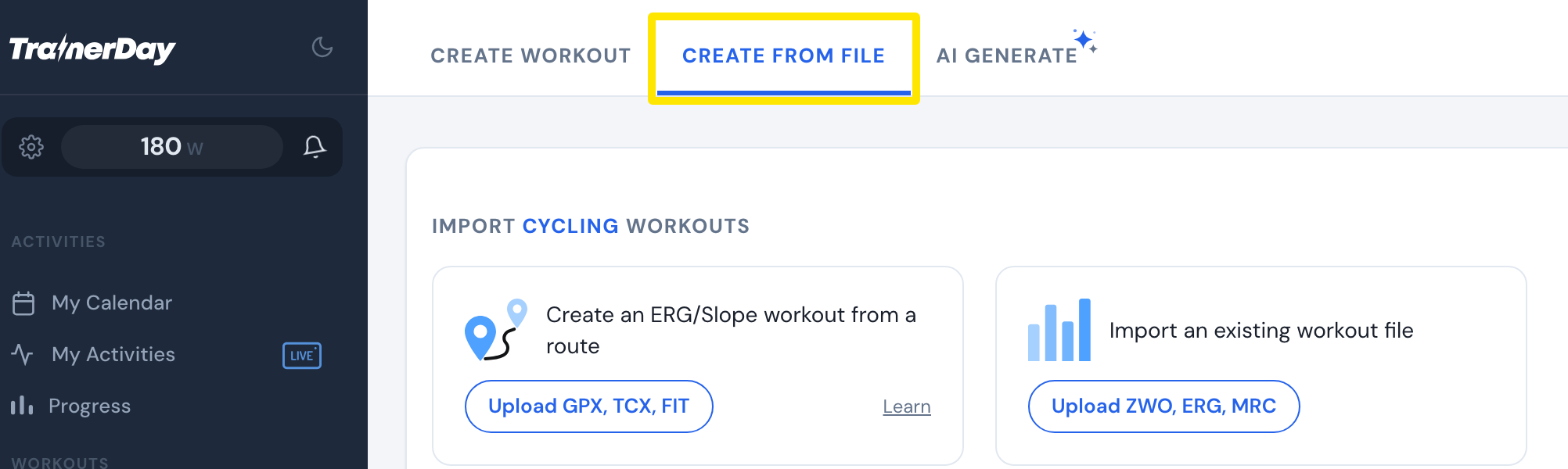 位置:网站 · 创建锻炼计划 · 打开
- 向下滚动到 Also from Claude and ChatGPT 区域,点击 Connect Claude → 或 Connect ChatGPT →。
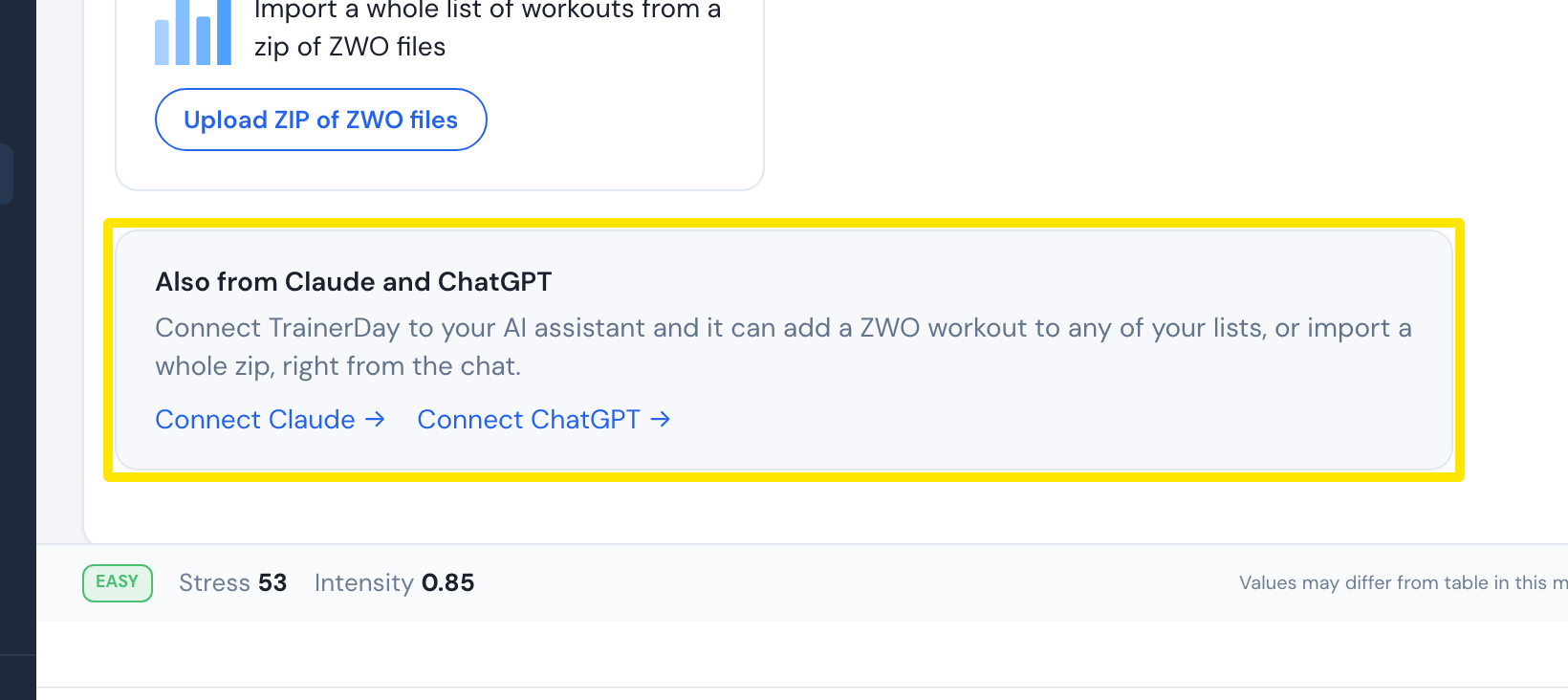 位置:网站 · 创建锻炼计划 · 打开
- 在 Claude 或 ChatGPT 的聊天中,让助手创建训练。它可以把训练添加到你的某个 TrainerDay 训练列表中。
须知: 助手可以把训练生成为 Zwift 训练文件(.zwo),也可以生成为 TrainerDay 训练。