

How do I connect my Concept2 BikeErg and choose its data sources?
Connect your Concept2 BikeErg in the TrainerDay mobile app from Settings → Add Devices, then use the Power and Cadence buttons on its card to choose what data it supplies.
- In the mobile app, open the Settings tab, tap Sport, and keep Cycling checked. Tap the close (X) button to go back to Settings.
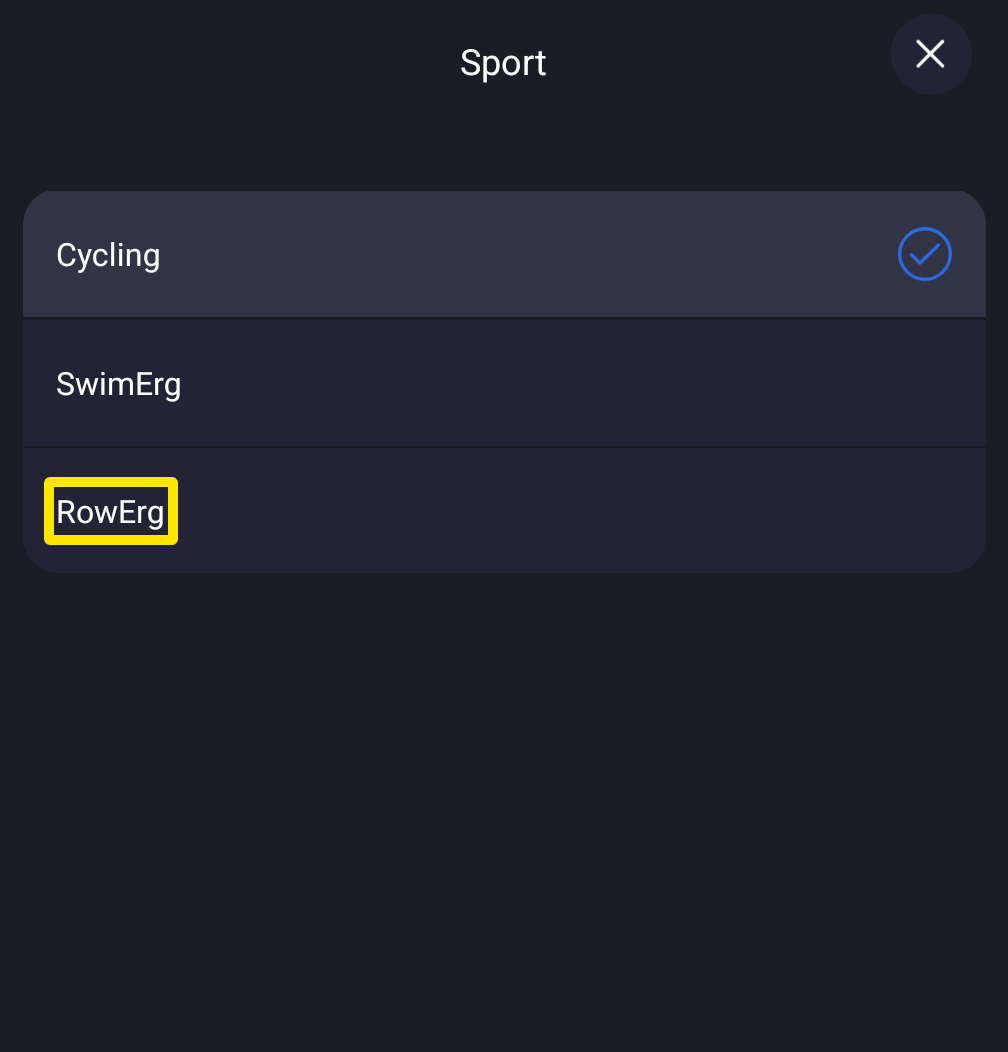 Where: Mobile app · Settings tab → Sport
- On the Settings tab, tap Add Devices to open Devices.
- Wake the BikeErg's PM5, then tap it in the list of found devices. It shows as Cycling Power.
- Already connected? Start here. On its card, a lit Power or Cadence button means the BikeErg supplies that reading. Tap a button with "+" to take that reading from the BikeErg. Tap a lit one to stop using the BikeErg as the source for that reading.
Good to know: Power comes only from the device whose Power button is lit. If you see cadence but no power, tap the BikeErg's Power button. TrainerDay can't control the BikeErg's resistance, so there is no ERG.
Works on: mobile app and desktop app. In the desktop app, click the Bluetooth button at the top right to open Devices, connect the BikeErg, and click its Power and Cadence buttons the same way.