

How do I use a controllable treadmill with TrainerDay?
Connect a Bluetooth smart treadmill (one that supports FTMS, the Bluetooth fitness machine standard) in the TrainerDay desktop app's Devices screen, turn on + Control, and TrainerDay changes the treadmill's speed and incline during your run.
- Optional, to pick a run first: on the website, open Search Workouts and set the sport menu to Running.
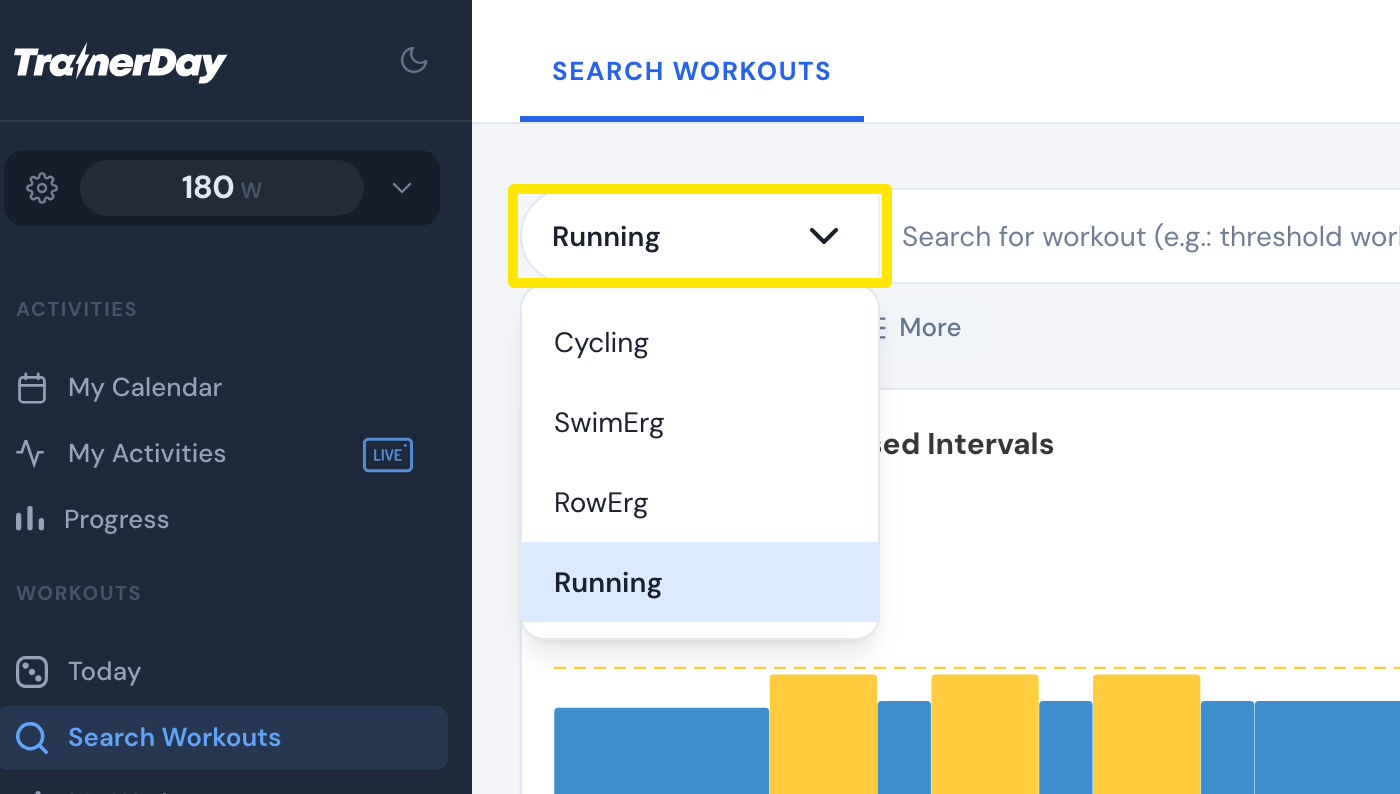 Where: Website · Search Workouts · open it
- Open the desktop app (Mac, Windows or Linux). Click the Bluetooth button at the top right to open Devices.
- Under AVAILABLE, click Connect next to your treadmill. It moves to CONNECTED and sends your speed, plus heart rate if it has it.
- On the treadmill's line, click + Control so TrainerDay can change the treadmill's speed and incline. Control stays off until you do this.
- In the desktop app, start a running workout or Quick Start → Run. Then start the belt on the treadmill's console. TrainerDay changes speed and incline while the belt moves. It never starts or stops the belt.
Good to know: If + Control doesn't appear, your treadmill doesn't accept speed or incline commands. It still connects and shows your speed.
Works on: Mac and Windows desktop app only. The iPhone and Android apps don't support treadmills.