

How do I make the buttons bigger and easier to press during a ride?
To get big, easy-to-press buttons during a ride, use the TrainerDay mobile app's Remote Control to run your desktop app workout from your phone, and raise the step size so each press changes intensity more.
- On your phone, open the TrainerDay mobile app, go to the Settings tab and tap Remote Control.
- Start a workout in the desktop app. Your phone now shows big Pause/Resume, Skip, Mode and ERG Adjustment buttons for that workout.
- To make each press jump further, change the step size. On the phone, go to Settings → Other Options → ERG Increase % (1 to 20, default 5).
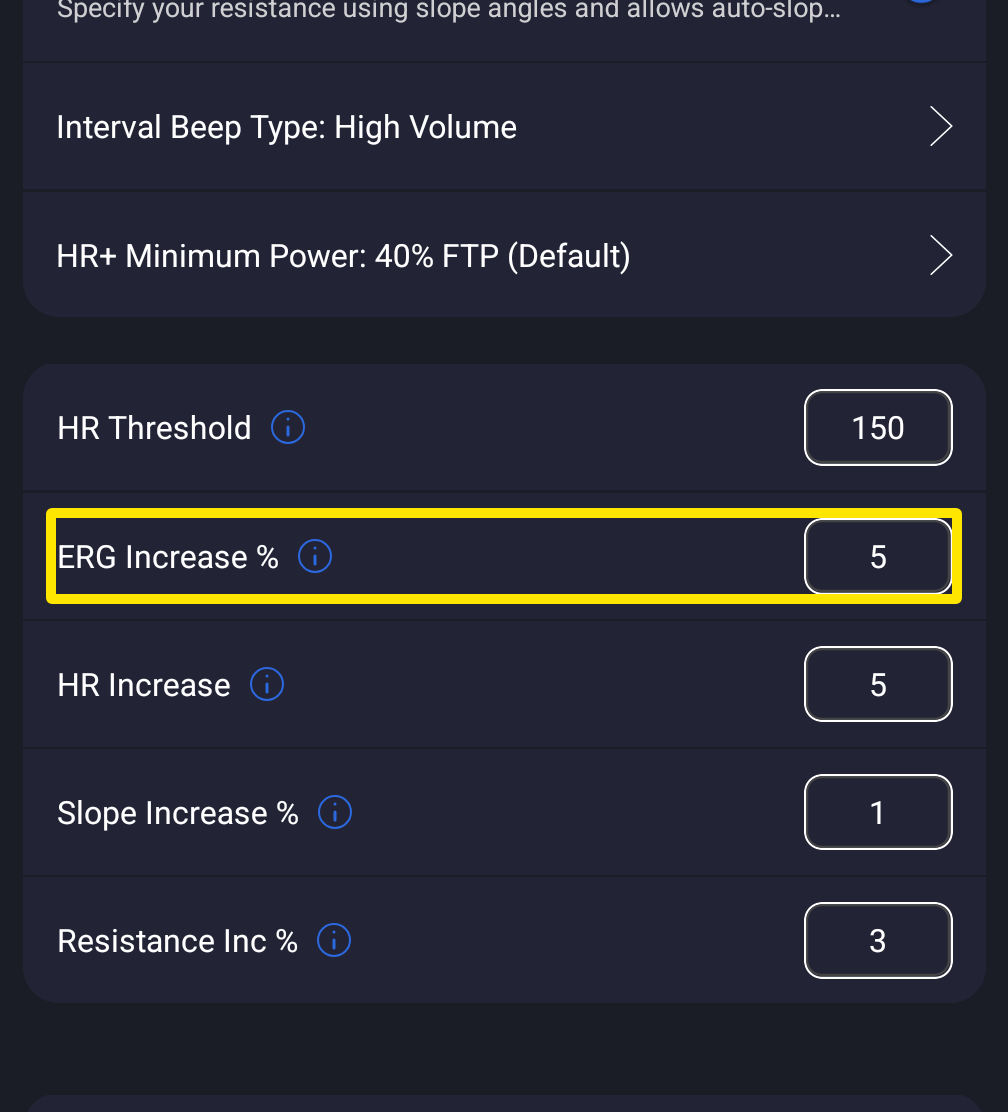 Where: Mobile app · Settings tab → Other Options
- In the desktop app, go to the Settings tab → Step Sizes → ERG Step (%) (1 to 20, default 1).
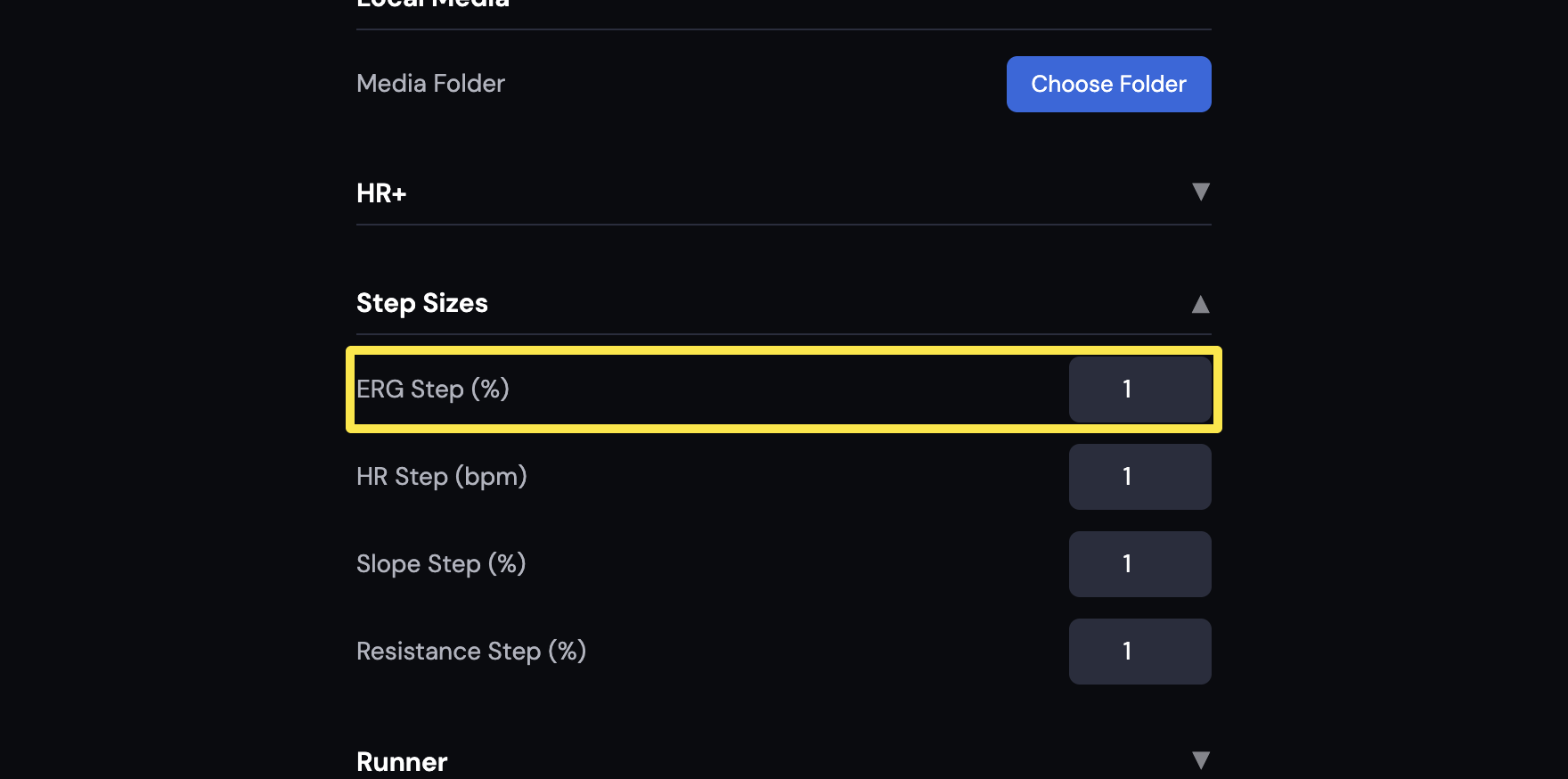 Where: Desktop app · Settings tab → Step Sizes
Good to know: The desktop app has no larger on-screen buttons, but you can also control it with a keyboard (the ↓/↑ keys) or cheap Bluetooth remote buttons placed next to your fingers.