

How do I make short intervals reach the target power faster?
Short intervals usually reach target slowly because your smart trainer takes a few seconds to respond in ERG mode. The fix is to ride very short intervals in slope mode or make them longer, and to type a single FTP% value so the workout jumps instead of ramping.
If the target jumps up but your smart trainer takes too long to reach it in ERG mode, try slope mode for very short intervals. The editor steps below only change the workout target.
- In the mobile app, start your workout. On the workout screen, tap SLOPE instead of ERG for intervals under 10 to 15 seconds. You can also make the intervals longer.
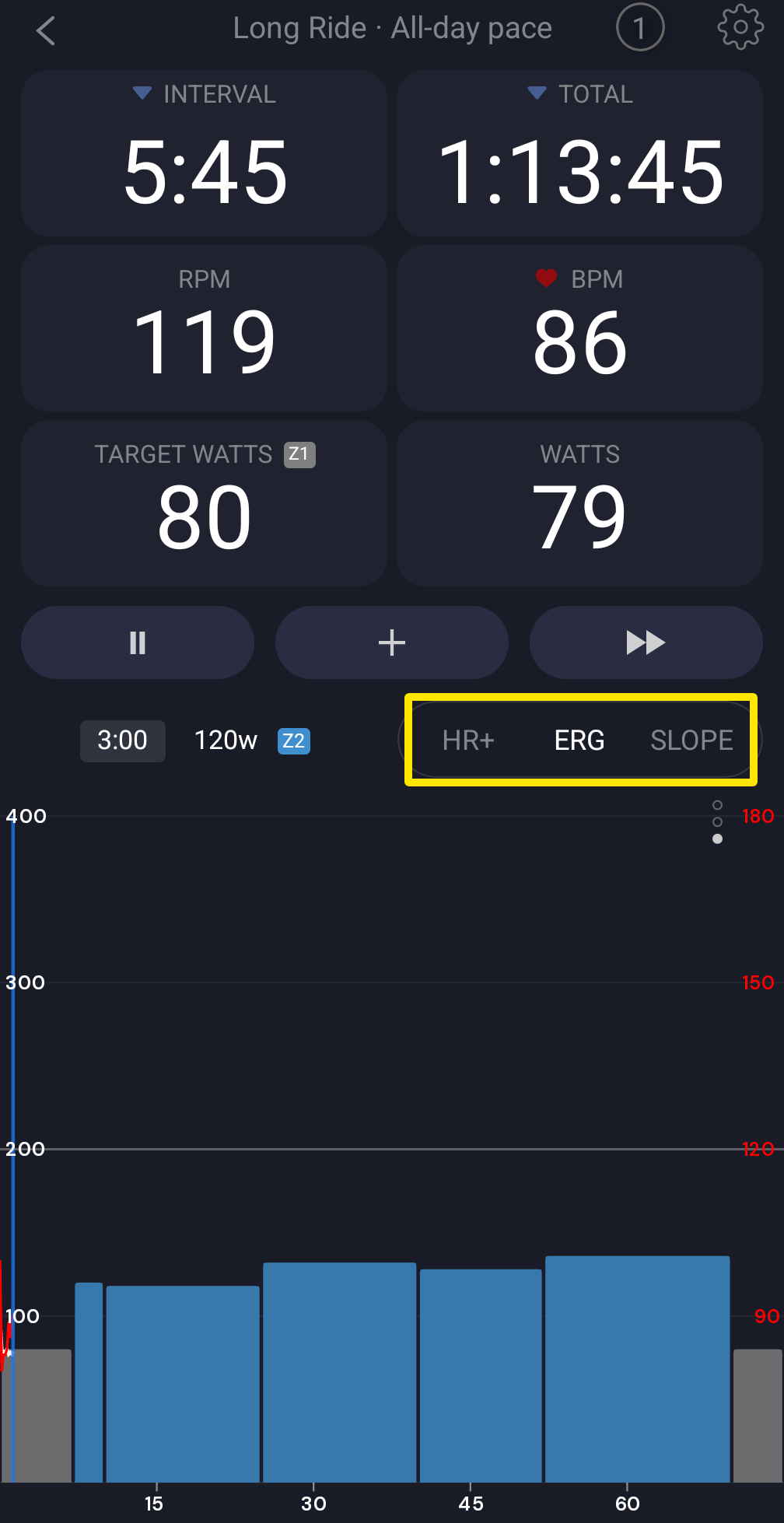 Where: Mobile app · the workout screen during a ride
- To fix the workout itself, open the website's Create Workout page at https://app.trainerday.com/workouts/create. A range in FTP%, such as 40-70, is a ramp. A ramp rises in a straight line across the whole row.
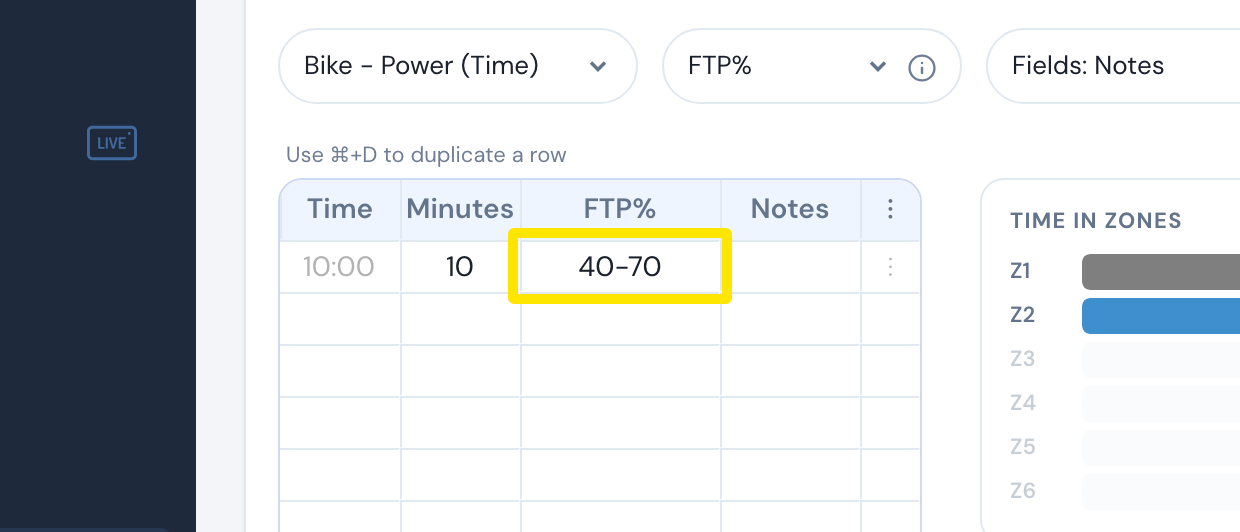 Where: Website · Create Workout · open it
- For a jump straight to the target, type a single value in FTP%, for example 120.
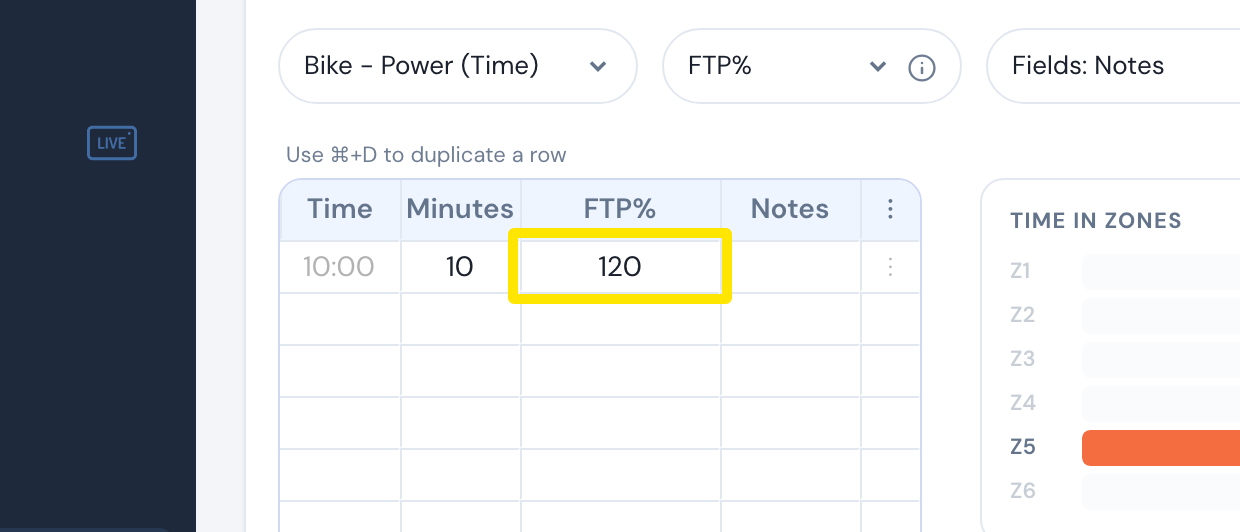 Where: Website · Create Workout · open it
Good to know: No app has a setting that speeds up ERG ramps or switches to slope mode automatically. The trainer decides how fast it reaches a new target. The mobile app sends a new target at most every 2 seconds and sends none in the last 2 seconds before an interval change.