

Why does my smart trainer not change resistance when I change modes?
Your trainer usually ignores a mode change in the mobile app for one of three reasons: no device has Control, the change needs about 2 seconds to reach the trainer, or the trainer doesn't tell TrainerDay it supports that mode, which you can work around with the Sim/Slope mode switch.
- In the mobile app, on the workout screen, tap Connect to open Devices. Make sure your trainer has Control. If no device has Control, the mode buttons show No Control.
- Close Devices with the X to go back to the workout screen. Tap the mode you want (ERG, SLOPE or RESIST). Give the trainer about 2 seconds to respond, because trainer commands are sent at least 2 seconds apart.
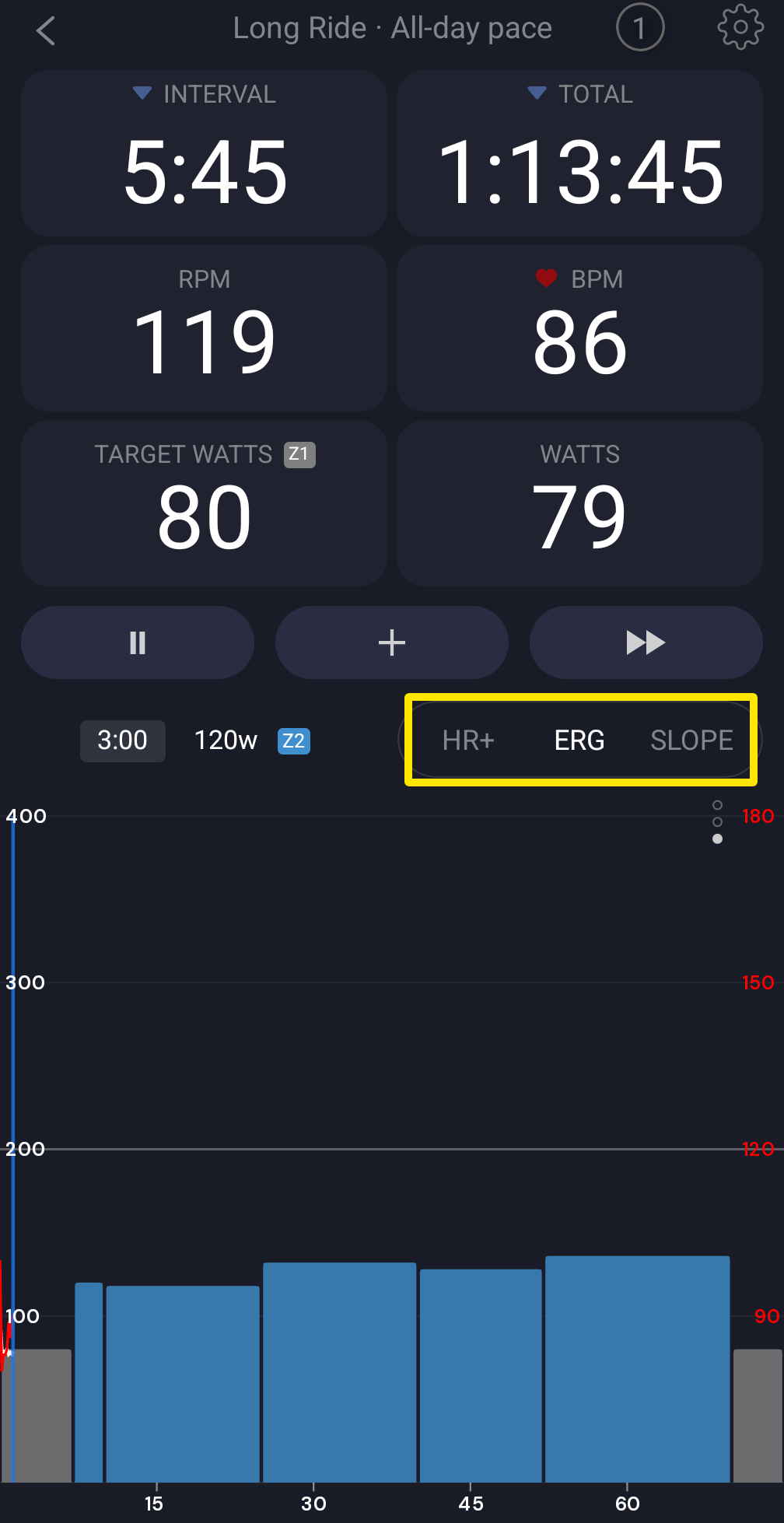 Where: Mobile app · the workout screen during a ride
- If SLOPE or RESIST is greyed out, your trainer doesn't tell TrainerDay it supports that mode. Open the Settings tab, then Other Options. Switch Sim/Slope mode on to get SLOPE, or off to get RESIST. Then try that mode on the workout screen.
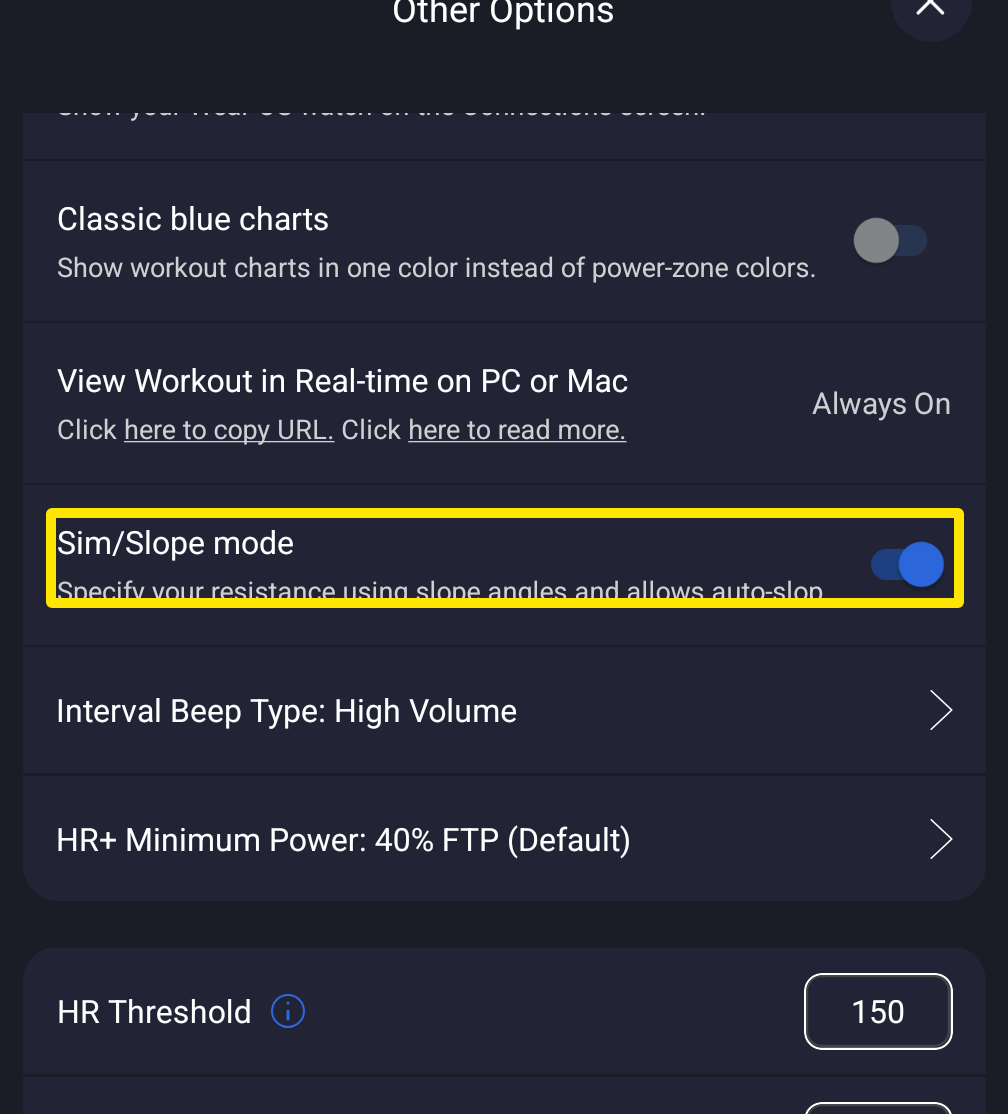 Where: Mobile app · Settings tab → Other Options
Works on: Mobile app (about a 2-second delay). In the desktop app, a mode change reaches a connected trainer at once, from the bottom bar (ERG / SLOPE or RESIST / HR+) or with the M key.