

Why don't my watts match the target in ERG mode?
ERG watts miss the target when another app is connected to the trainer, Power comes from a different device than the trainer, your FTP is wrong, or Bluetooth/WiFi interference interrupts the trainer; fix it in the mobile app's Devices screen, then ride in ERG.
Many riders miss ERG targets because of gear or cadence: ride in a small gear at a steady cadence. See How do I choose my gear and cadence when riding in ERG mode?
- Close any other app already connected to the trainer, such as Zwift or the app on a second phone.
- In the mobile app, open the Settings tab and tap Add Devices. On Devices, give Control to your trainer. Give Power to the trainer too.
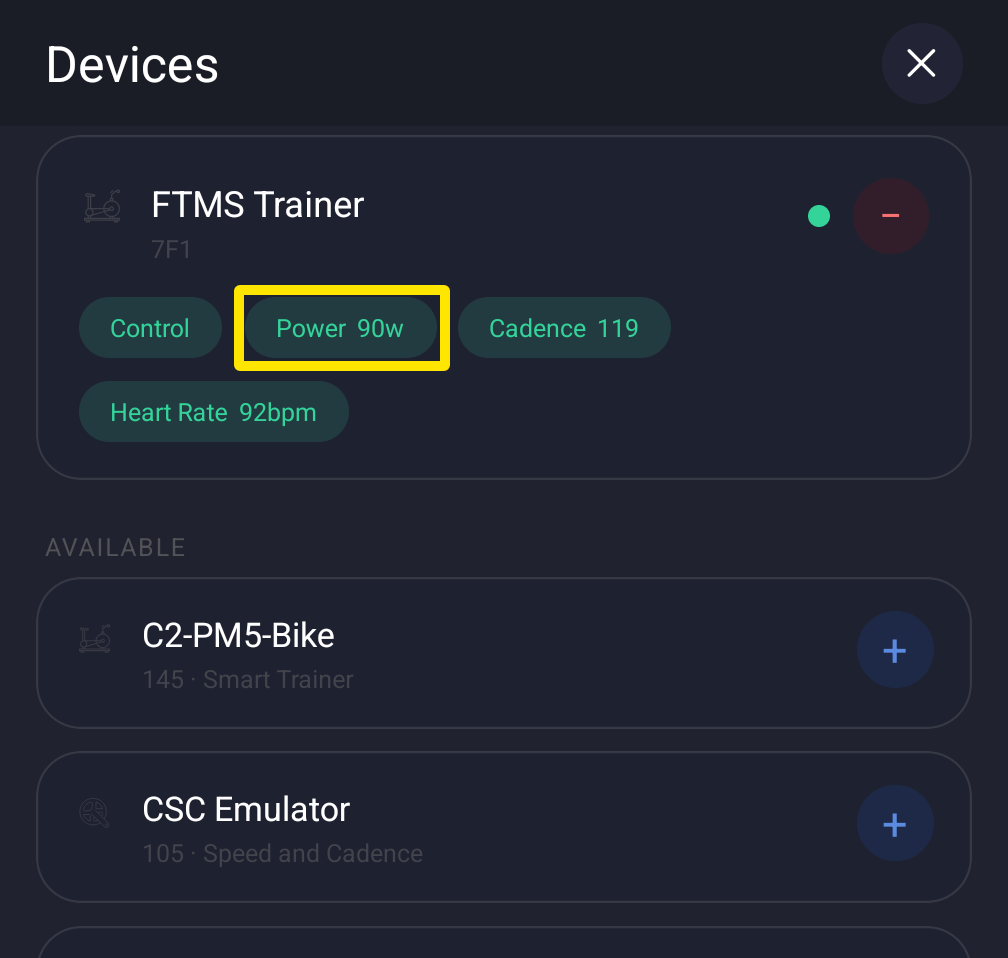 Where: Mobile app · Settings tab → Add Devices
- Using power pedals instead? Give Power to the pedals and keep Control on the trainer. Then, back in the Settings tab, turn on Power Match.
- Check that your FTP is correct. Close Devices, start a workout, and on the workout screen tap ERG.
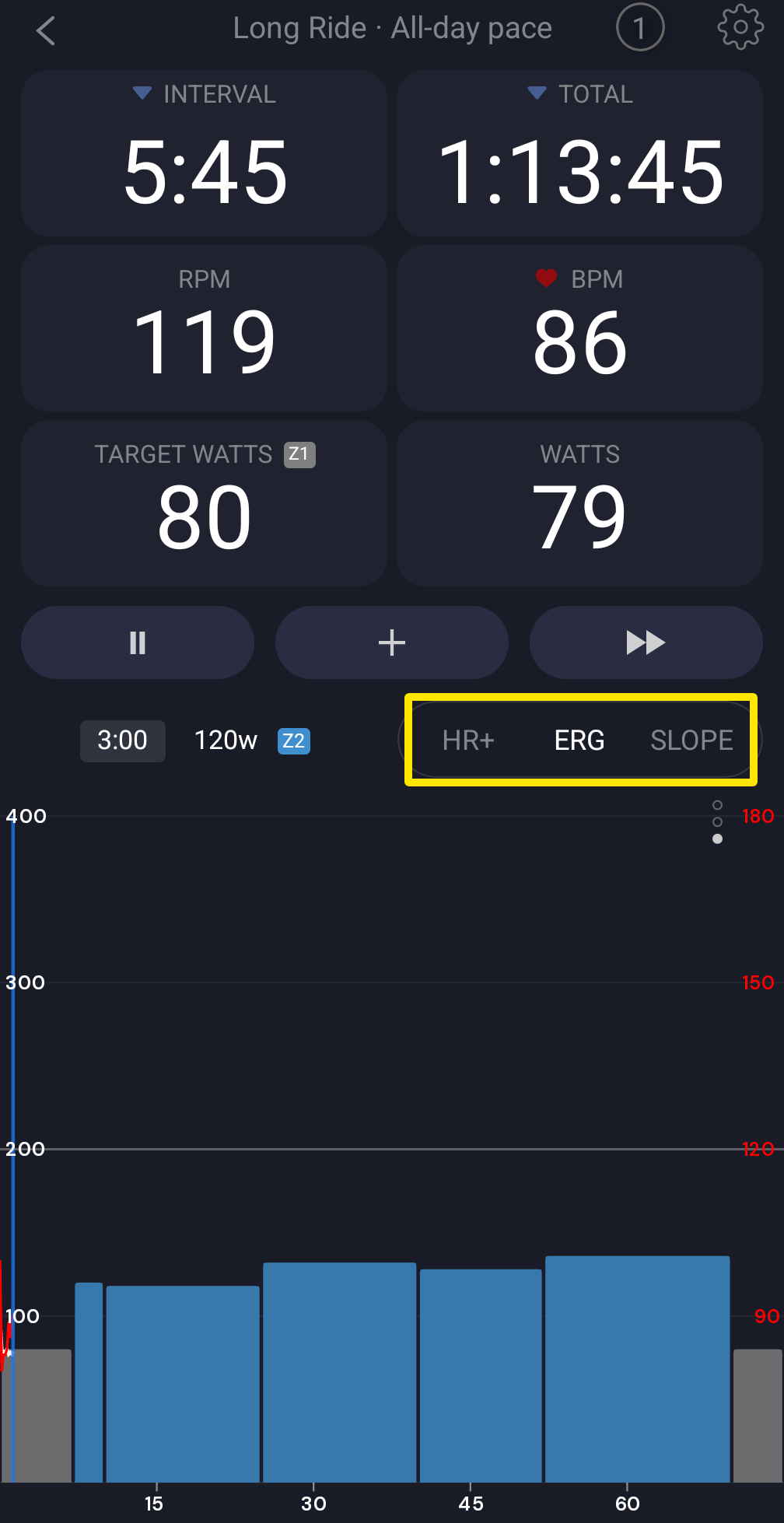 Where: Mobile app · the workout screen during a ride
- If watts still swing, test with only the trainer connected and the phone close to the trainer. Turn WiFi off to check for interference.
Good to know: Power Match works only in ERG mode. It corrects the trainer target by the gap between the trainer's and the pedals' average power.
Works on: Mobile app; in the desktop app, Power Match is in Settings → Workout Controls.