

How do I stop ERG dropouts during a workout?
Stop ERG dropouts by closing other apps that hold your trainer, keeping your phone close to the trainer, and making sure only the trainer has Control on the Devices screen.
- Close every other app or phone that can connect to your trainer, like Zwift or a second TrainerDay app. A trainer connects to only one app at a time.
- Keep your phone close to the trainer. To test for WiFi interference, turn WiFi off for a ride. If that helps, change your WiFi channel or move the router.
- In the mobile app, open the Settings tab and tap Add Devices to open Devices. Make sure only the trainer has Control.
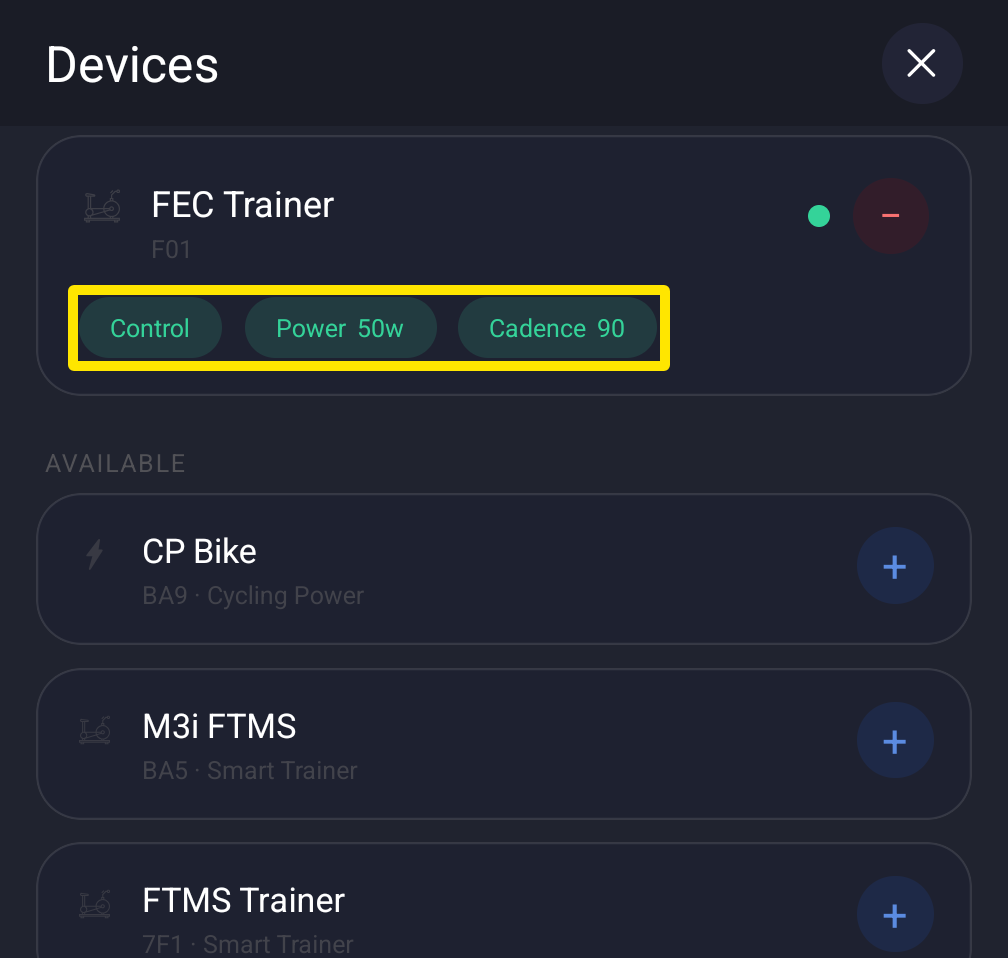 Where: Mobile app · Settings tab → Add Devices
- If dropouts continue, restart the phone and unplug the trainer. Then reconnect with only the trainer connected and your power pedals disconnected. You can also try the desktop app.
Good to know: Bluetooth is the most stable trainer connection and is recommended over ANT+.
Works on: Mobile app and desktop app. The desktop app has the same Devices window with Control for each device.