

How do I get ERG mode working with my smart trainer?
Close any other app holding your smart trainer, connect it in the TrainerDay mobile app's Devices screen with Control selected, then tap ERG on the workout screen.
- Close Zwift or any other app or phone connected to your trainer. A trainer works with one app at a time.
- In the TrainerDay mobile app, open the Settings tab, then tap Add Devices. Connect your smart trainer and make sure Control is selected under it.
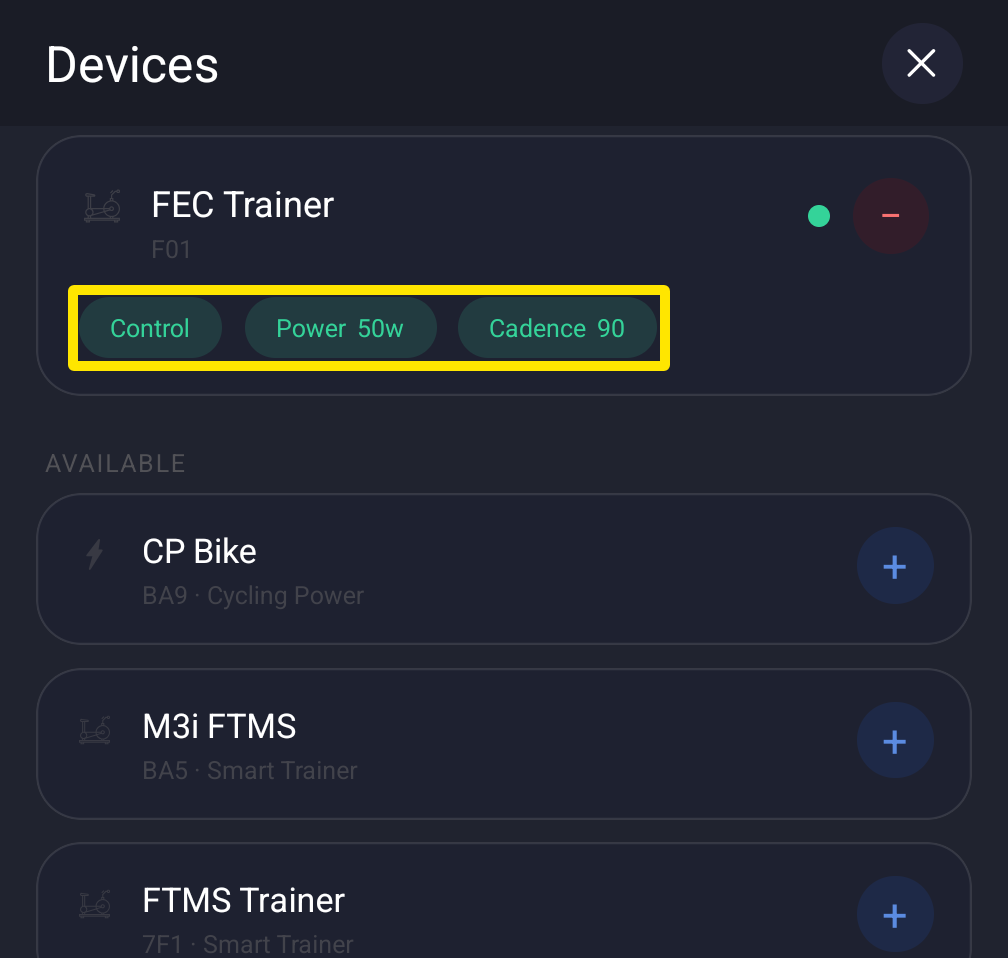 Where: Mobile app · Settings tab → Add Devices
- Go to Today and tap Ride Now on a workout.
- On the workout screen, tap ERG and ride. The app sends your trainer a watts target based on your FTP.
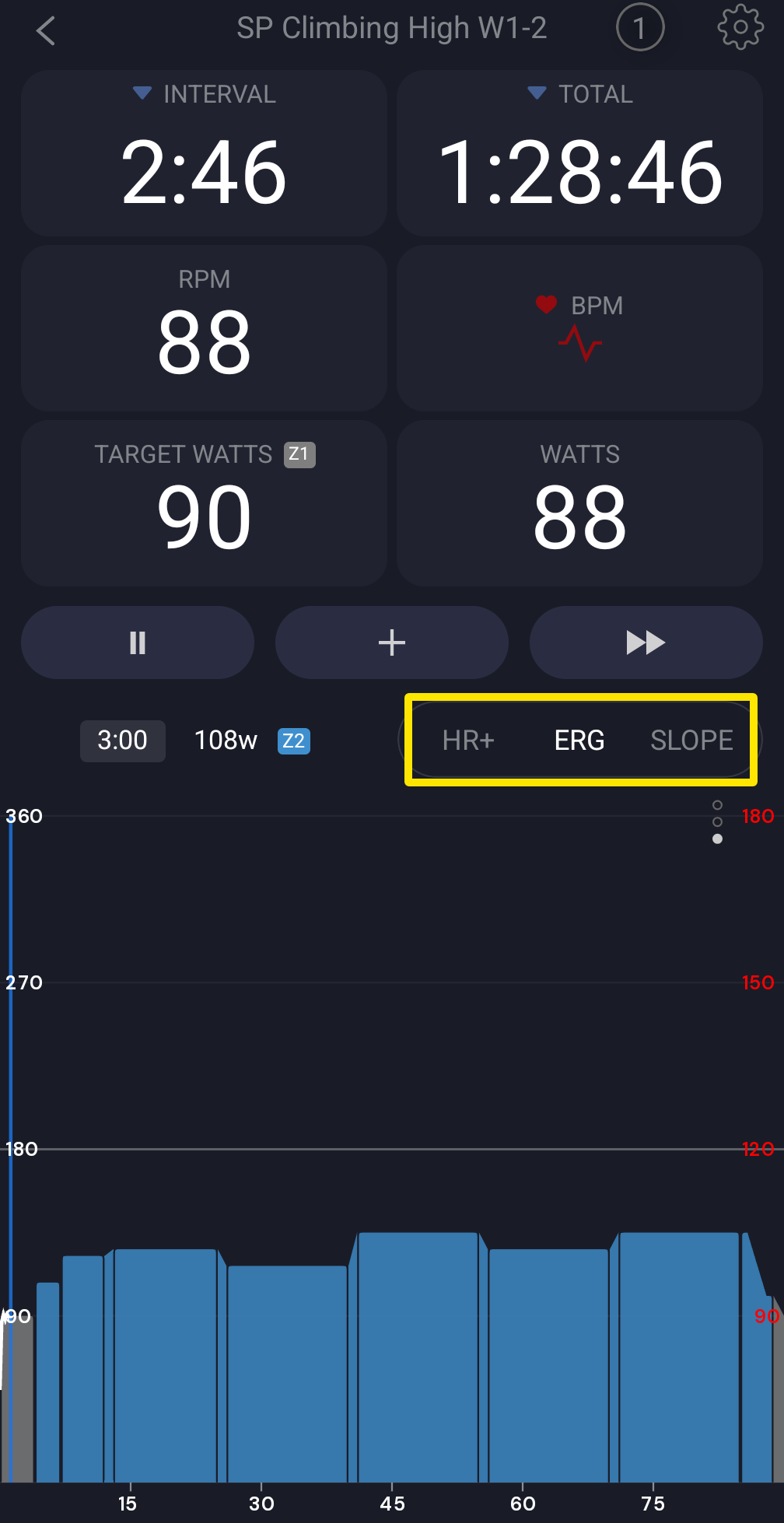 Where: Mobile app · the workout screen during a ride
Good to know: If the workout screen shows "No Control" instead of ERG, no connected device has Control selected.
Works on: Mobile and desktop apps. On desktop, connect the trainer in Devices with Control on, then click ERG in the bottom bar or press M. The website has no riding.