

How do I create a workout that doesn't use ERG mode?
Build a slope-mode workout on the TrainerDay website's Create Workout page by setting each interval's Control Mode to slope and typing a grade, so it rides without ERG.
If you just want to stop ERG during a ride and set your own resistance, see How do I turn off ERG mode and ride with my own resistance?
- On the website, open Create Workout at https://app.trainerday.com/workouts/create.
- Click Fields: and tick Control Mode so the Control Mode and Slope/BPM columns show.
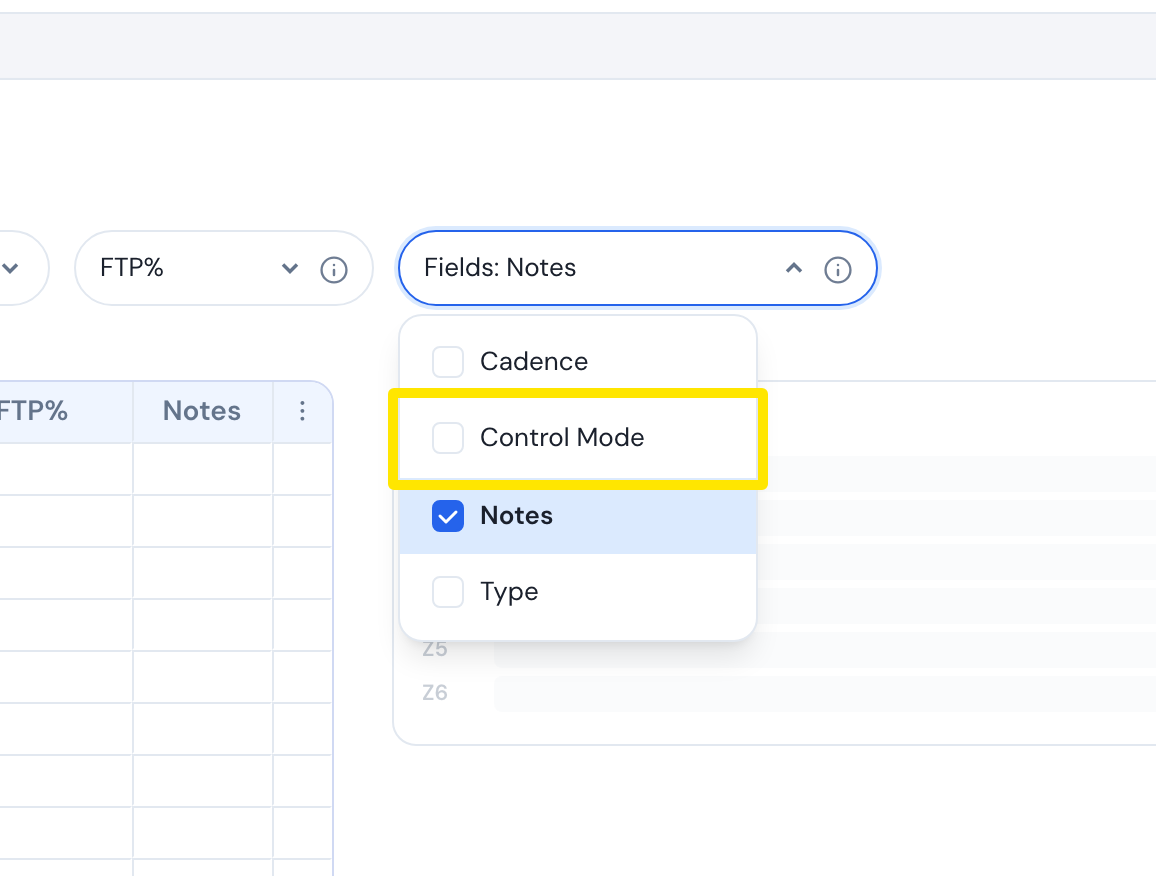 Where: Website · Create Workout · open it
- In each interval's Control Mode box, choose slope.
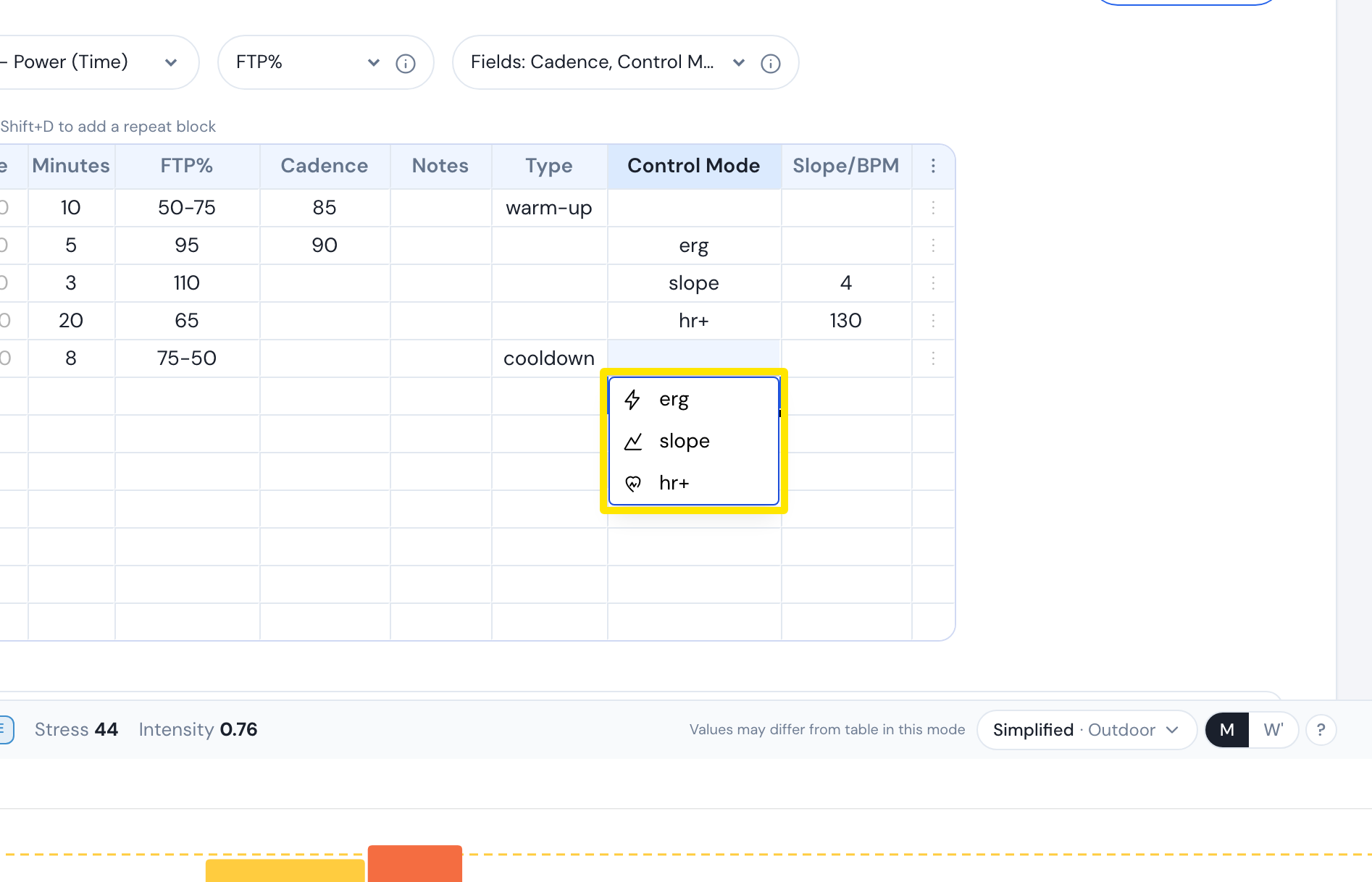 Where: Website · Create Workout · open it
- Type the grade in Slope/BPM, from -25 to 25. A value in that range also switches the interval to slope by itself.
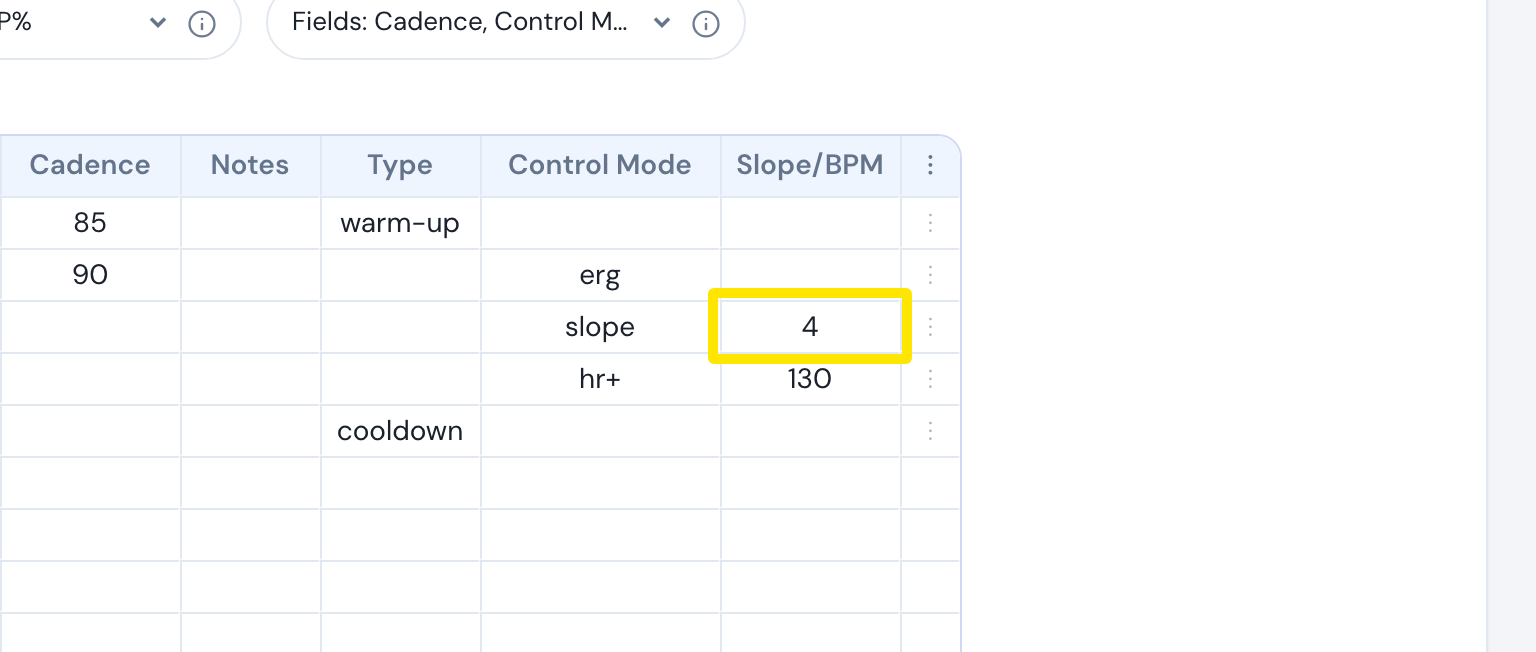 Where: Website · Create Workout · open it
- Click Save workout, then Save.
Good to know: You can mix ERG, slope and HR+ intervals in one workout. They switch automatically only in the TrainerDay app, not in Zwift or on Garmin.
Works on: Building is website only. The mobile and desktop apps ride slope intervals in SLOPE mode by themselves.