

How do I turn off ERG mode and ride with my own resistance?
During a ride in the TrainerDay mobile or desktop app, tap or click SLOPE (or RESIST) instead of ERG, then set your own resistance with the + and - buttons; tap ERG to go back.
- Before you start the ride, pick your mode if you want resistance instead of slope. Mobile app: open the Settings tab → Other Options and turn Sim/Slope mode off to get RESIST. Leave it on to get SLOPE.
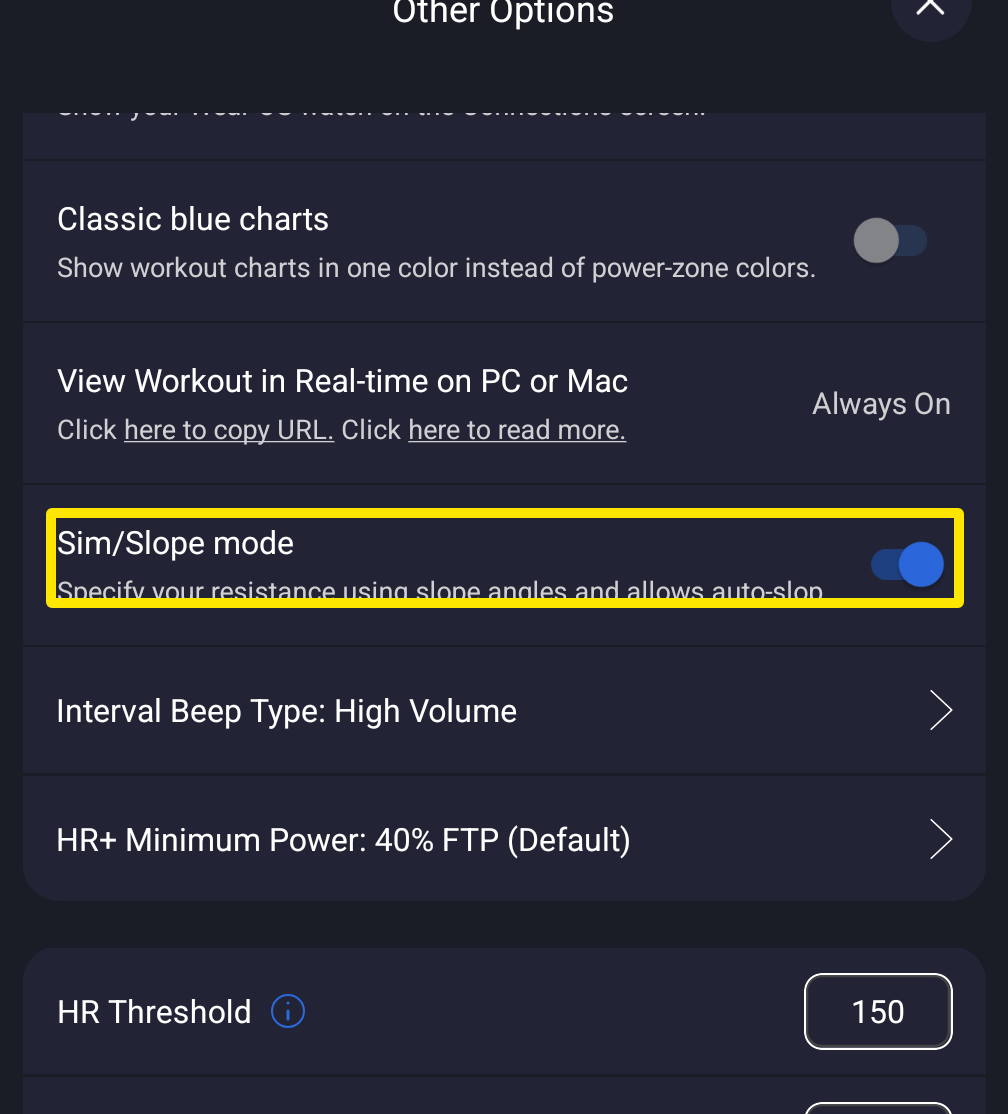 Where: Mobile app · Settings tab → Other Options
- Start your workout. On the workout screen, tap SLOPE or RESIST in the mode buttons.
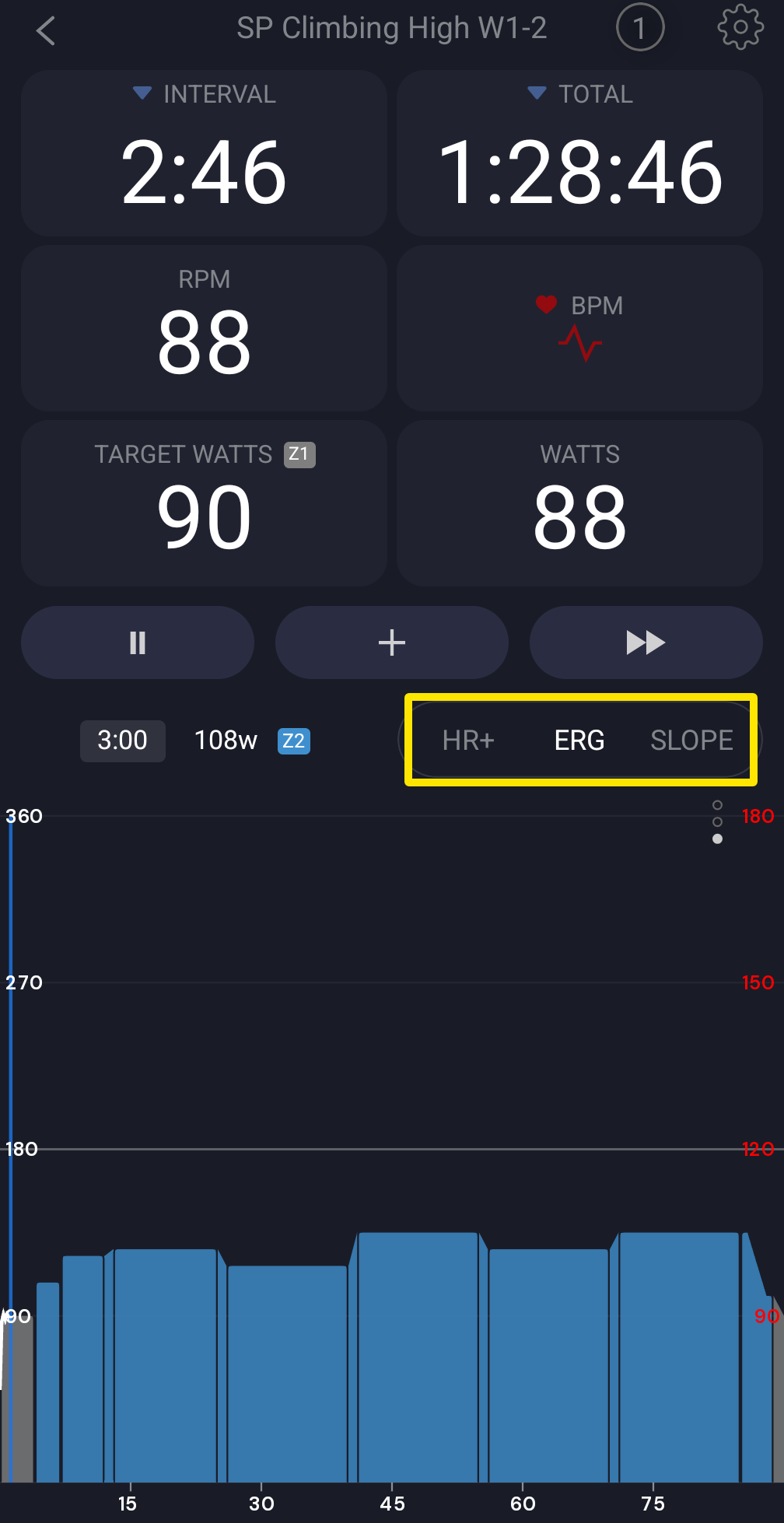 Where: Mobile app · the workout screen during a ride
- Use + and - to change the slope or resistance. In RESIST, each + adds 3% by default (Resistance Inc % in Settings), up to 100%.
- To go back to ERG, tap ERG in the same mode buttons.
Good to know: Your choice stays until an interval with its own mode (erg, slope or hr+) starts. No setting locks one mode for the whole ride.
Works on: mobile and desktop apps. On desktop, click SLOPE or RESIST in the bottom bar or press M. Turn Slope / Sim Mode off under Settings → Workout Controls to get RESIST (0–100%, 1% steps by default).