

How do I switch between ERG and HR+ during a ride?
Switch between ERG and HR+ mid-ride with the mode buttons on the workout screen in the TrainerDay mobile or desktop app, or press M on desktop to cycle ERG > SLOPE > HR+.
Mobile app
- Start a workout in the TrainerDay mobile app.
- On the workout screen, tap HR+ to switch to HR+, or ERG to go back to ERG.
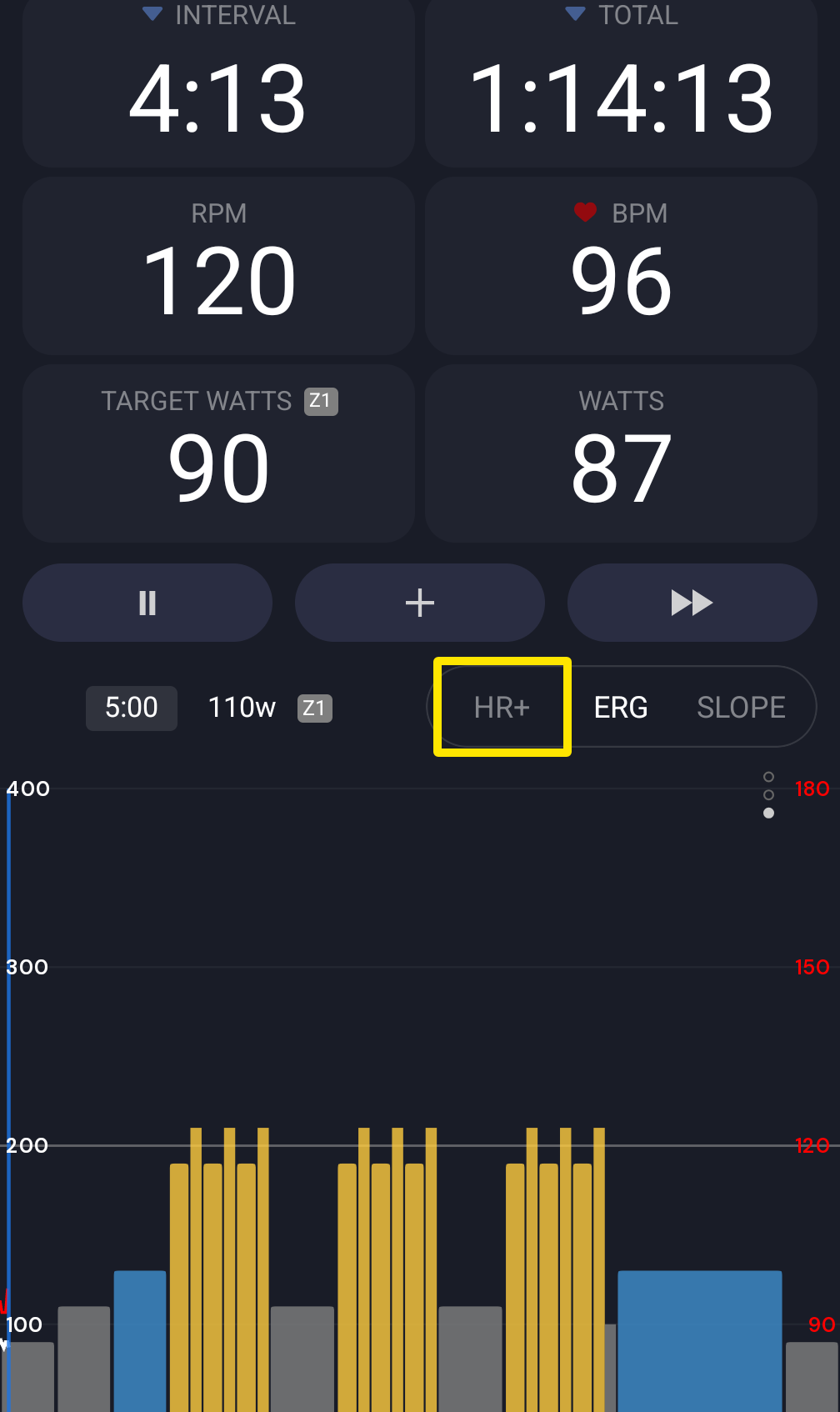 Where: Mobile app · the workout screen during a ride
Desktop app
- Open the Today tab and click Ride Now on a workout.
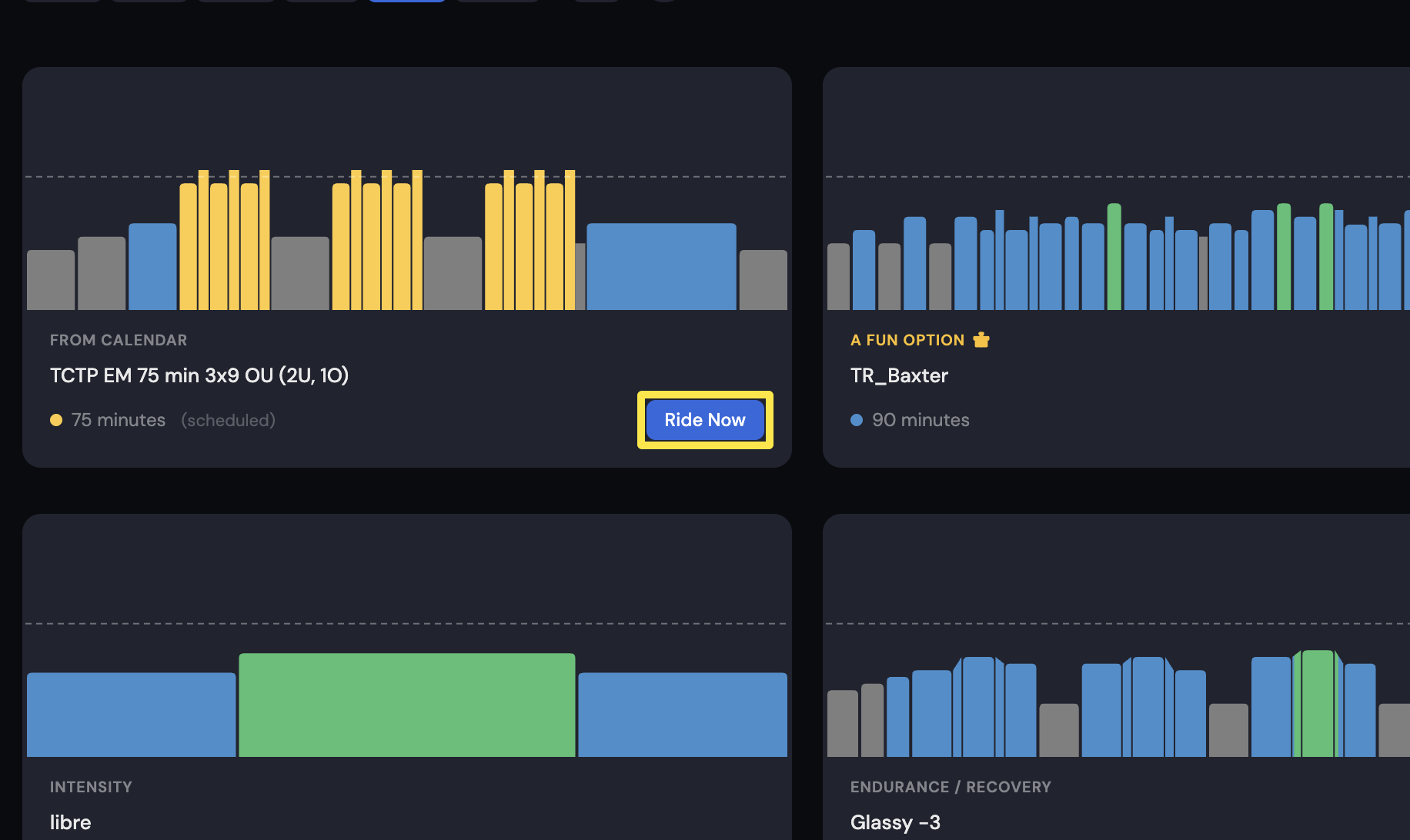 Where: Desktop app · Today tab
- On the workout screen, click HR+ or ERG in the bottom bar. Or press M to cycle ERG > SLOPE > HR+.
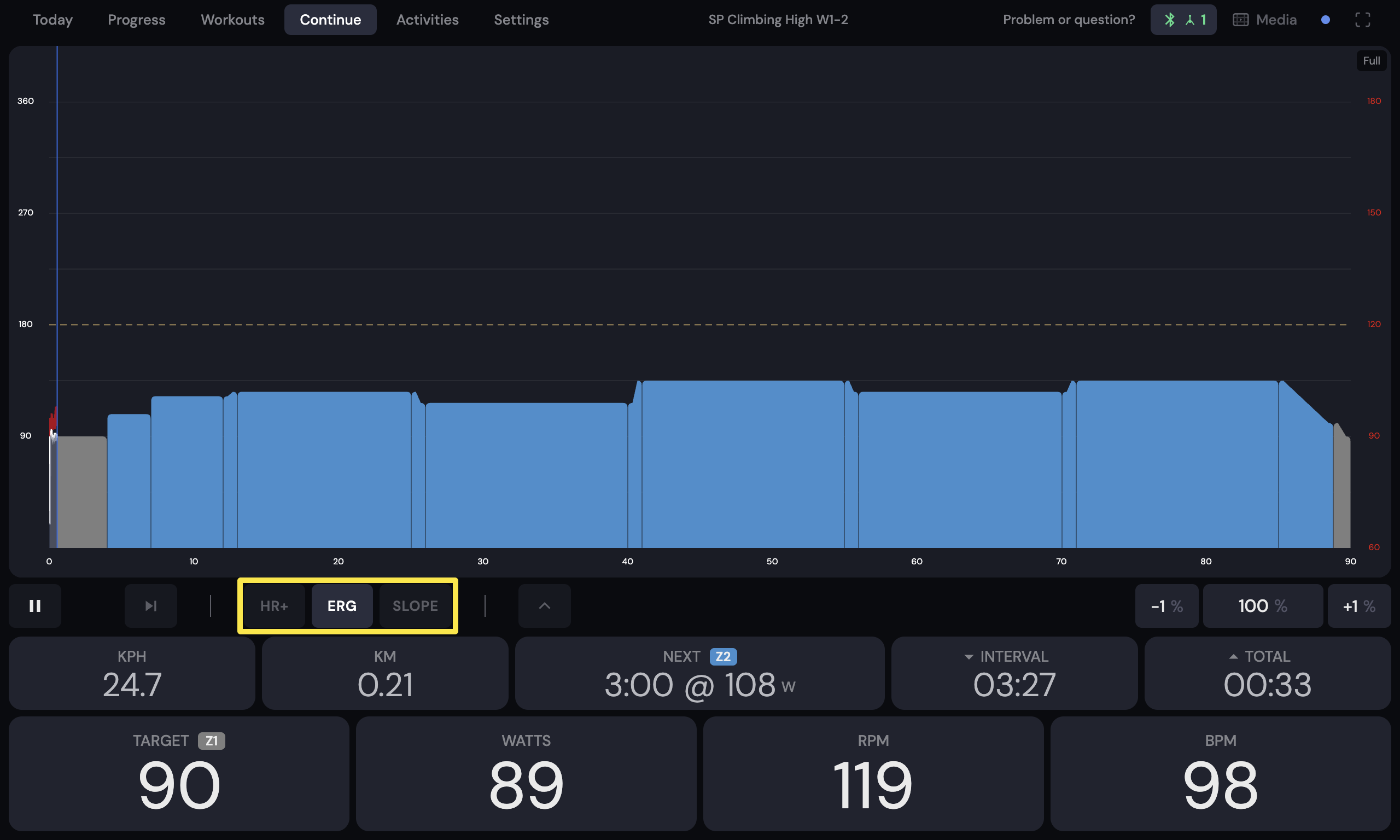 Where: Desktop app · the workout screen during a ride (Today tab → Ride Now)
Good to know: HR+ needs a paid account and a trainer selected as the trainer under Control. On a free account, HR+ opens a pop-up, and M skips HR+ (also during a ramp test). With no trainer selected, the buttons show No Control.
Works on: mobile and desktop apps; the website can't be used for riding.