

Can one workout mix ERG, heart rate and slope?
Yes: on the TrainerDay website's Create Workout page, give each row its own Control Mode (erg, slope or hr+) and the TrainerDay app switches mode automatically at each interval.
- On the website, open Create Workout.
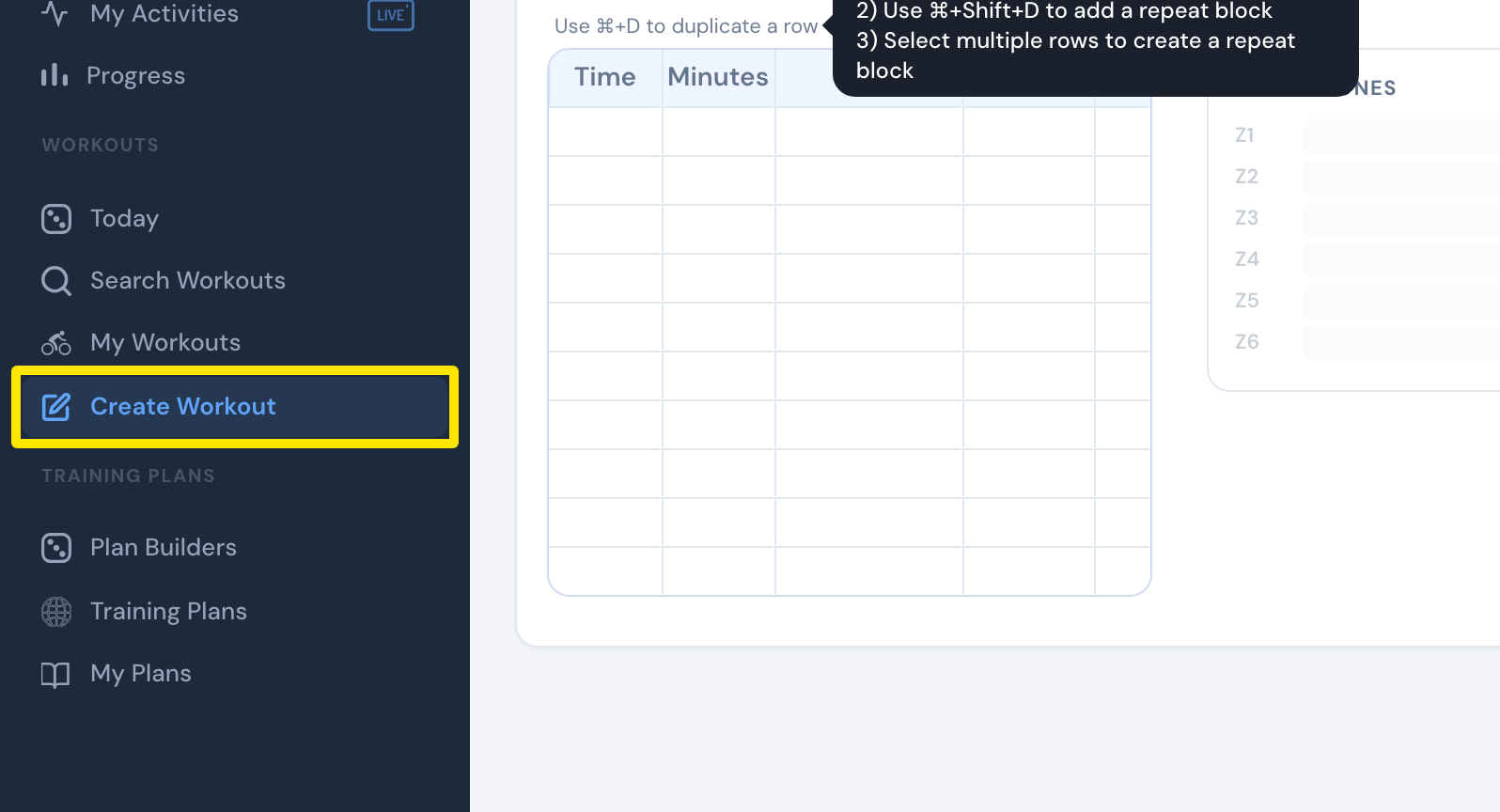 Where: Website · Create Workout · open it
- Open the Fields: dropdown and tick Control Mode.
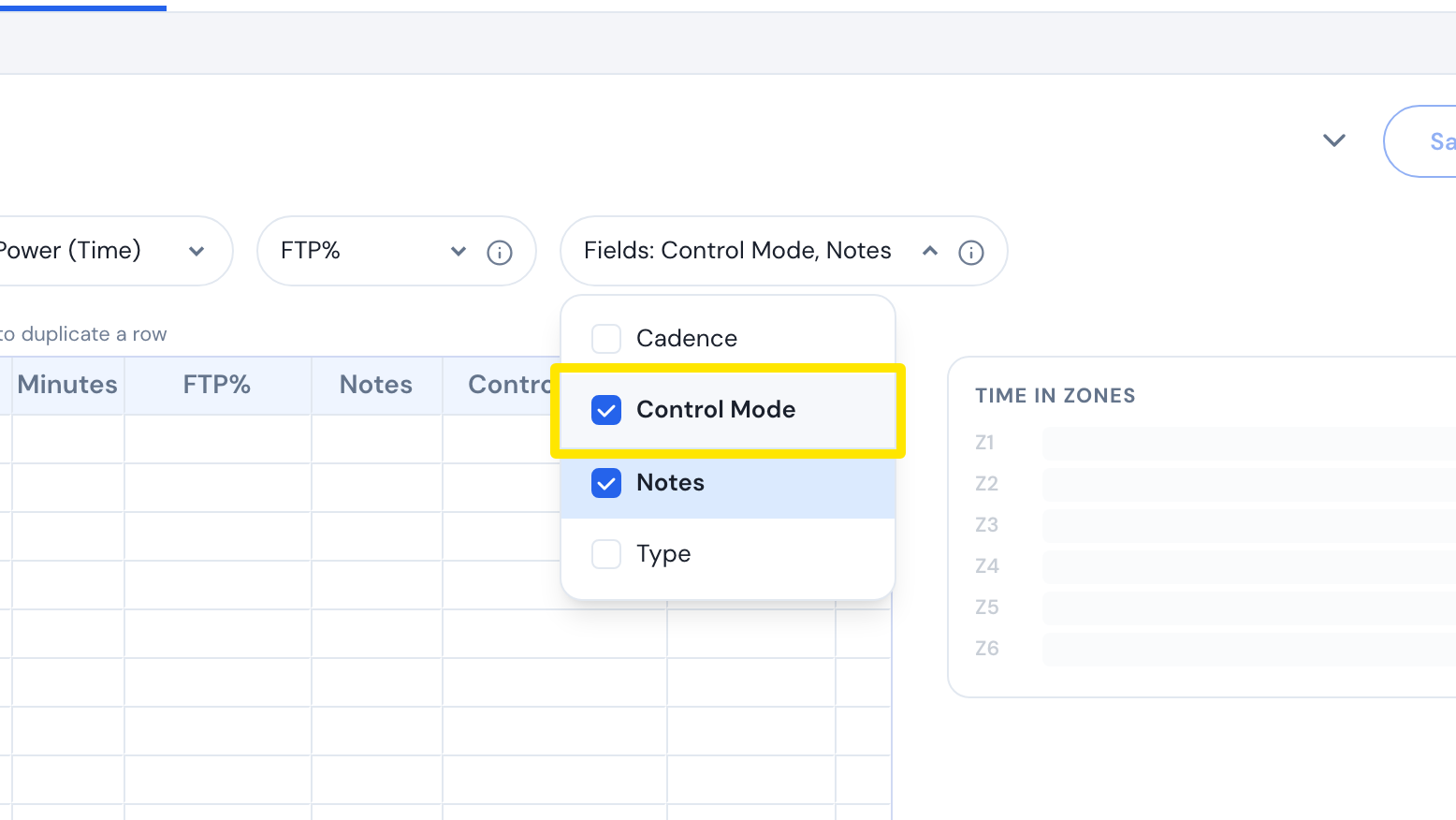 Where: Website · Create Workout · open it
- For each row, type Minutes and FTP%, then choose erg, slope or hr+ in Control Mode.
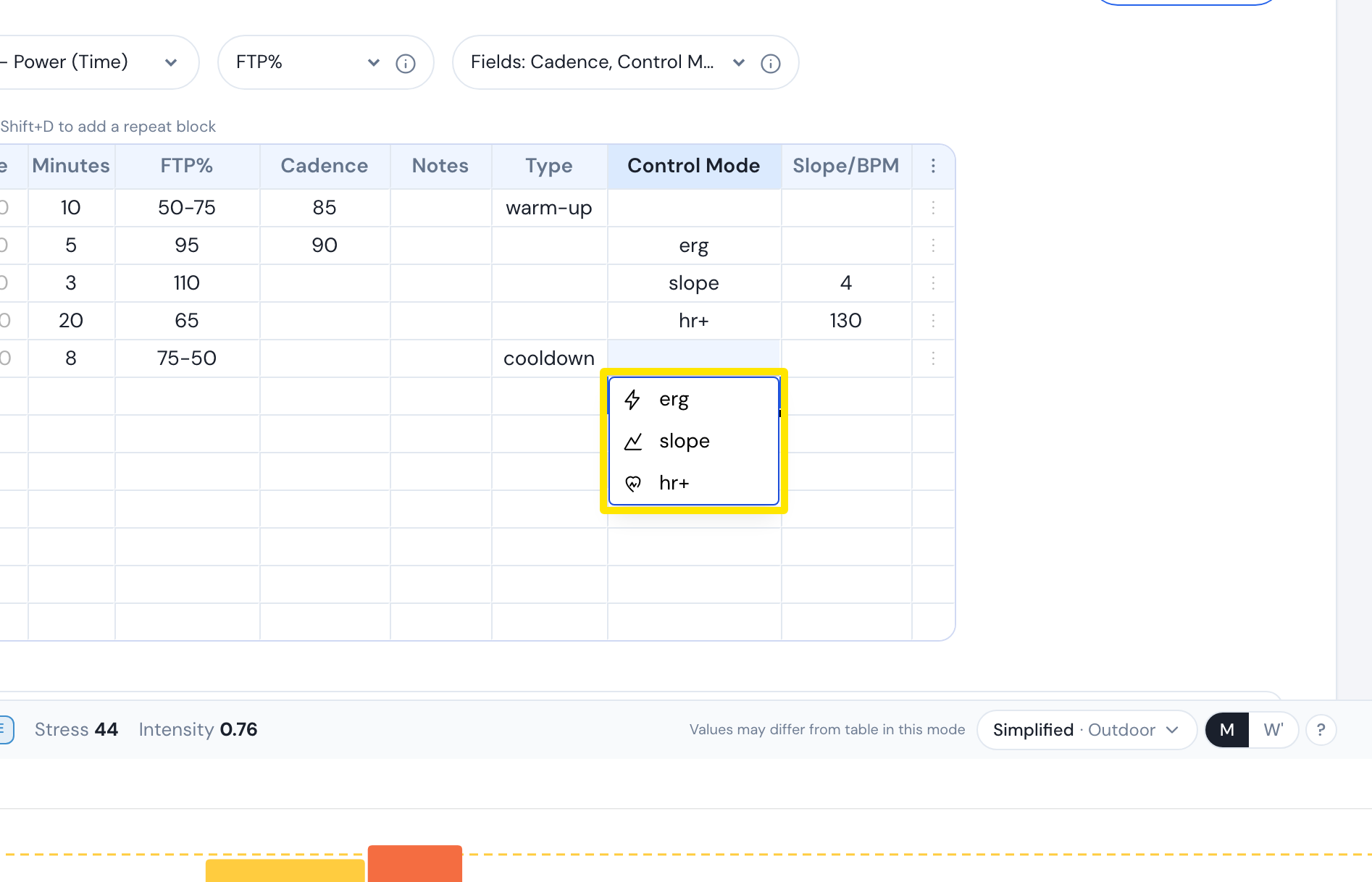 Where: Website · Create Workout · open it
- For slope rows, type the slope % (-25 to 25) in Slope/BPM. For hr+ rows, type the BPM (26 to 220).
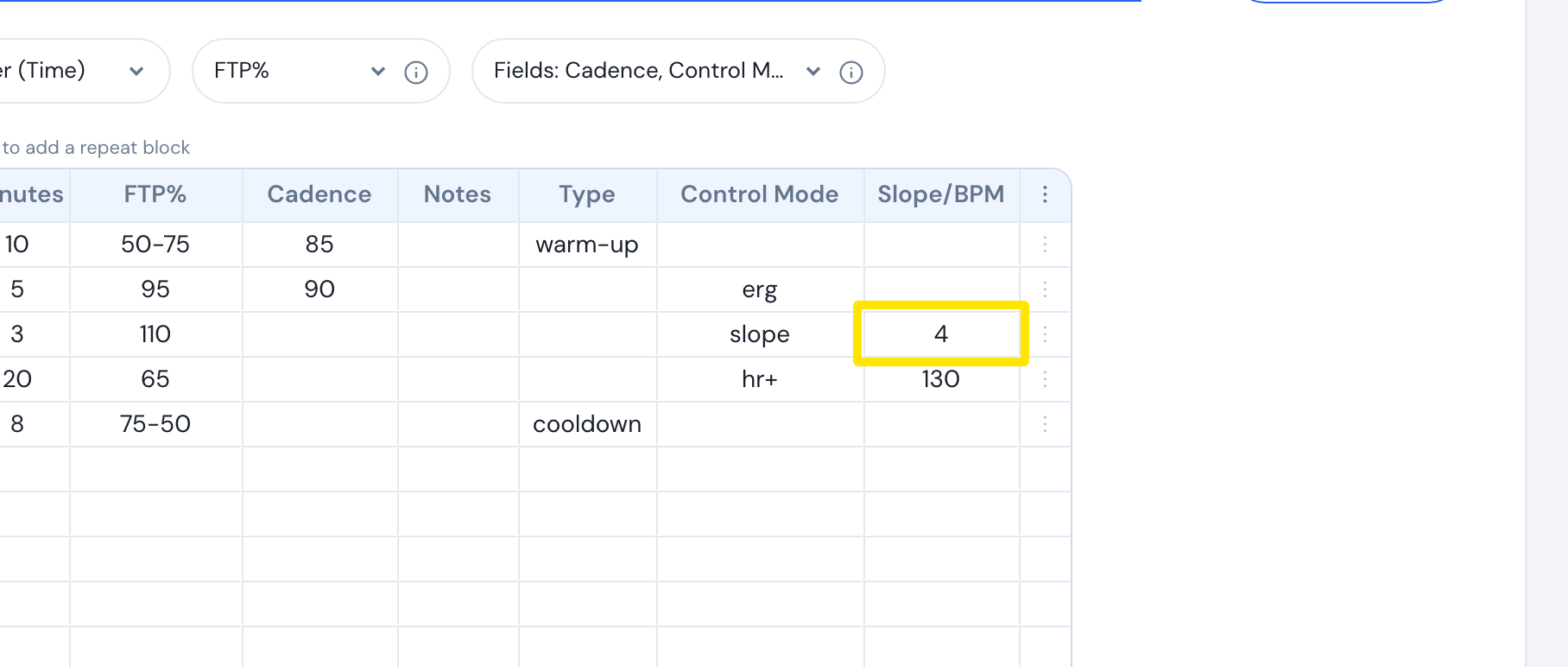 Where: Website · Create Workout · open it
- Click Save workout, then Save.
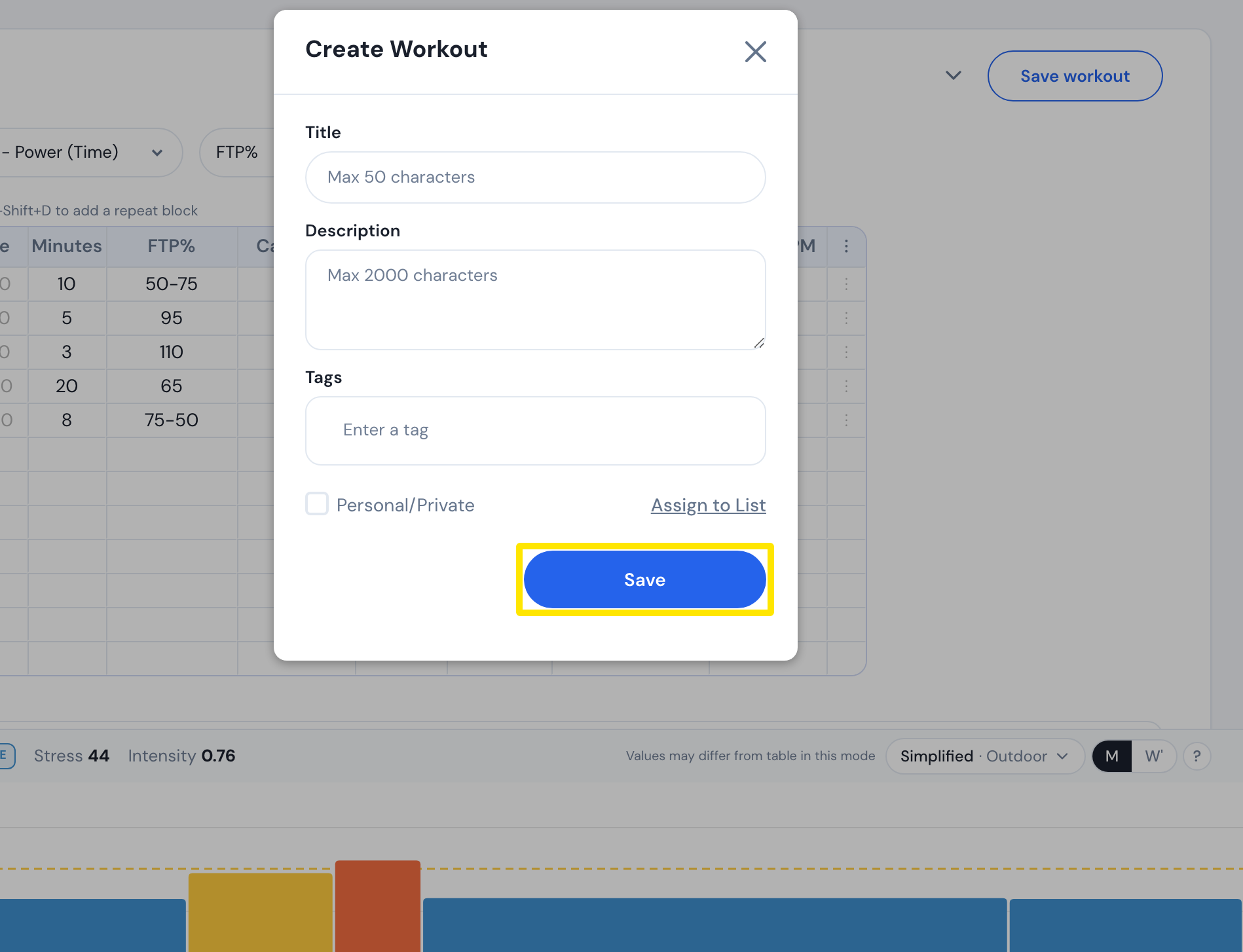 Where: Website · Create Workout · open it
Good to know: A row with no Control Mode keeps the current mode on mobile; on desktop, it goes back to ERG after a slope or hr+ row.
Works on: TrainerDay mobile and desktop apps only, not in Zwift or on Garmin.