

How do I ride a workout in slope mode?
Ride any workout in slope mode by tapping SLOPE in the mode row on the workout screen of the TrainerDay mobile app (or the bottom bar of the desktop app), then use your gears and the up/down arrows.
- In the TrainerDay mobile app, start a workout with Ride Now and connect your smart trainer. Make sure Control is selected on its card.
- On the workout screen, tap SLOPE in the mode row (HR+ · ERG · SLOPE). You can do this before pressing Start.
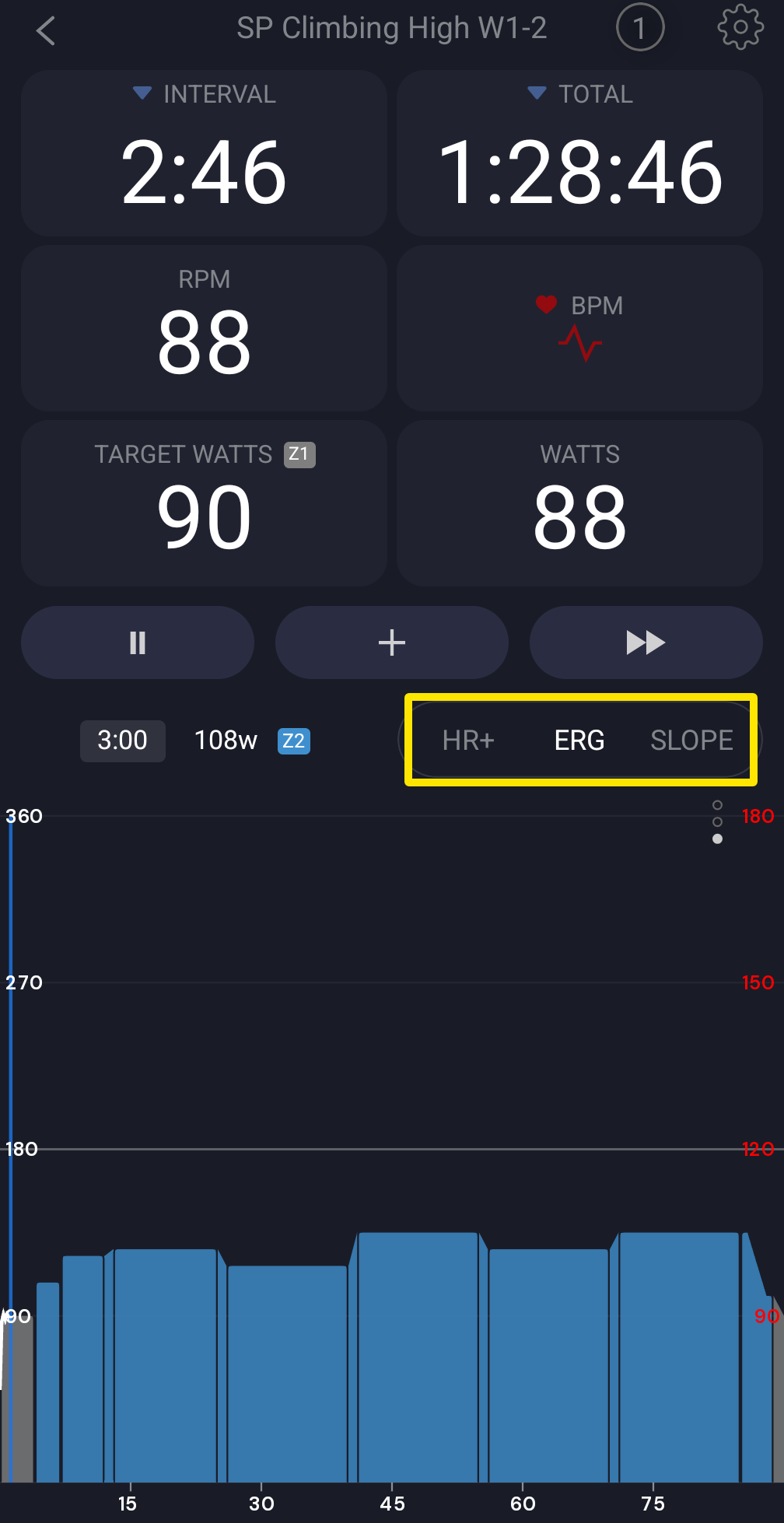 Where: Mobile app · the workout screen during a ride
- If the button reads RESIST, go to the Settings tab → Other Options and turn on Sim/Slope mode.
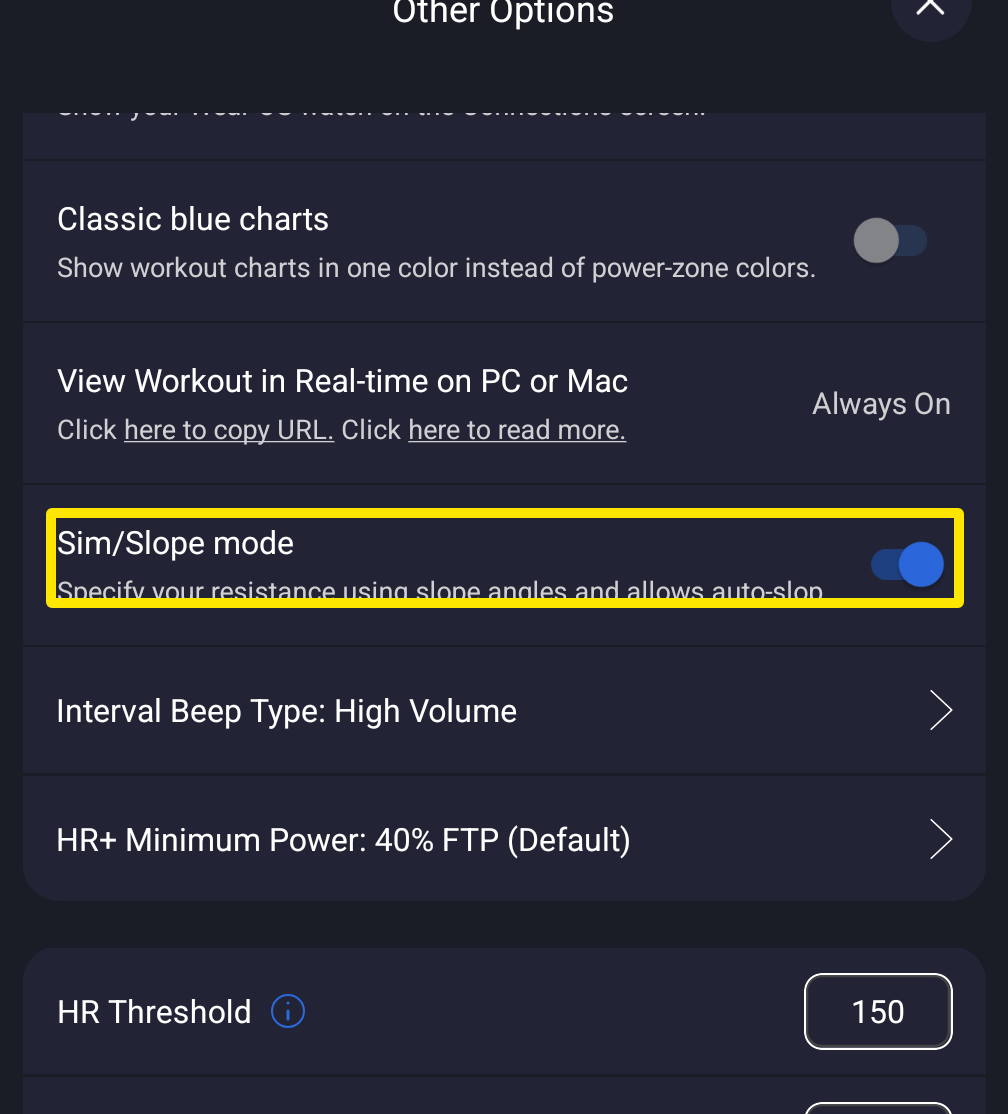 Where: Mobile app · Settings tab → Other Options
- Back on the workout screen, ride with your gears and cadence. The up/down arrows change the slope by Slope Increase % (1 % by default).
Good to know: The slope does not follow the workout's power targets. With no slope rows, the workout starts at 3 %, and the app keeps SLOPE for your next workout.
Works on: Mobile and desktop apps (desktop: click SLOPE in the bottom bar or press M). Slope mode is free.