

How do I turn on resistance mode?
To turn on resistance mode, turn off Sim/Slope mode in the mobile app's Settings tab → Other Options, then tap RESIST on the workout screen.
If you just want to switch from ERG to manual resistance during a ride, see How do I turn off ERG mode and ride with my own resistance?
- In the TrainerDay mobile app, start a workout with Ride Now. If the mode buttons show RESIST, skip to step 3. If they show SLOPE, go on to step 2.
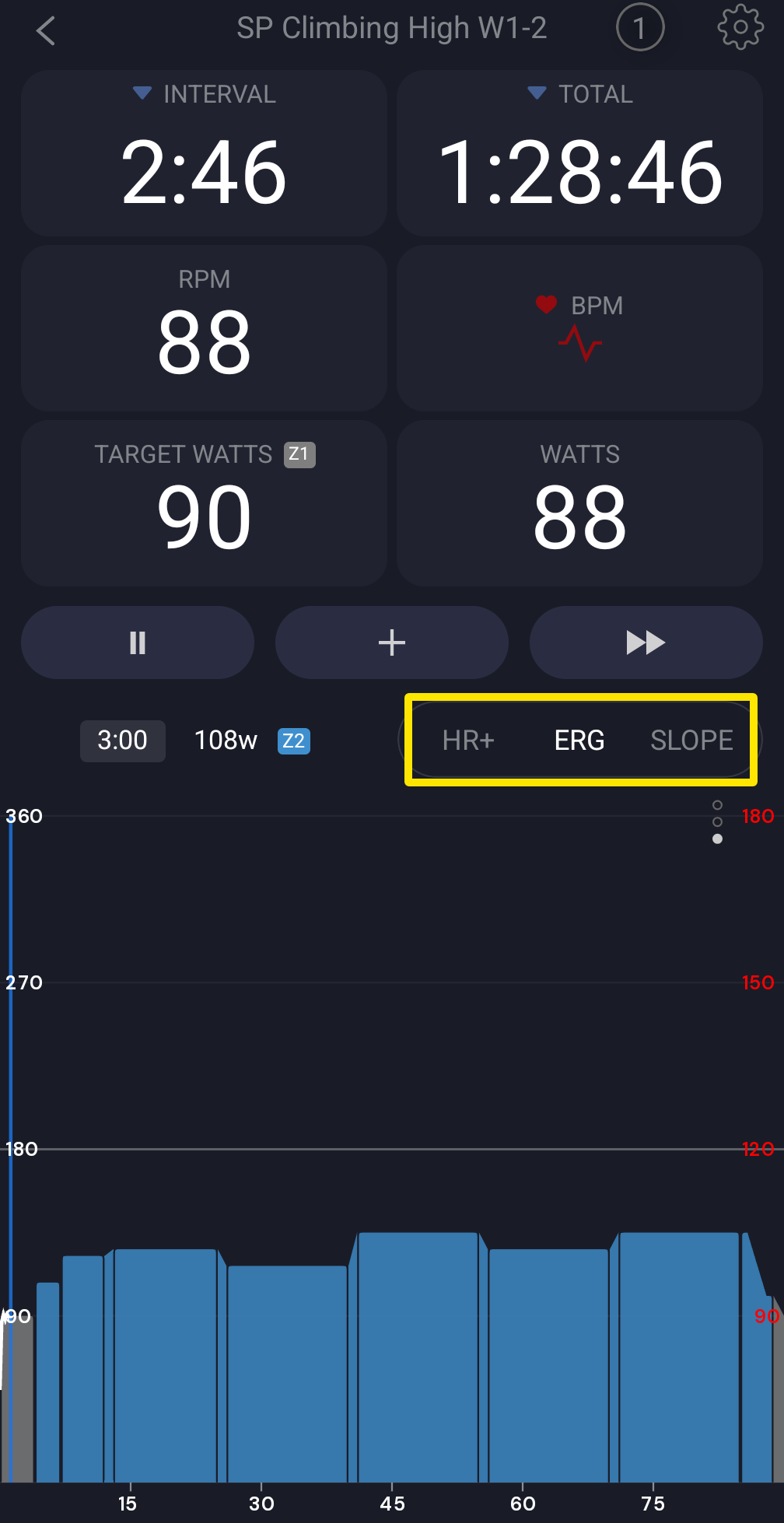 Where: Mobile app · the workout screen during a ride
- Open the Settings tab → Other Options and turn off Sim/Slope mode (it is on by default).
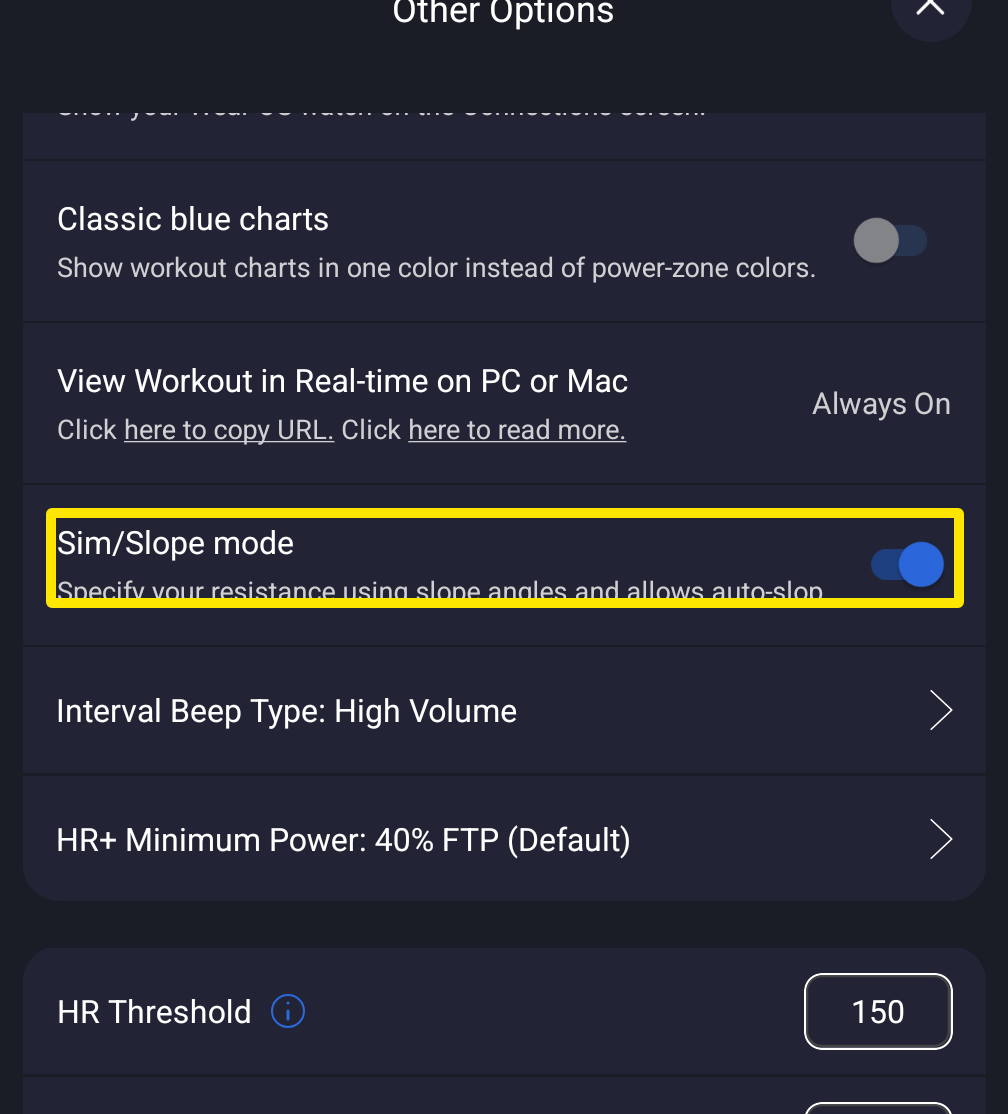 Where: Mobile app · Settings tab → Other Options
- Back on the workout screen, tap RESIST (next to ERG). This works mid-ride.
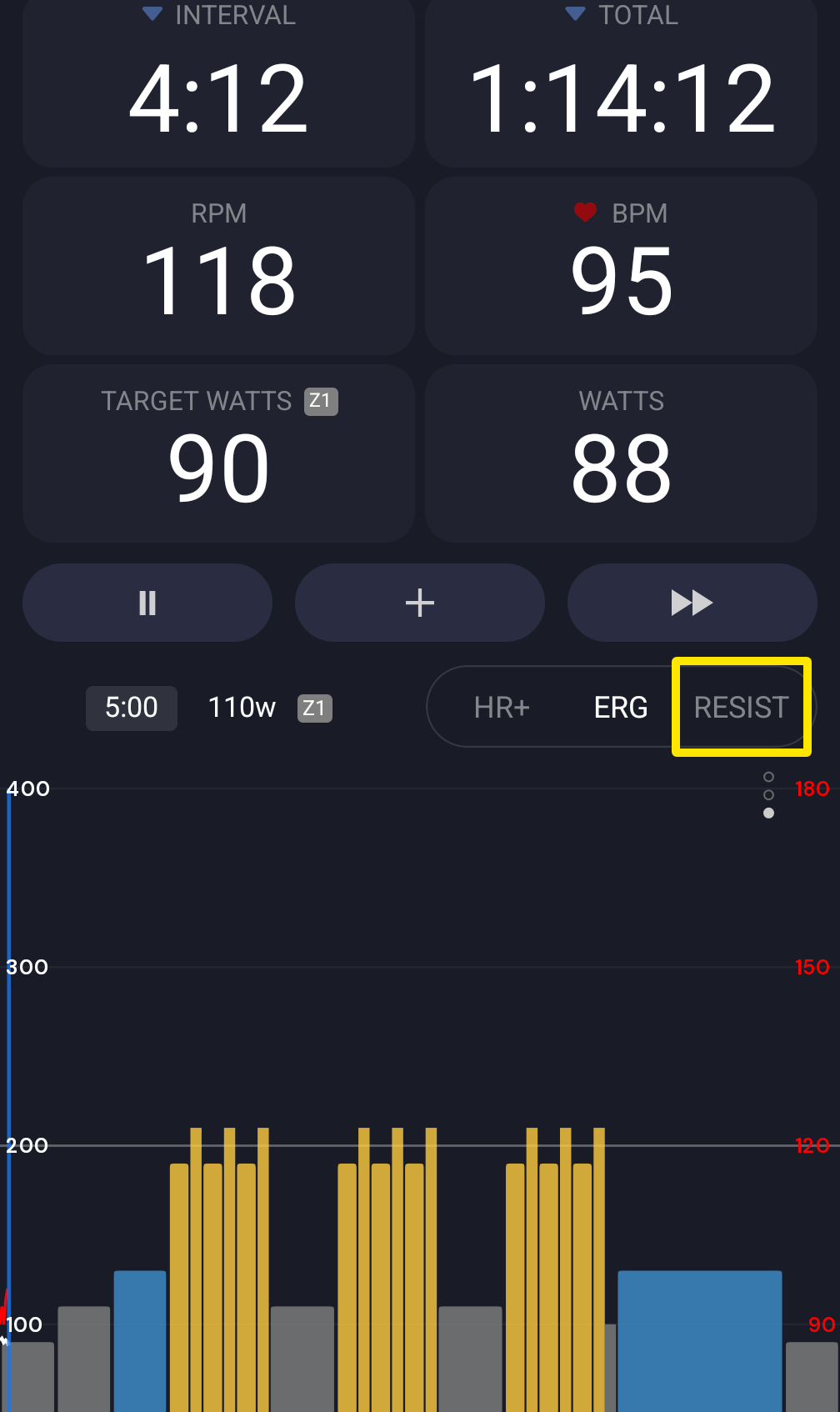 Where: Mobile app · the workout screen during a ride
- Tap the up/down arrows to change resistance. It runs 0–100 % of what your trainer can do and starts at 15 %. Each tap moves it by Resistance Inc % (3 by default, 1–10, in Other Options).
Good to know: In the desktop app, turn off Settings → Workout Controls → Slope / Sim Mode, then click RESIST in the bottom bar; the step size is Settings → Step Sizes → Resistance Step (%).
Works on: mobile app and desktop app (the website has no riding).