

How do I change the trainer resistance to simulate real-world riding?
To make your trainer feel like real-world riding, ride in SLOPE mode in the TrainerDay mobile app: the trainer acts like a hill of the grade you set, and you change effort with gears and cadence.
- In the mobile app, start a workout. On the workout screen, tap SLOPE. The trainer now acts like a hill of that grade.
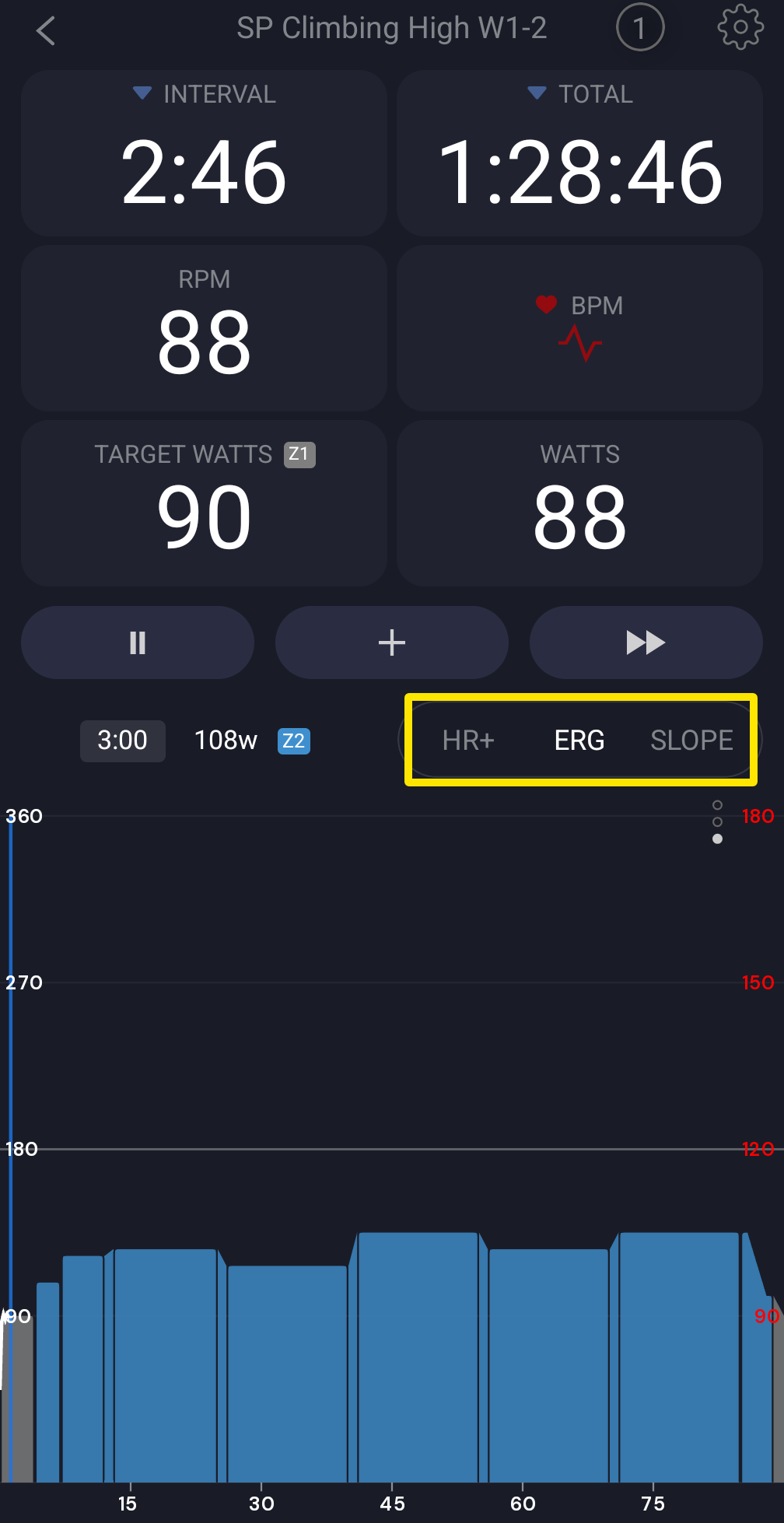 Where: Mobile app · the workout screen during a ride
- Change the grade with the up/down arrows. Shift gears and change cadence to ride harder or easier.
- If your trainer doesn't support slope mode, open the Settings tab → Other Options and turn off Sim/Slope mode.
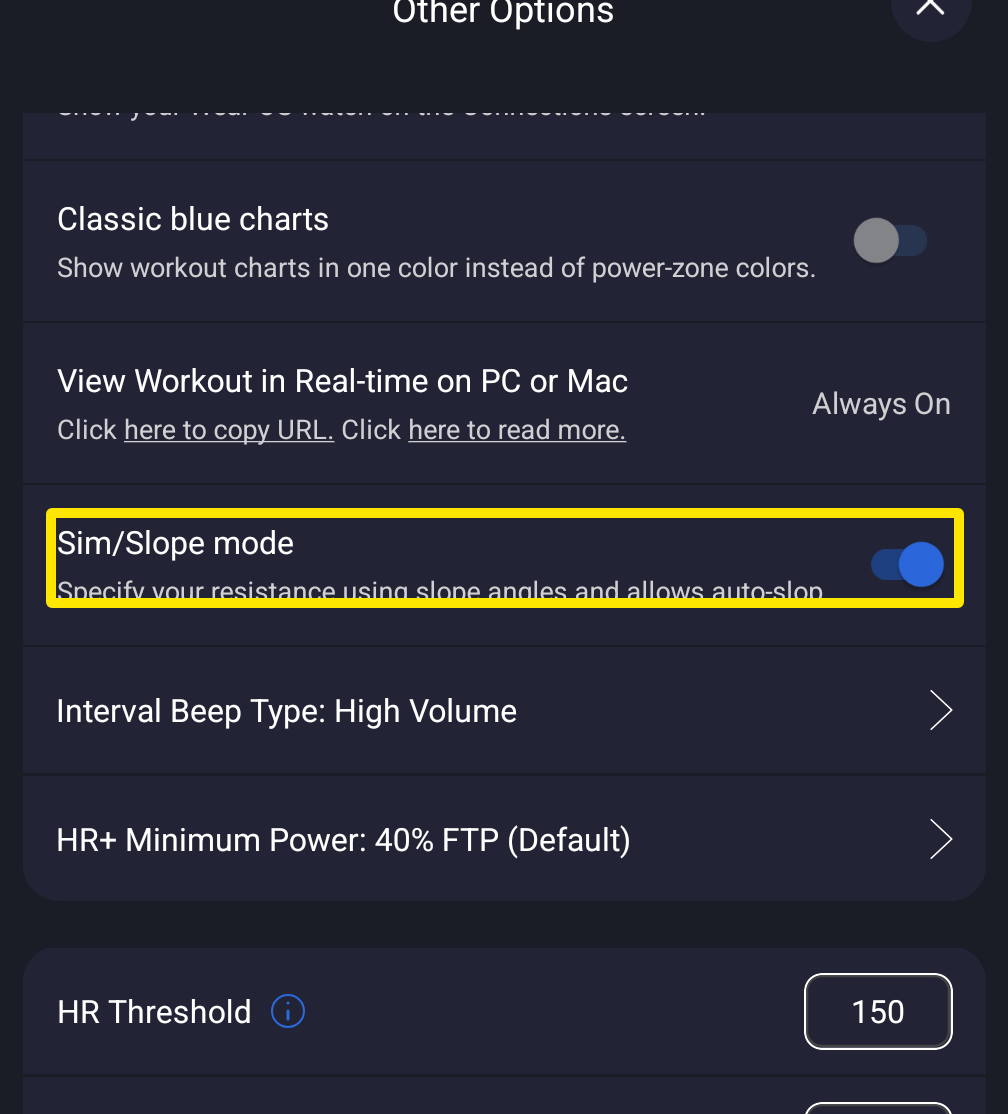 Where: Mobile app · Settings tab → Other Options
- Back on the workout screen, the mode button now reads RESIST. Tap it. Use the arrows to set the resistance level from 0 to 100 %, in 3 % steps by default.
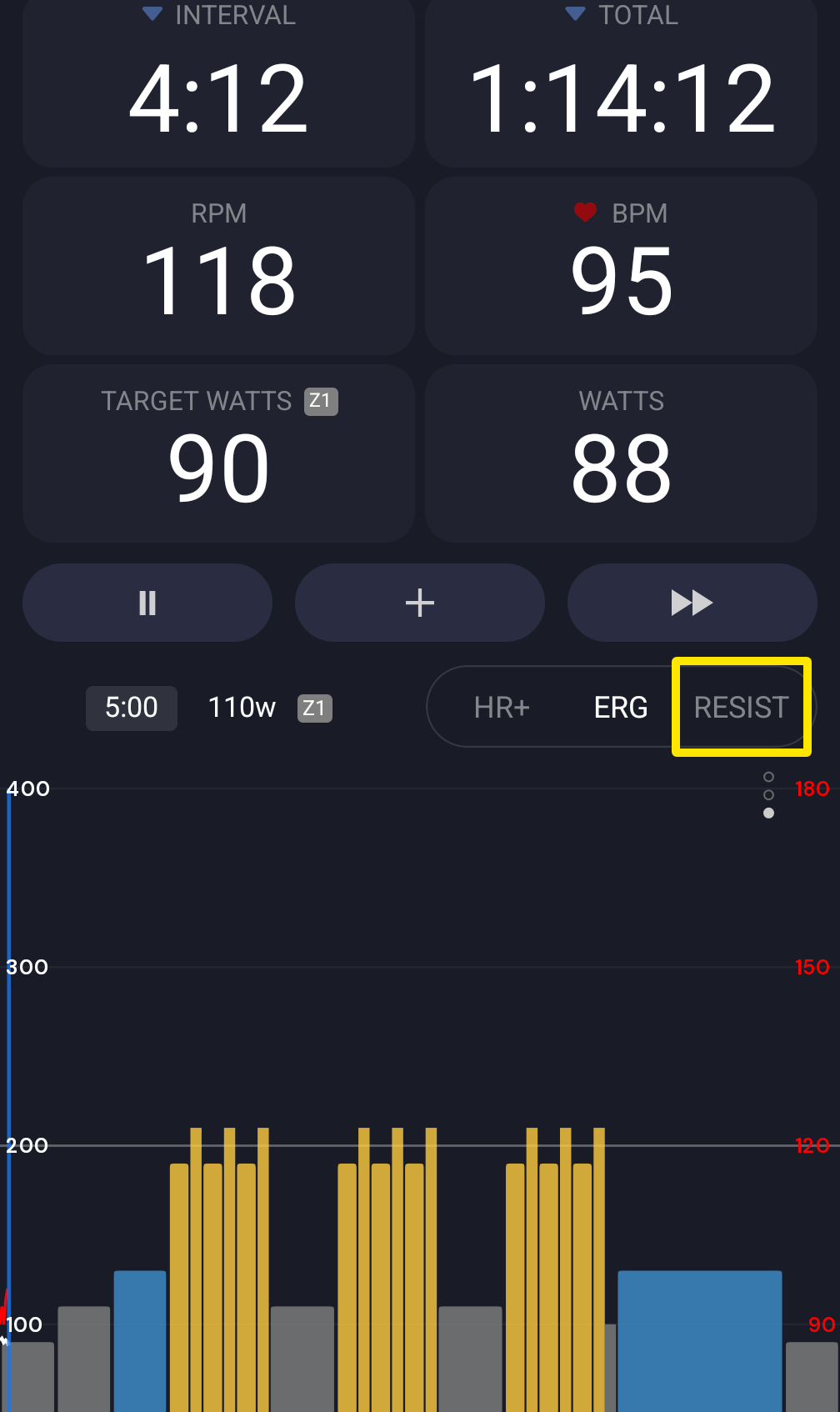 Where: Mobile app · the workout screen during a ride
Good to know: In SLOPE mode, the grade does not follow the workout's power targets. It changes only when you press the arrows, or when an interval with a set grade starts. You add those intervals on the website.
Works on: mobile (iPhone, Android) and desktop (Mac, Windows), free. On desktop, use SLOPE in the bottom bar and the − / + buttons.