

Where did the threshold heart rate option go in the mobile app?
In the mobile app, threshold heart rate is now the HR Threshold box under Settings tab → Other Options, next to the ERG Increase %, HR Increase, Slope Increase % and Resistance Inc % boxes.
- In the mobile app, open the Settings tab and tap Other Options.
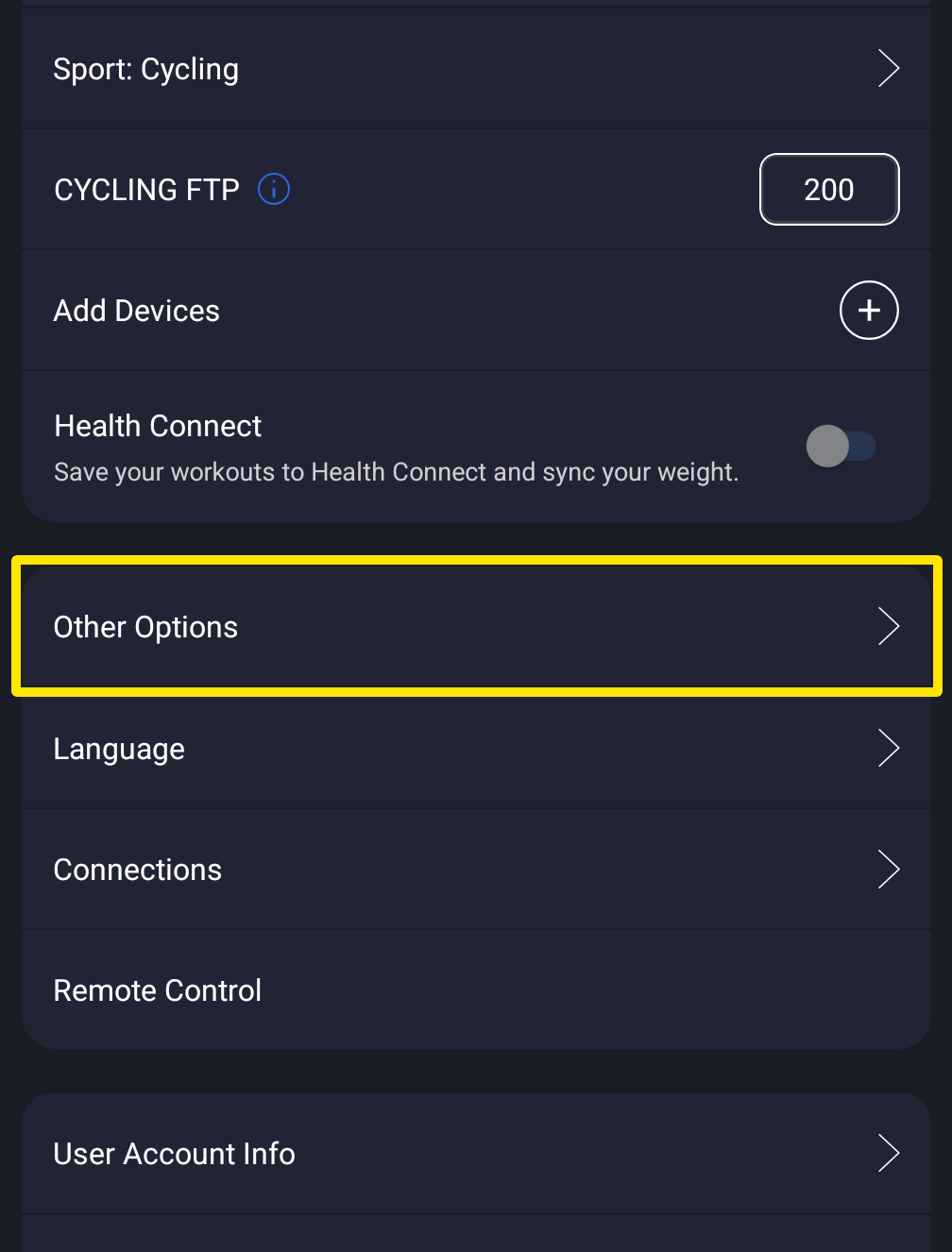 Where: Mobile app · Settings tab
- Find HR Threshold, next to ERG Increase %, HR Increase, Slope Increase % and Resistance Inc %, and type your threshold heart rate (80-200 bpm).
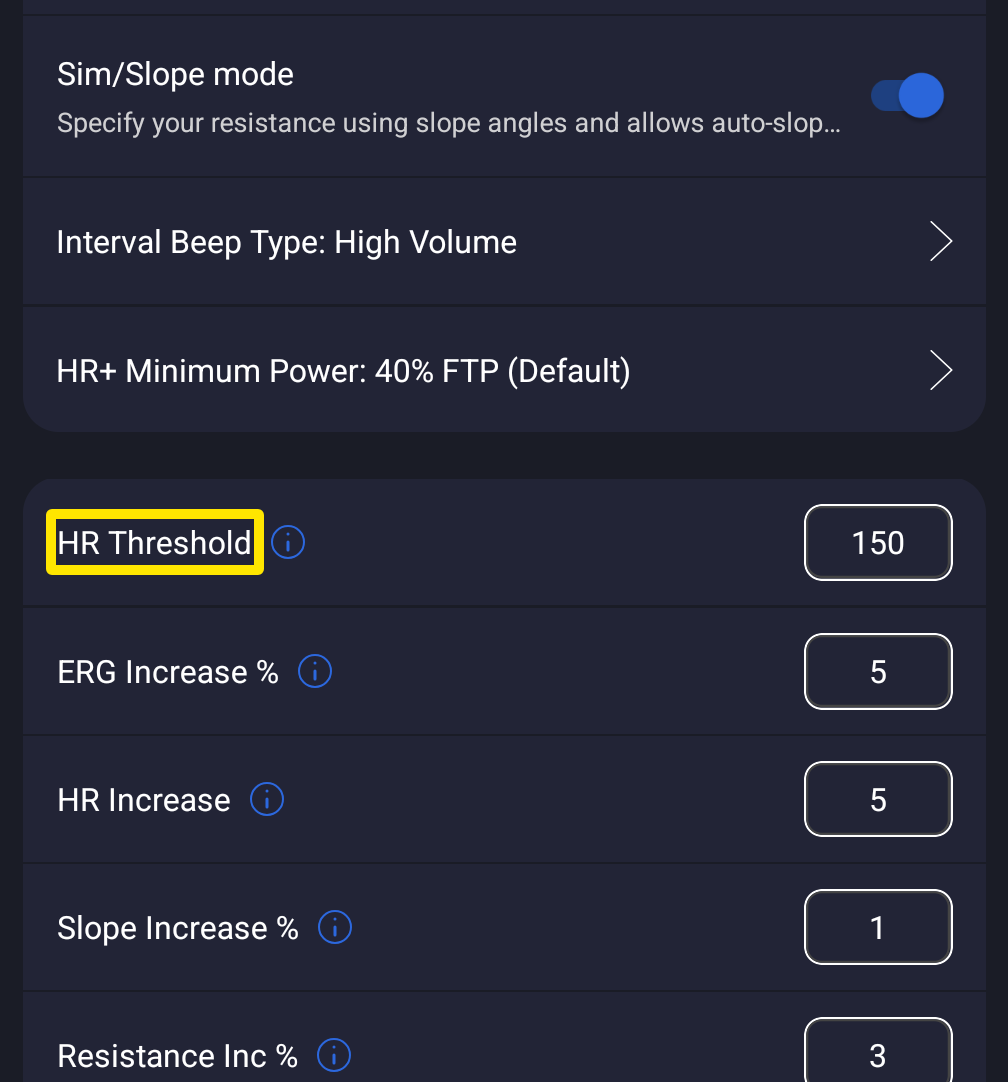 Where: Mobile app · Settings tab → Other Options
Good to know: Threshold HR is the heart rate you can hold for about an hour, not your max. Above 170 the app shows a warning, but it still accepts the value. It also sets the scale of the heart rate line on the ride chart.
Works on: Mobile app (80-200 bpm). On the website, set Threshold HR in Account → Profile (80-240 bpm).