

How do I set an interval’s type (warm-up, cooldown, free ride)?
Set an interval's type on the website's Create Workout screen by opening the Type list on its row; the type names the interval and changes the Zwift (ZWO) export for Warm-up, Cooldown and Free-ride, while ERG, Slope and HR are set in Control Mode.
To make a free ride part where you pedal with no target, see How do I add a free ride interval?
- On the website, open Create Workout at https://app.trainerday.com/workouts/create.
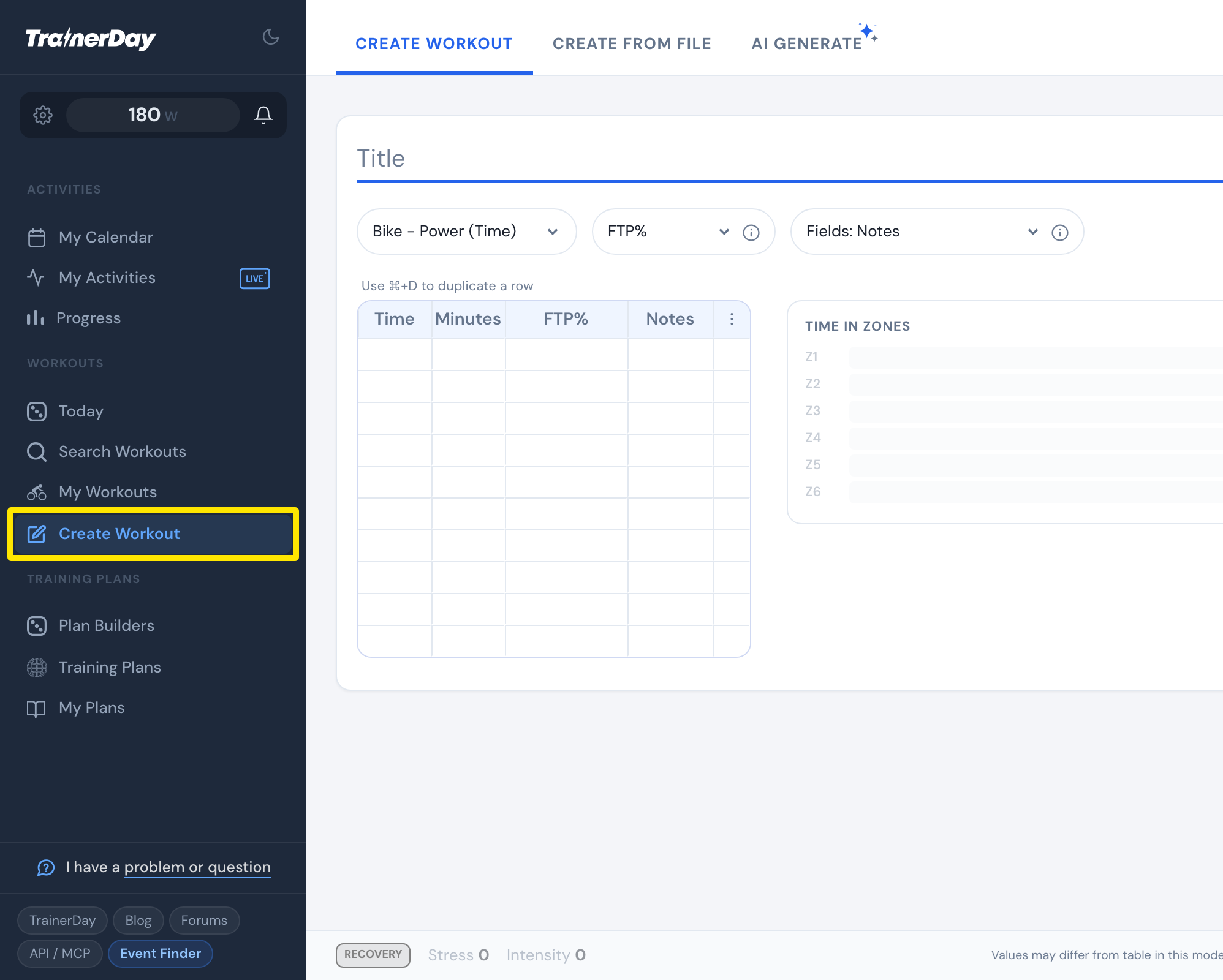 Where: Website · Create Workout · open it
- On the interval's row, open the Type list and pick a type: Warm-up, Active, Rest, Cooldown, Interval, Free-ride, Open-ended, Climb, SFR, Lap, + or -. ERG, Slope and HR are greyed out. Set those with Control Mode.
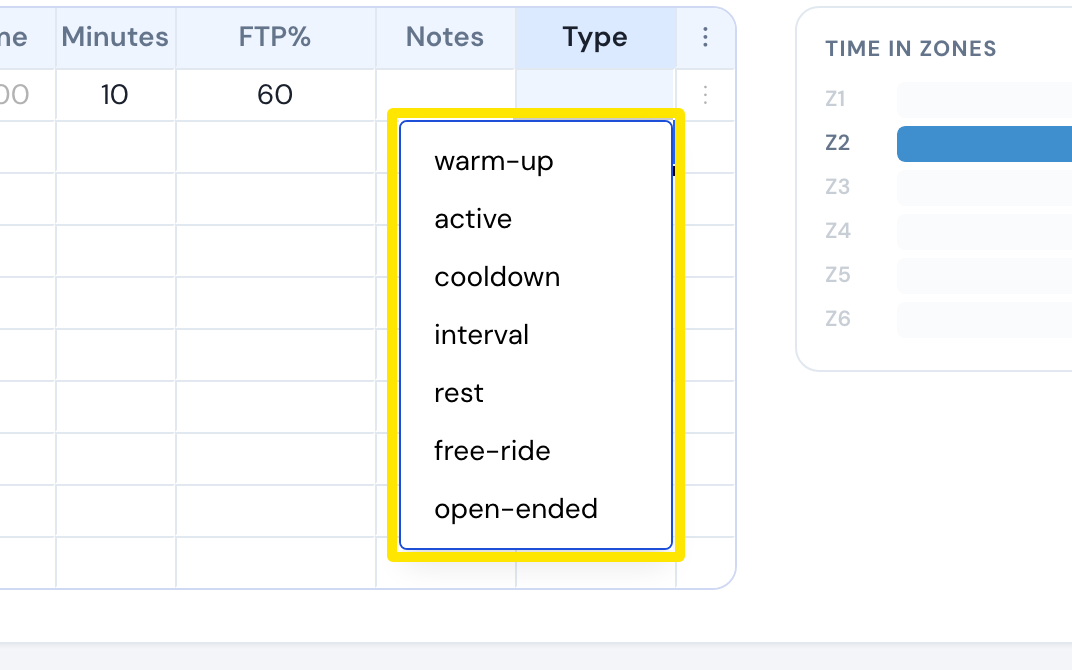 Where: Website · Create Workout · open it
- To see what each type means, open the help (How it works) window and its Types tab.
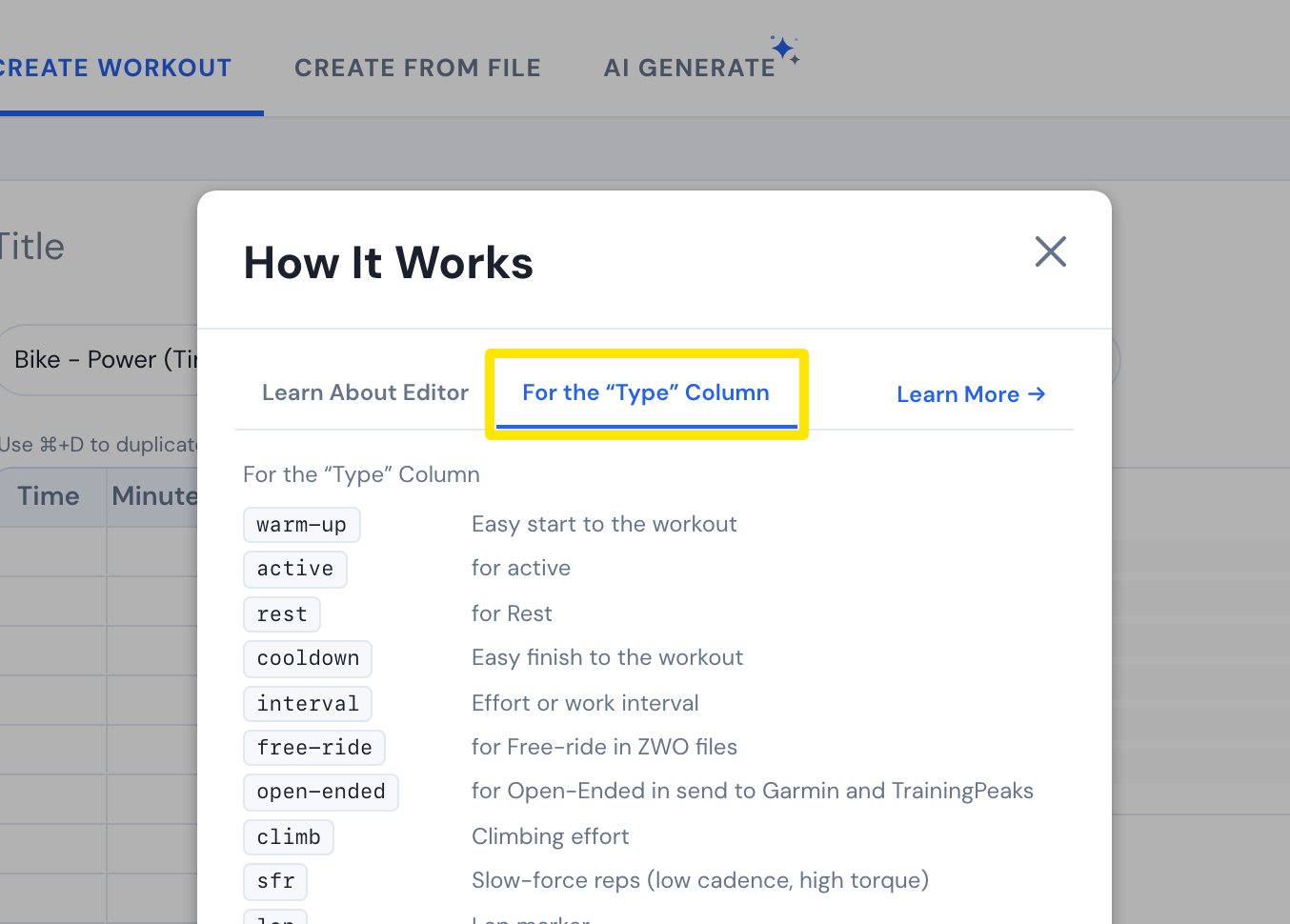 Where: Website · Create Workout · open it
Good to know: Type names the interval in the workout text. Warm-up, Cooldown and Free-ride also change what is written in the Zwift (ZWO) file. How the trainer behaves is set with Control Mode.
Works on: Website only. There is no workout editor in the mobile or desktop app.