

How do I add a free ride interval?
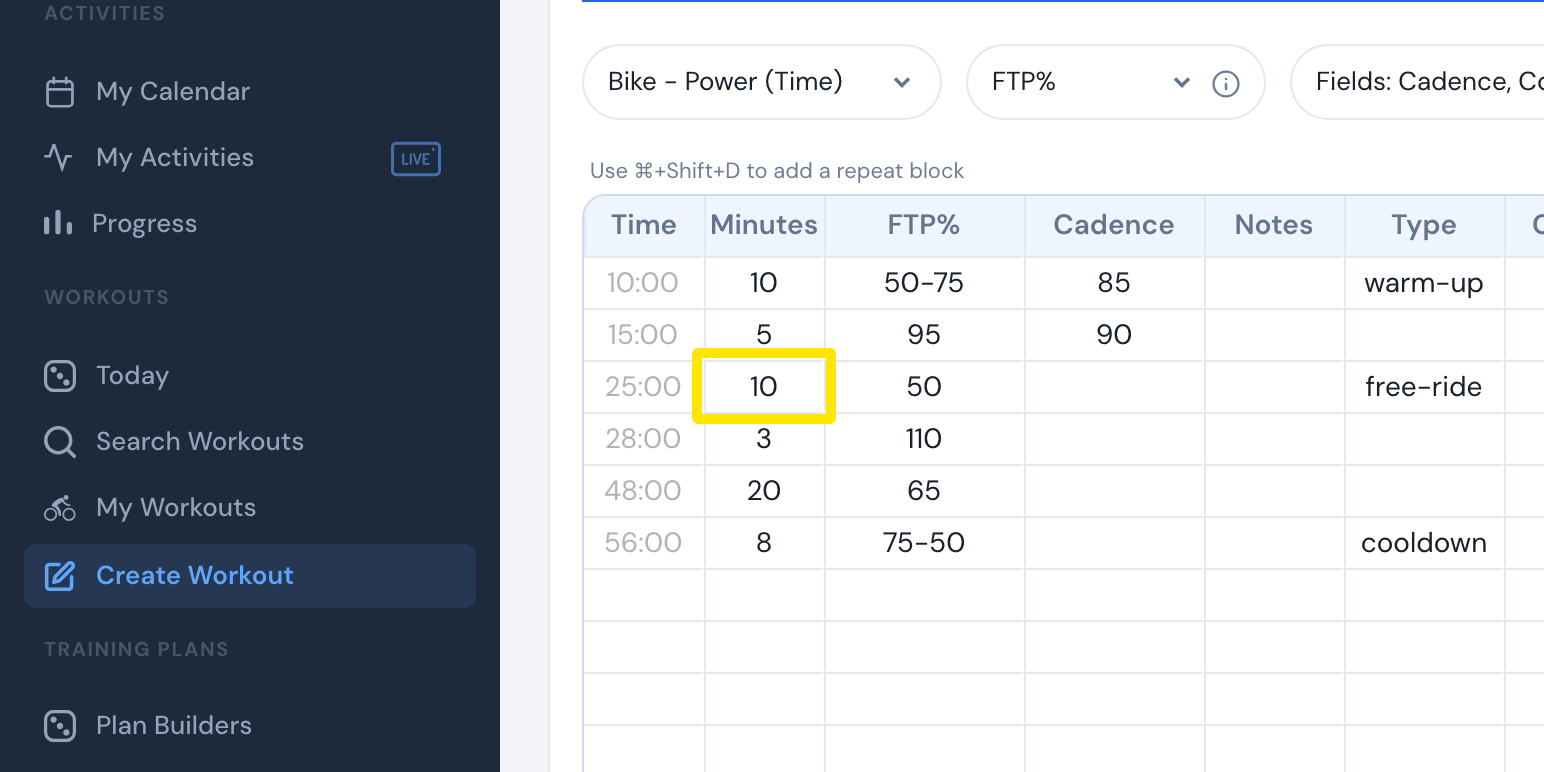
On the TrainerDay website, open Create Workout, show the Type column, add a row and set its Type to free-ride.
- On the website, open Create Workout.
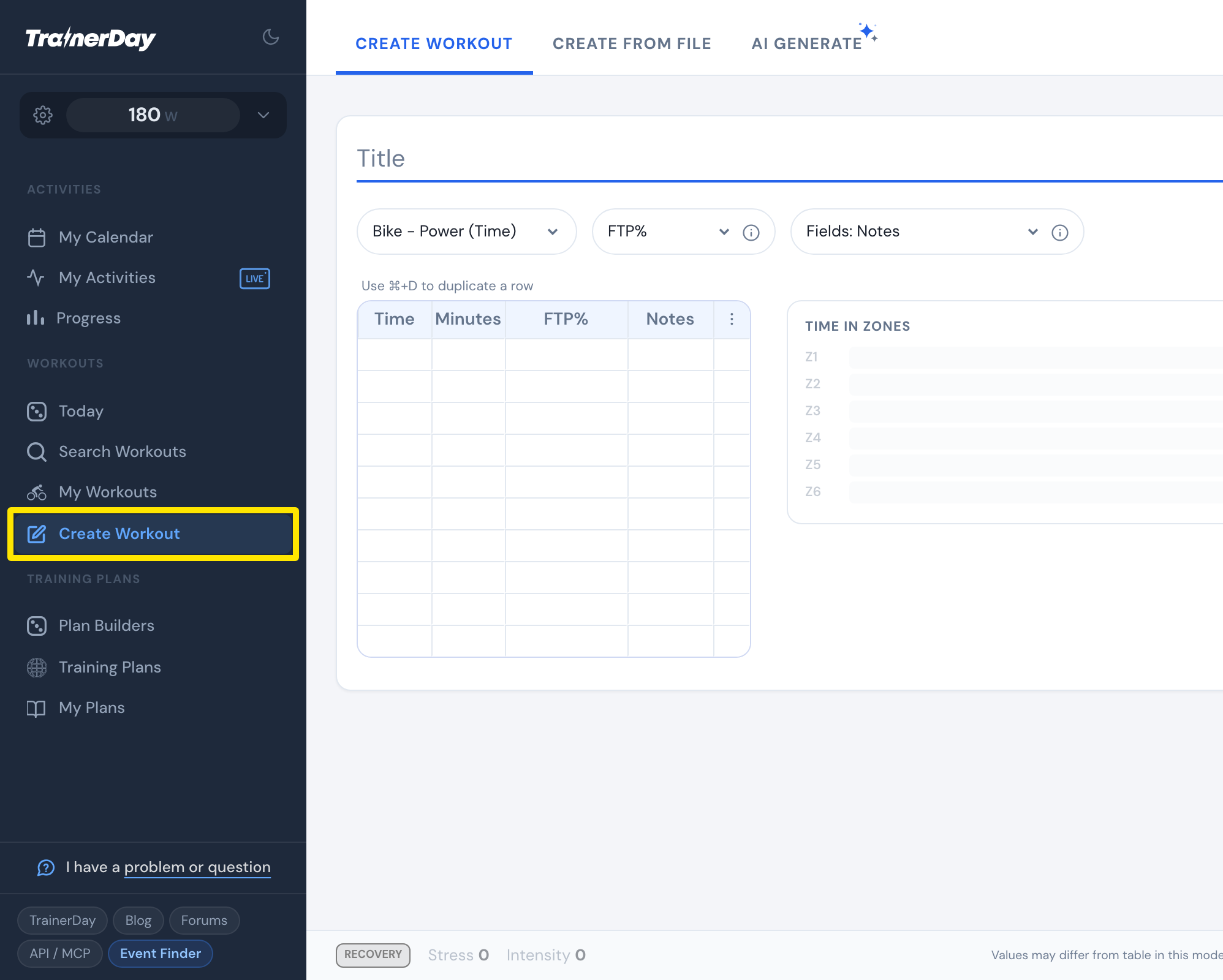 Where: Website · Create Workout · open it
- Click the Fields: dropdown and tick Type.
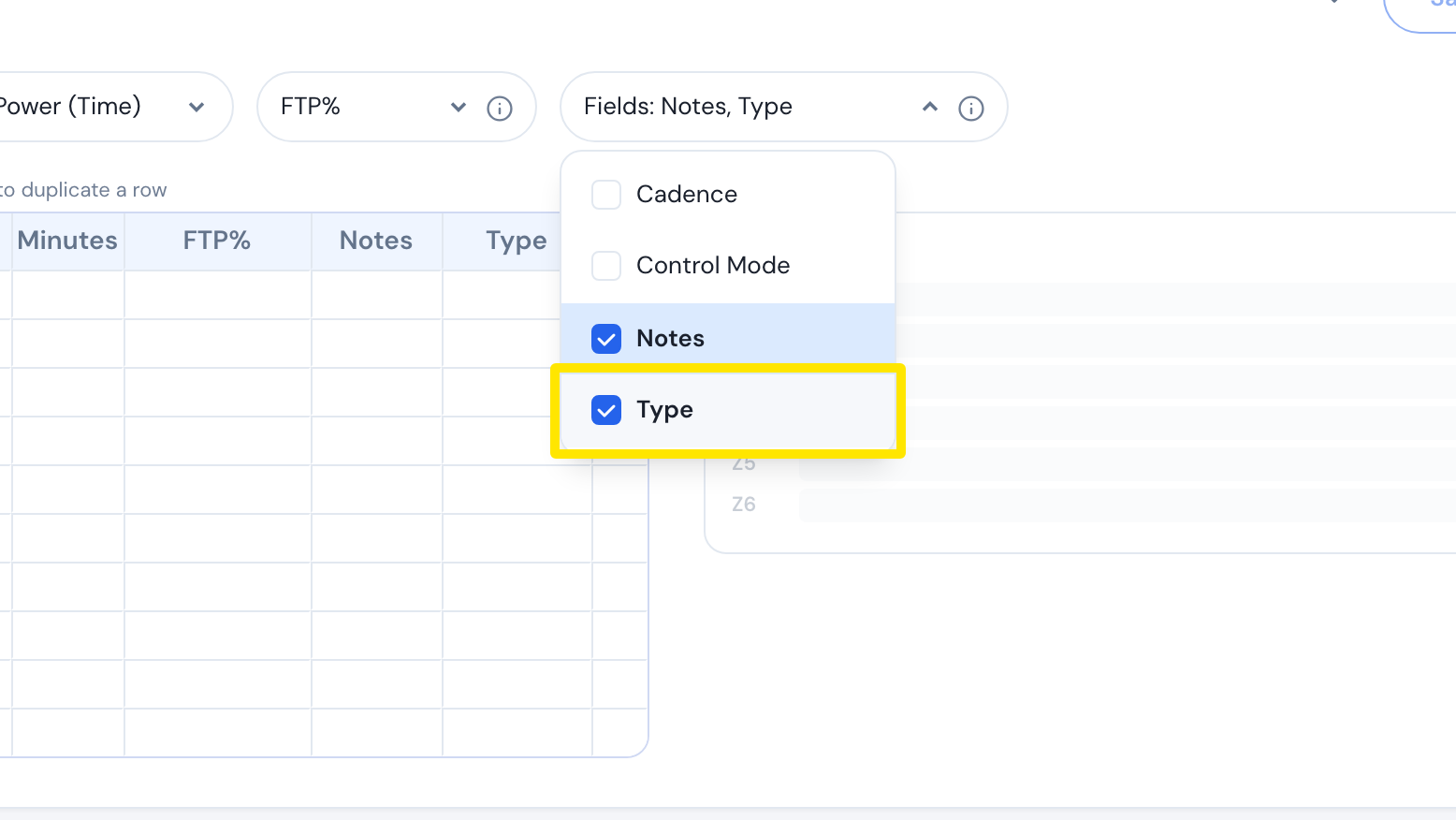 Where: Website · Create Workout · open it
- Click the row's Actions cell and choose Add segment below (or above).
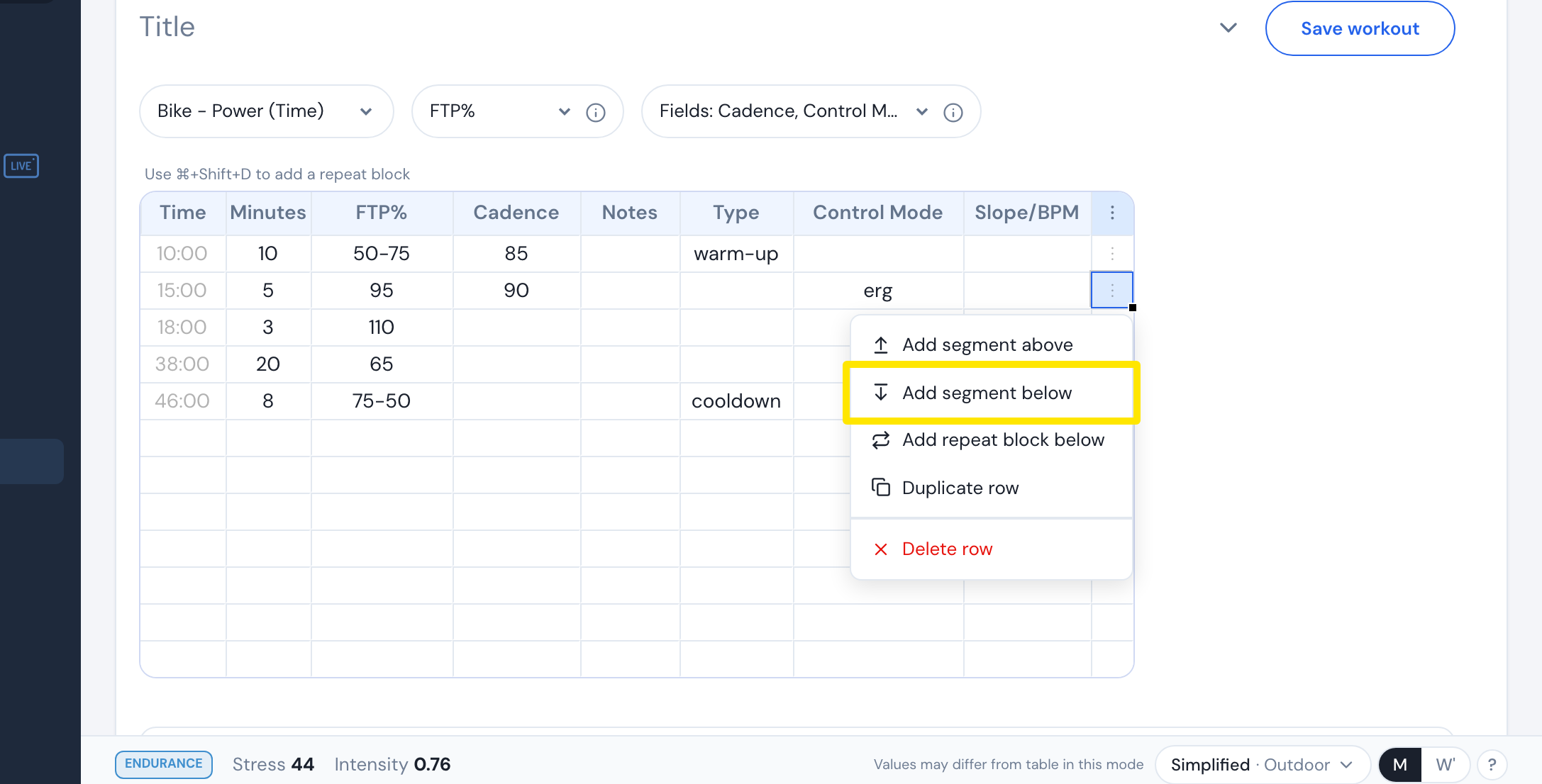 Where: Website · Create Workout · open it
- In that row's Type cell, pick free-ride.
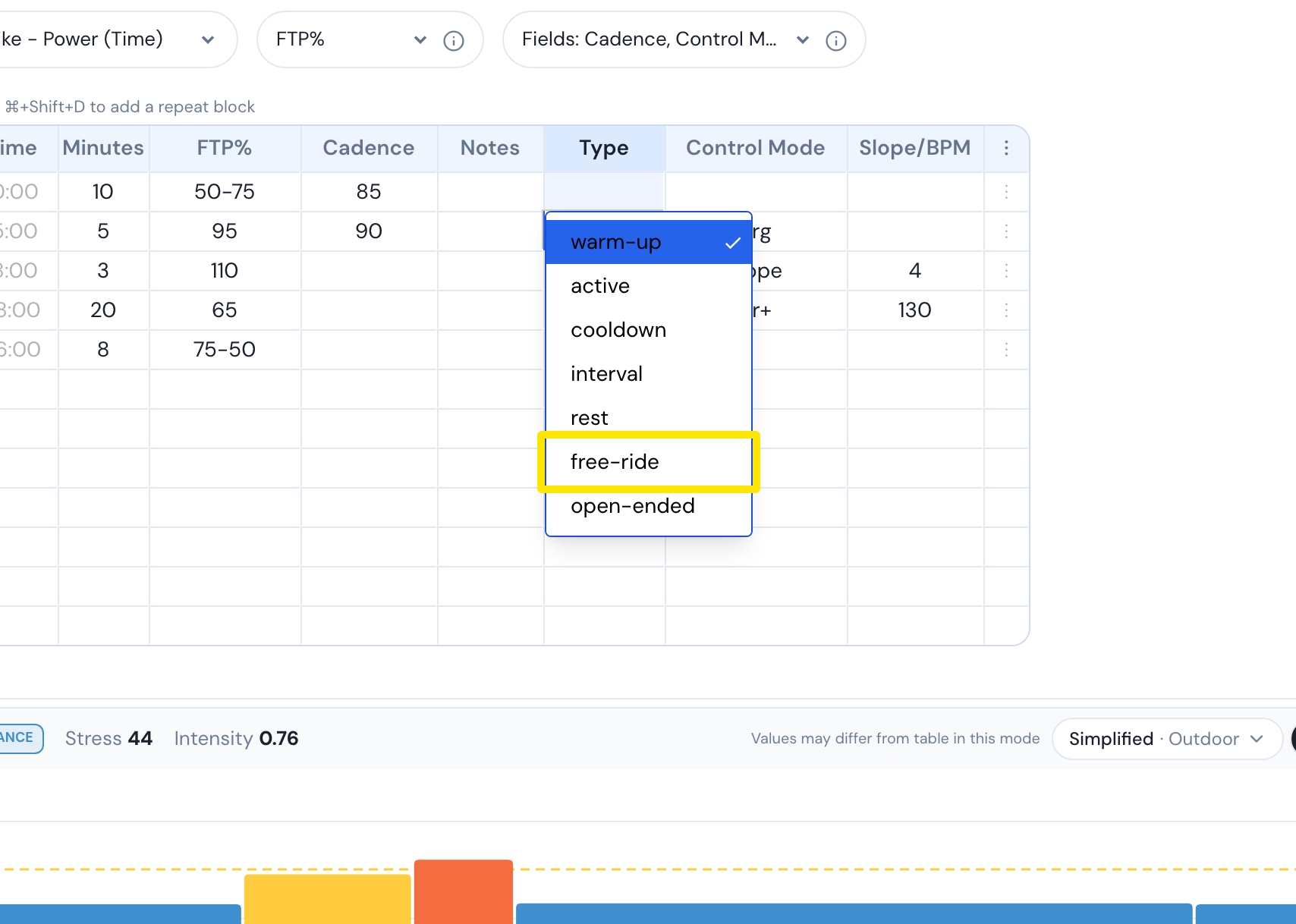 Where: Website · Create Workout · open it
- Set the Time or Minutes for the row.
 Where: Website · Create Workout · open it
Good to know: The mobile and desktop apps do not switch to free ride. A free-ride row is ridden at its power target. A ZWO export keeps it as a free ride; MRC and ERG downloads write it as a normal power target.