

How do I make a Coach Jack plan with heart rate rides?
On the TrainerDay website, open your Coach Jack plan and set the day type of each day you want to ride by heart rate to Heart Rate; those days go to your calendar as heart rate workouts.
- On the website, open Coach Jack and build or open your plan.
- In the plan's training days, click the pencil next to a day's hours (Edit this phase's hours and days).
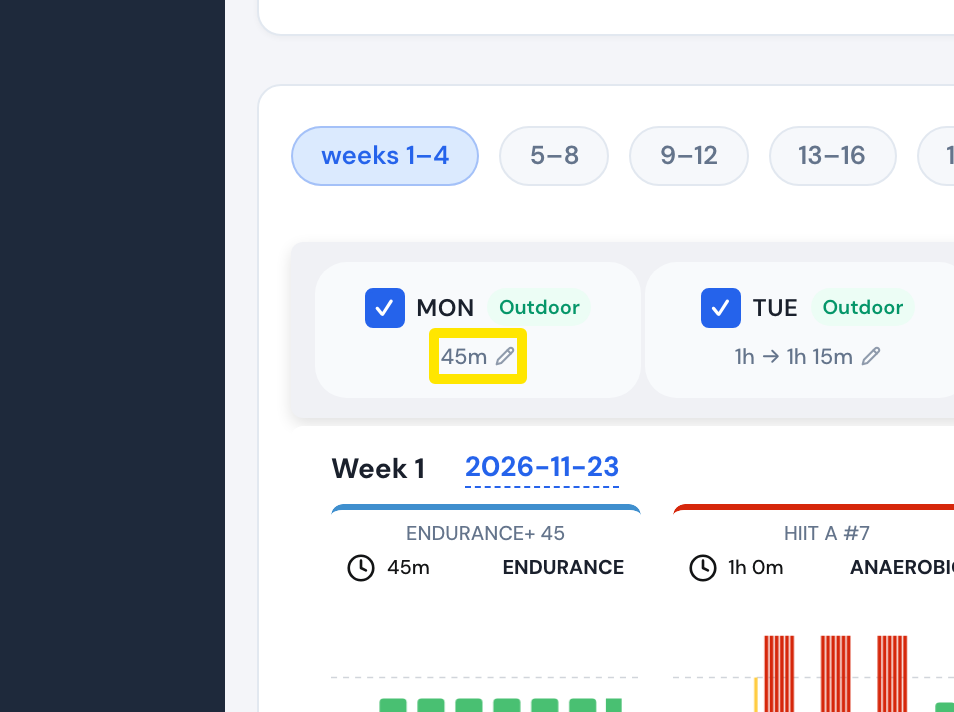 Where: Website · Coach Jack
- In the phase editor, click the day type button (for example Indoor) and choose Heart Rate. Do this for each day you want to ride by heart rate.
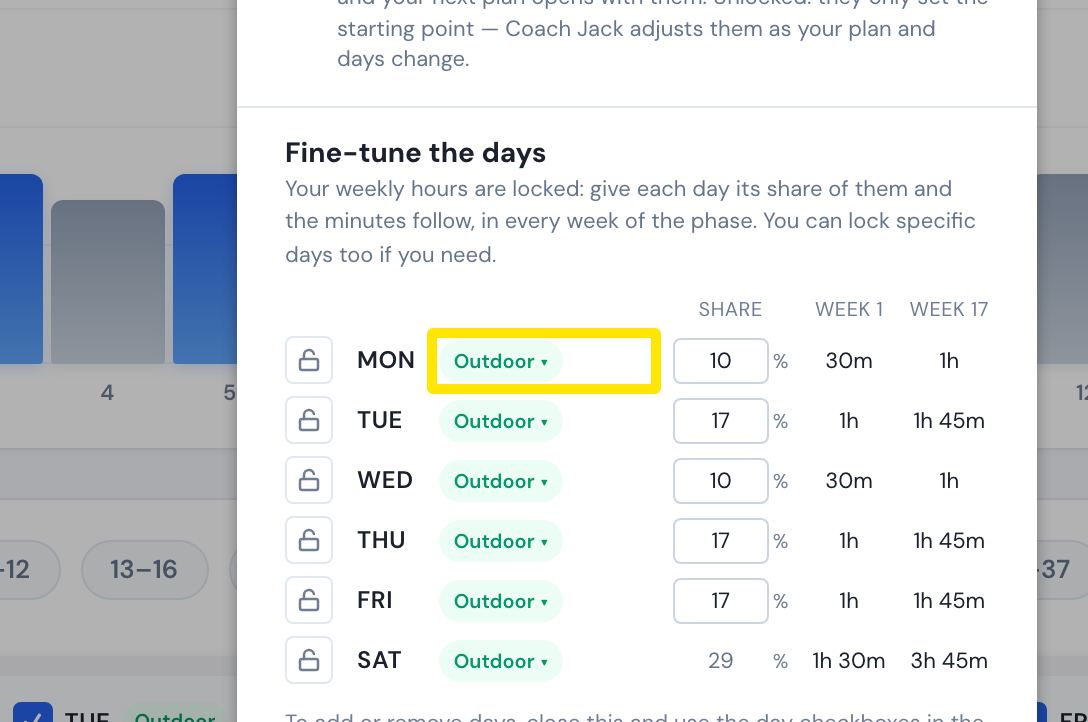 Where: Website · Coach Jack phase editor
- Those days now show Heart Rate. When the plan goes to your calendar, their workouts are saved as heart rate workouts, and calendar sync sends them to Garmin and other apps with heart rate targets.
Good to know: These are rides with heart rate targets, for outdoors or a basic trainer. They are not HR+ workouts, where the trainer sets your power to hold a target heart rate.
Works on: Building the plan is website only; the mobile and desktop apps show its heart rate days as heart rate workouts in the calendar.