

How do I get a long ride as one workout in my Coach Jack plan?
In the website's Coach Jack plan builder, click Save & Next, untick "Split Long Indoor Rides" so each long ride stays one workout, then send the plan to your calendar.
- On the website, open your plan in the Coach Jack builder: My Plans → your plan → Edit Plan (or Plan Builders → Create New Plan).
- Click Save & Next at the bottom.
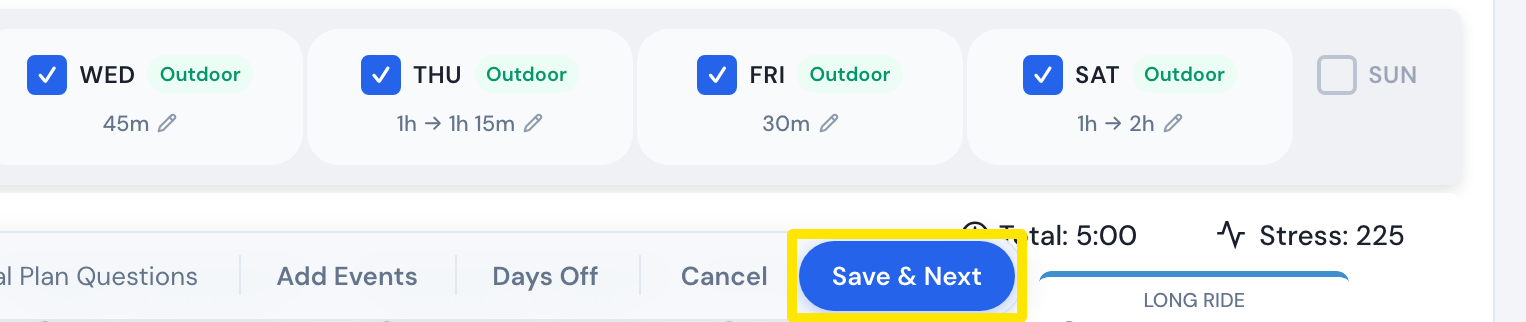 Where: Website · Coach Jack plan builder
- In the window that opens, untick Split Long Indoor Rides. The plan is rebuilt with each long ride as one workout.
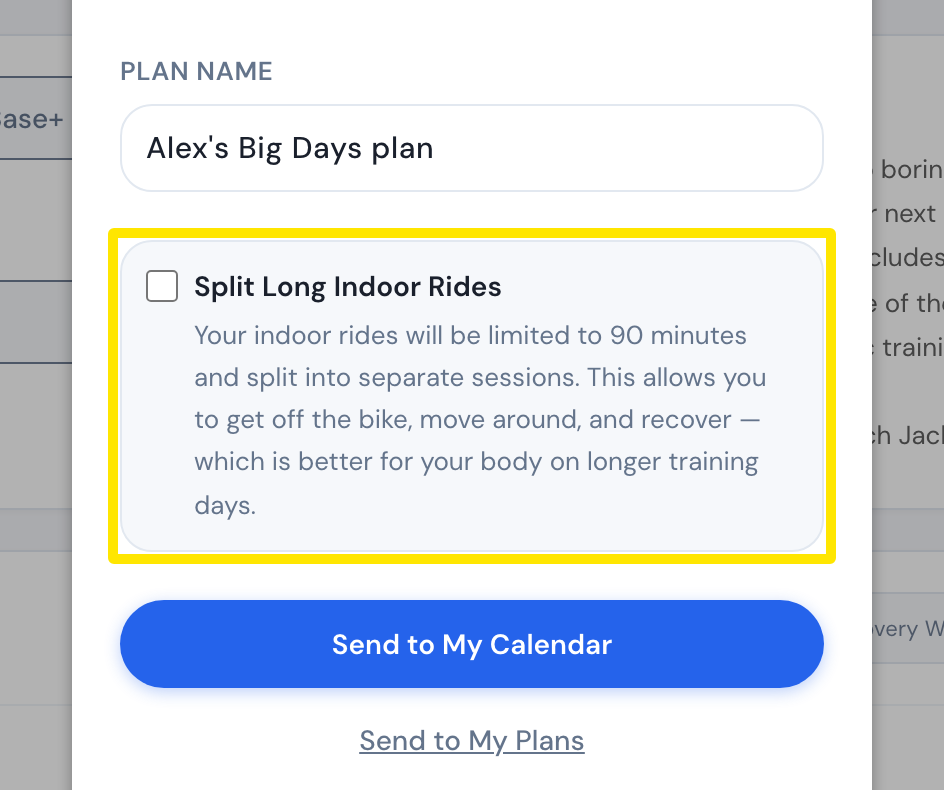 Where: Website · Coach Jack plan builder
- Click Send to My Calendar (or Sync with My Calendar).
Good to know: When Split Long Indoor Rides is ticked, indoor rides over 90 minutes are split into separate sessions.
Works on: Website only. The mobile and desktop apps have no plan builder.