

How do I change my race date in a Coach Jack plan?
To change your race date, open your Coach Jack plan on the website, click Edit Plan, pick the new day next to Event Date, then save and sync the plan to your calendar.
- On the TrainerDay website, in the left sidebar under Training Plans, click My Plans and open your Coach Jack plan.
- On the plan page, click Edit Plan. The Coach Jack builder opens with your plan.
- At the top right, click the date next to Event Date and pick the new race day in the month calendar. The plan's length follows the new date.
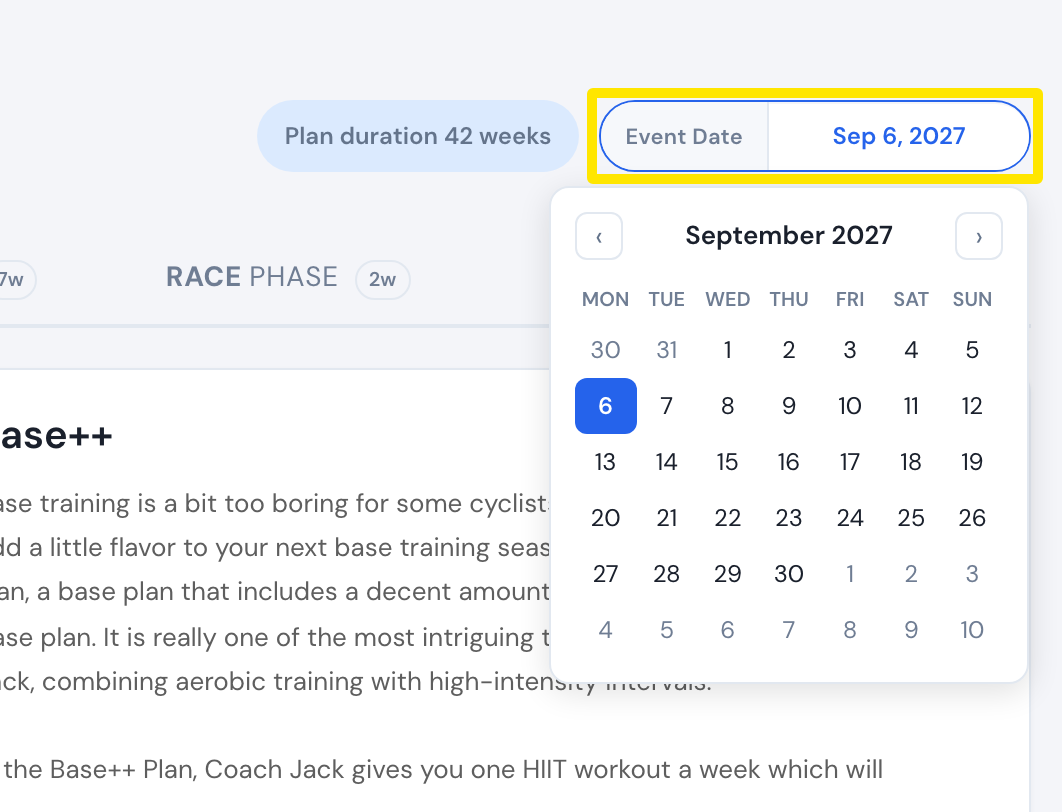 Where: Website · Coach Jack plan builder
- Click Save & Next, then Sync with My Calendar. Your plan's workouts and race are placed on your calendar again from the new date.
Good to know: The plan must be 4 to 49 weeks long from its start to the race. Otherwise the builder shows "Your plan must be at least 4 weeks." or "Your plan cannot exceed 49 weeks."
Works on: Website only. The mobile and desktop apps have no plan builder. They ride what the plan puts on My Calendar.