

How do I change my training days in a Coach Jack plan?
Change your Coach Jack training days on the website: open the plan in the Coach Jack builder, tick or untick the day boxes or use My days, then sync the plan to your calendar.
- On the website, in the left sidebar under Training Plans, click My Plans, open your Coach Jack plan's ⋯ menu and click Edit. The Coach Jack builder opens.
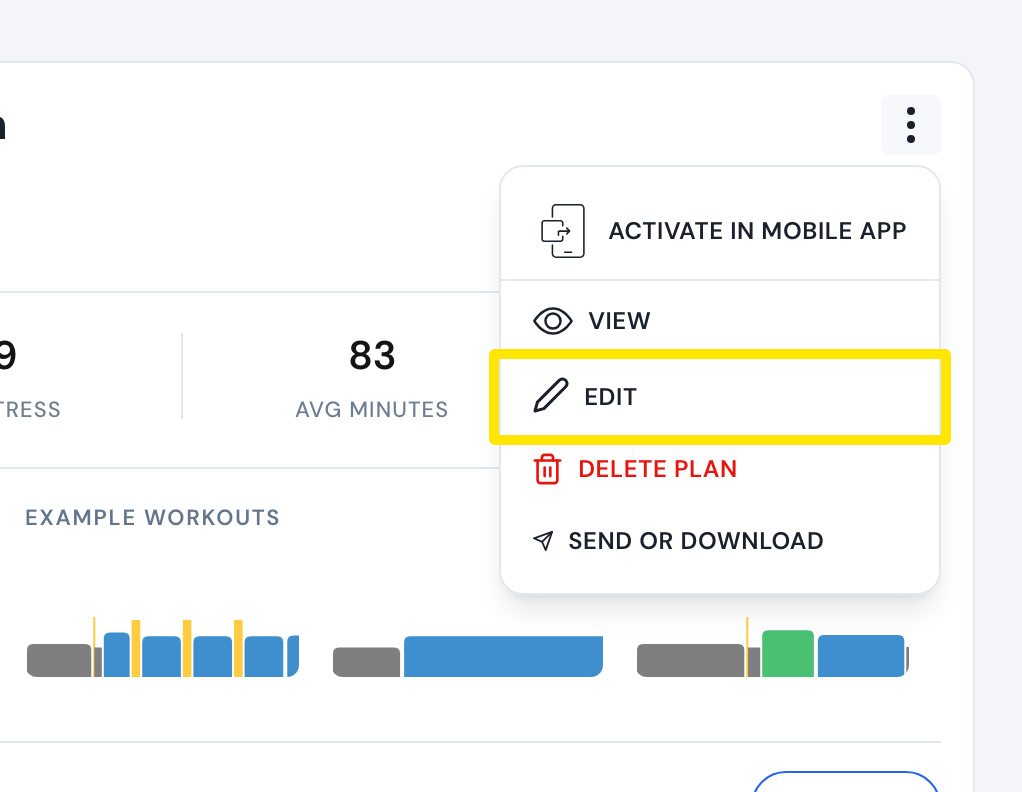 Where: Website · My Plans · open it
- In the builder, tick or untick a day's box in the day list above the plan's weeks. At least one day must stay on. In a plan with several phases, choose Only this phase or All phases.
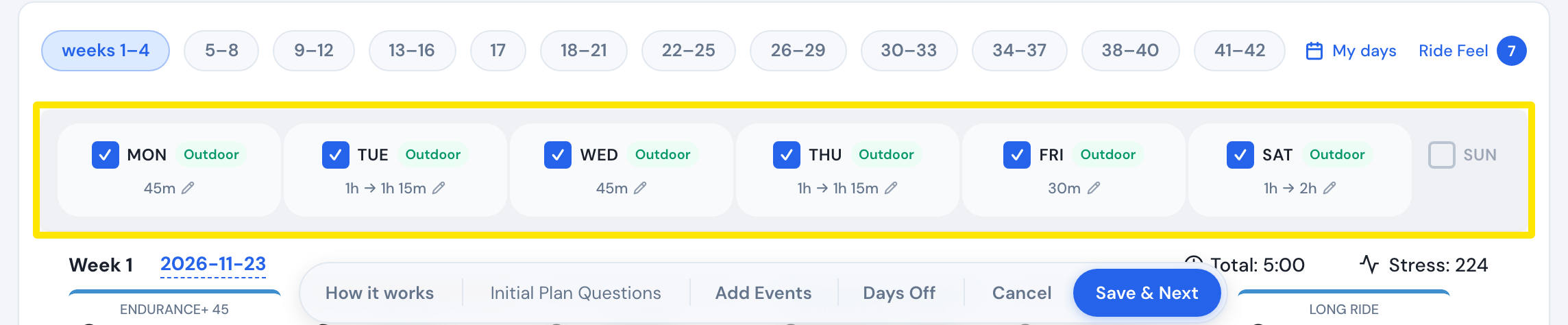 Where: Website · Coach Jack plan builder
- Or click My days and tap each day to switch it between Main, Extra and Off. Then click Save and apply to all phases (Save in a one-phase plan).
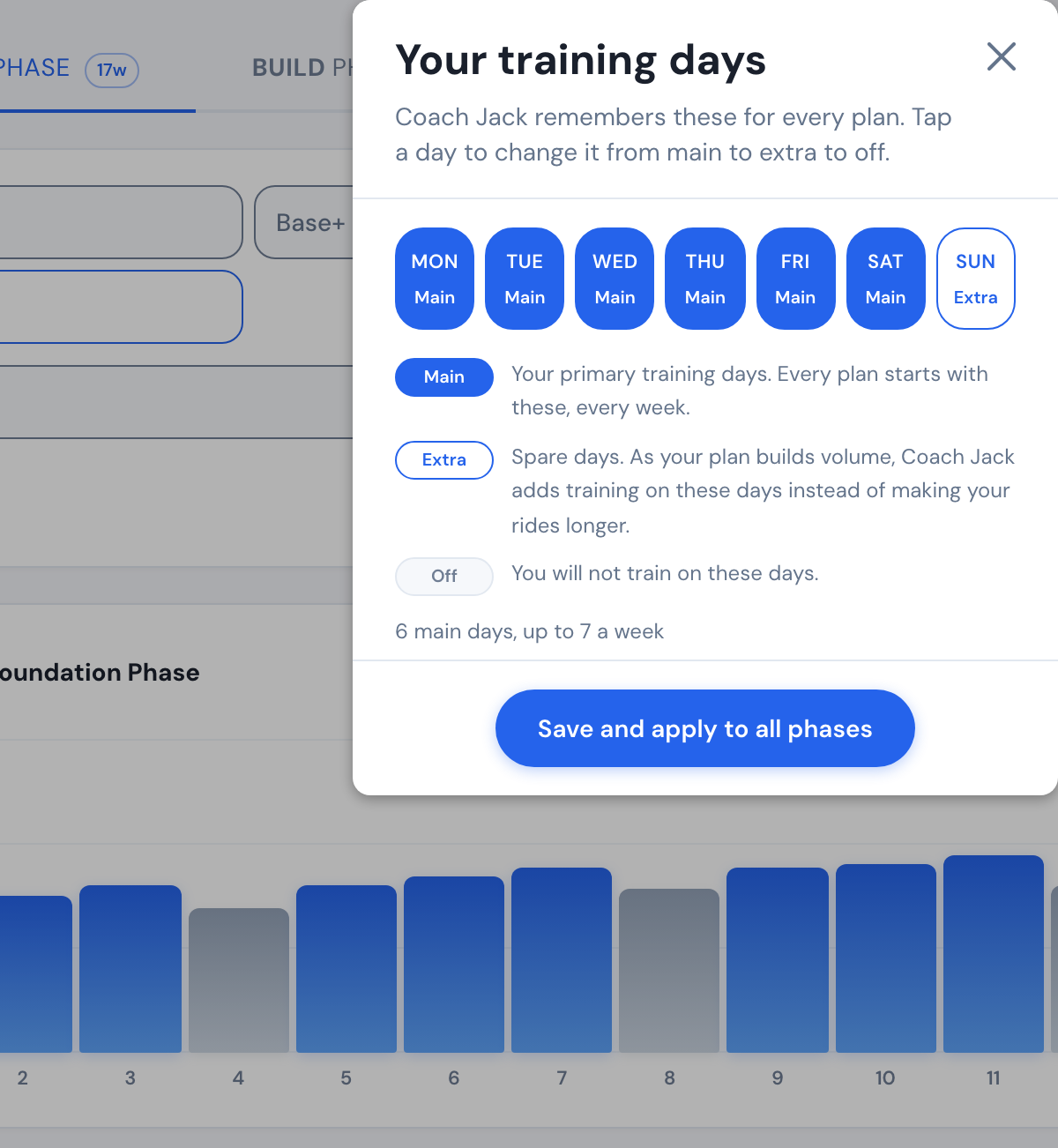 Where: Website · Coach Jack plan builder
- Back in the builder, click Save & Next, then Sync with My Calendar. The plan's workouts on your calendar are removed and placed again on the new days.
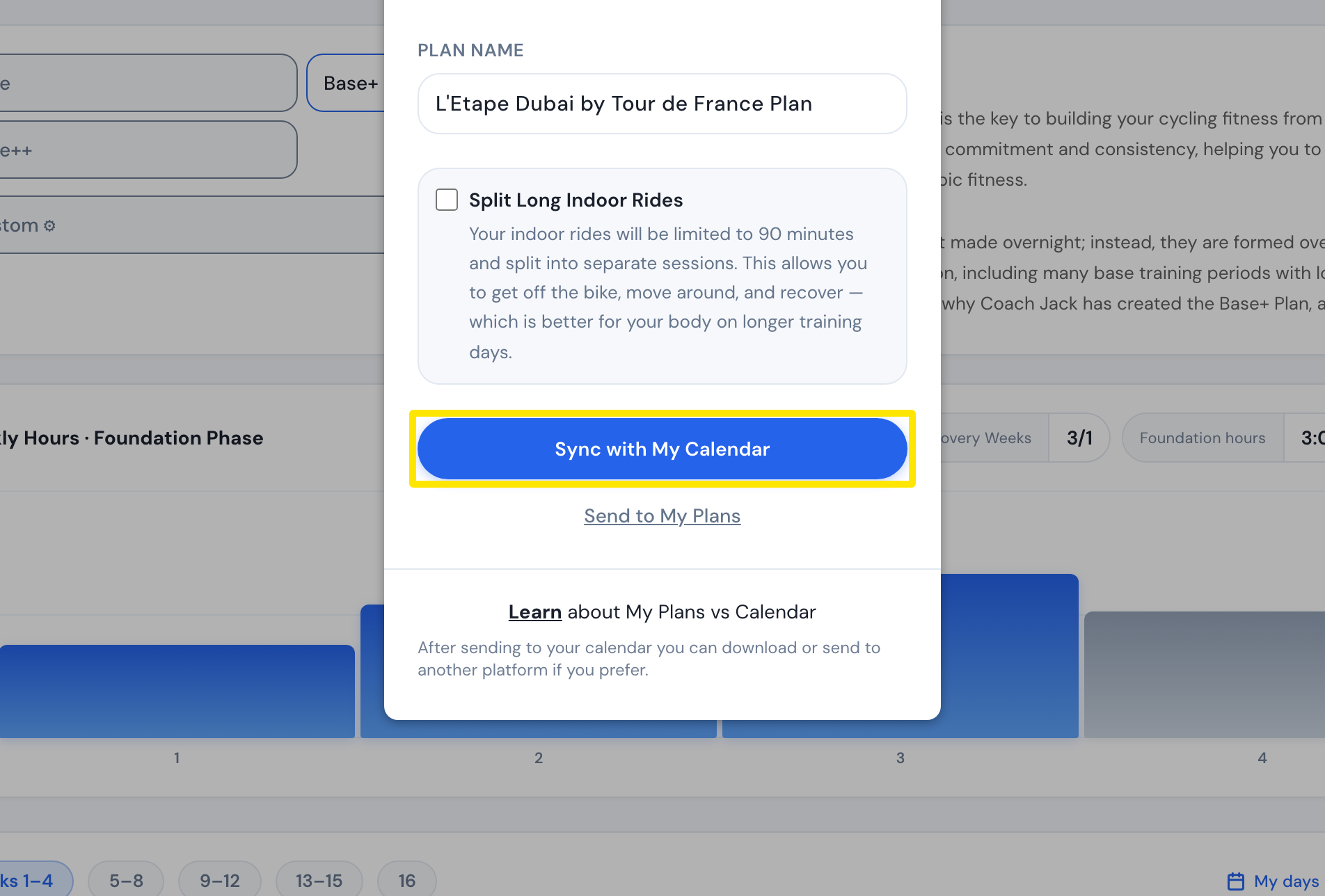 Where: Website · Coach Jack plan builder
Good to know: Coach Jack picks again which days are recovery rides each time you change the plan's days.
Works on: Website only. The mobile and desktop apps have no plan builder.