

How do I choose workout types for each phase of my Coach Jack plan?
On the website, open the Coach Jack builder, pick a phase tab, then pick a phase type or click Custom ⚙ to choose the 3 primary workout sequences and their intensity for that phase.
- On the website, in the left sidebar under Training Plans, click Plan Builders (app.trainerday.com/coach-jack).
- On the Coach Jack card, click Start with Coach Jack → (it reads Create New Plan → once you have built a plan) and answer the questions.
- In the plan builder, choose the phase with the phase tabs. Then pick a phase type in the box at the top. Each type comes with its own sequences.
- To choose the workouts yourself, click Custom ⚙.
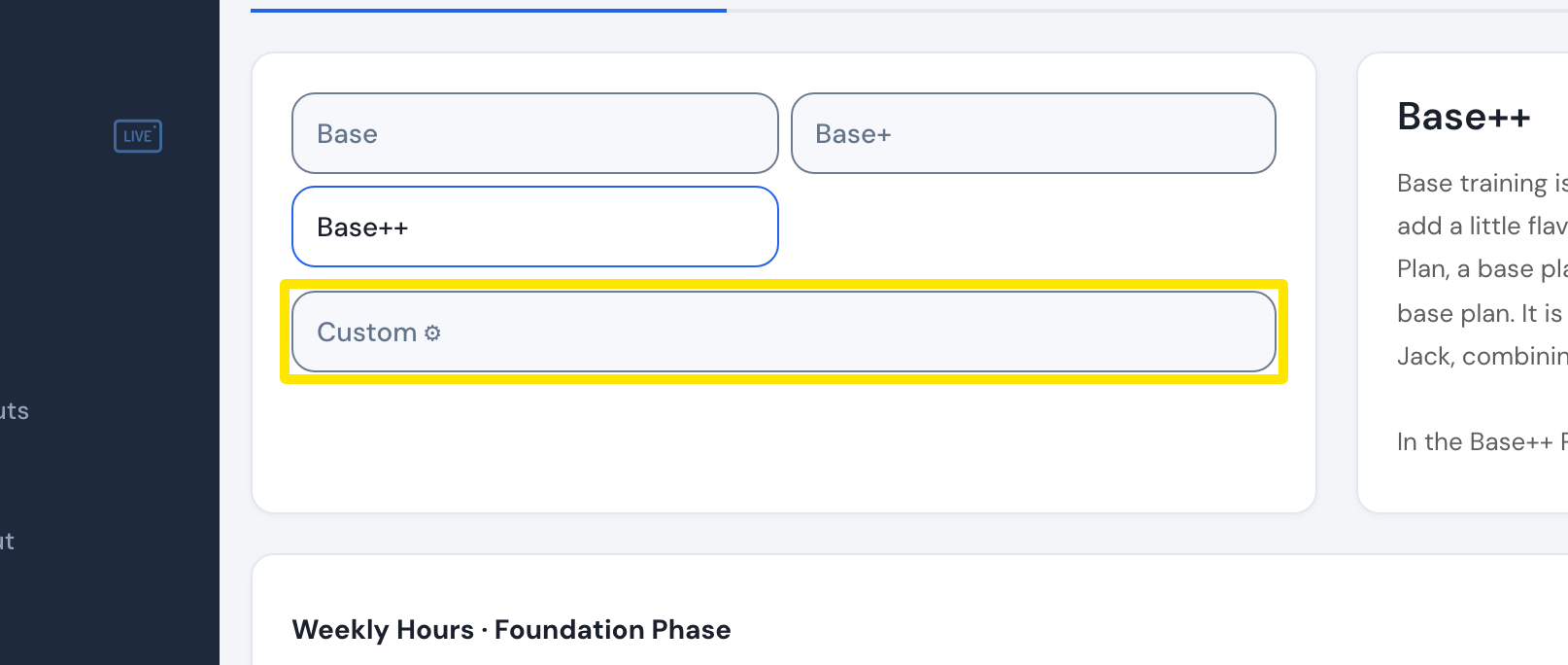 Where: Website · Coach Jack plan builder
- In the Custom Phase window, pick a workout type for each of your 3 primary sequences and an Intensity (Main = the phase's level, or 1–10). The eye icon explains each sequence.
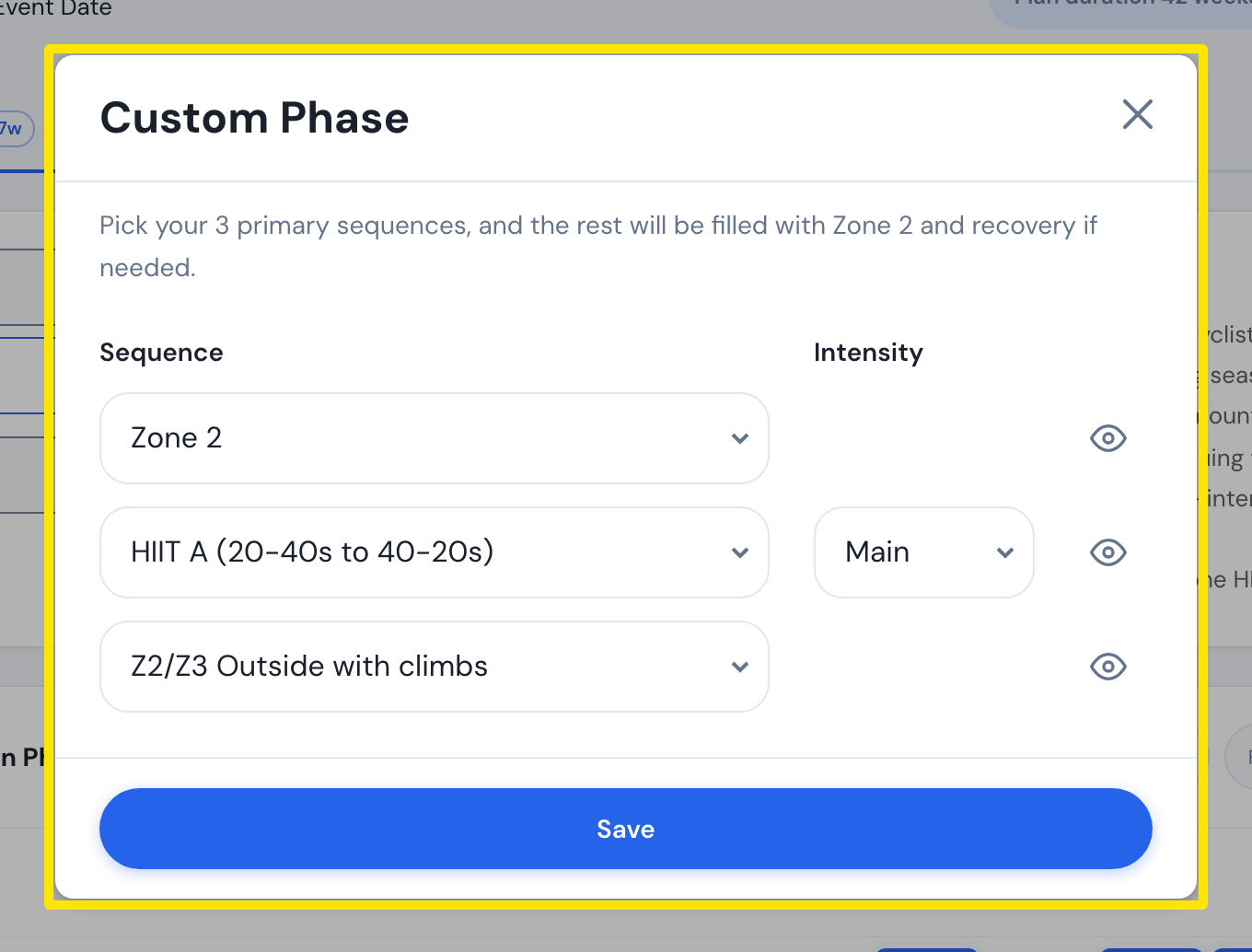 Where: Website · Coach Jack plan builder → Custom ⚙
- Click Save, name the phase, and click Save again.
Good to know: You can pick only 3 primary sequences per phase, and there is no setting for which day gets which workout. The rest of the week is filled with Zone 2 and recovery.
Works on: Website only. The mobile and desktop apps have no Coach Jack builder.