

How do I change the order of workouts in my Coach Jack plan?
You can't put Coach Jack's workouts in a set order on chosen days. On the website's Coach Jack builder you can pick a phase's 3 main workout types in Custom ⚙ and choose which days you ride.
If you just want to move a few workouts around after your plan is made, edit the plan's calendar instead: see How do I edit my Coach Jack plan after creating it?
The Coach Jack builder has no setting to put workouts in a chosen order on chosen days. Coach Jack places three main workouts a week on your Main days. The other rides are Zone 2 or recovery.
- On the website, open My Plans, then your plan, and click Edit Plan. The Coach Jack builder opens.
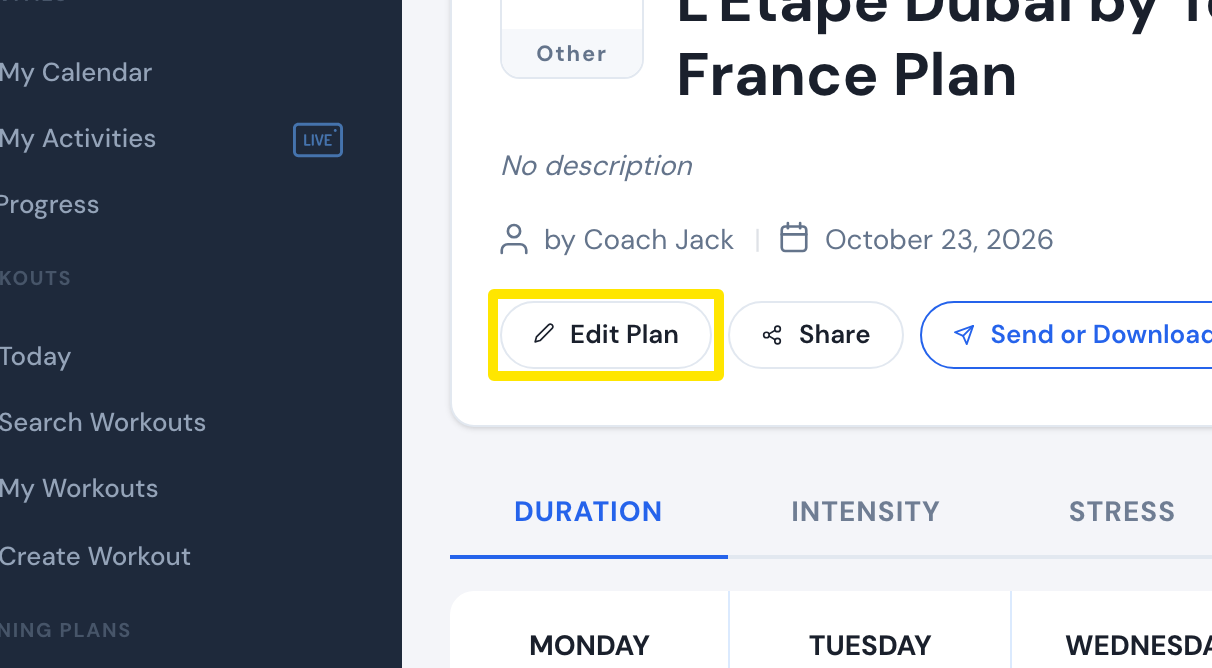 Where: Website · a plan's page (My Plans → View plan)
- In the builder, click Custom ⚙ under the phase type buttons.
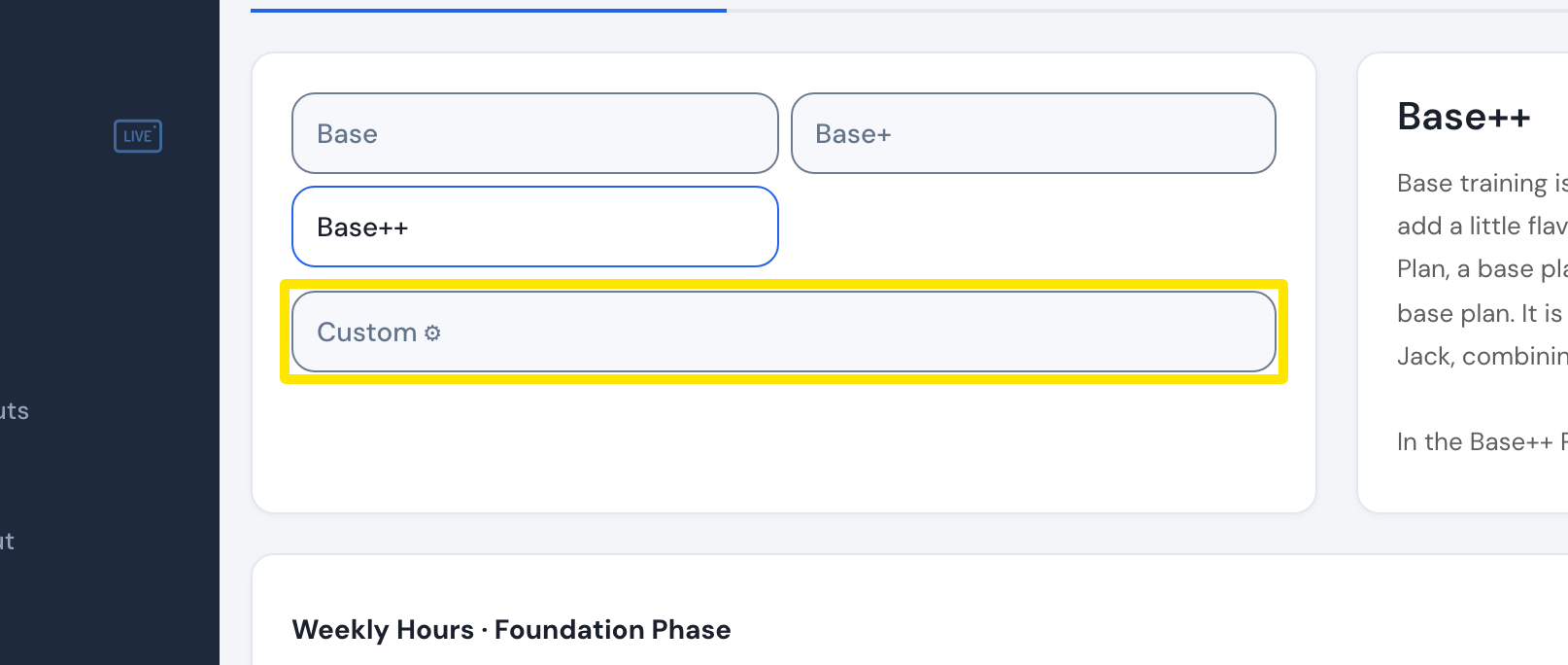 Where: Website · Coach Jack plan builder
- In the Custom Phase window, pick your 3 main workout types in the Sequence menus and set their Intensity.
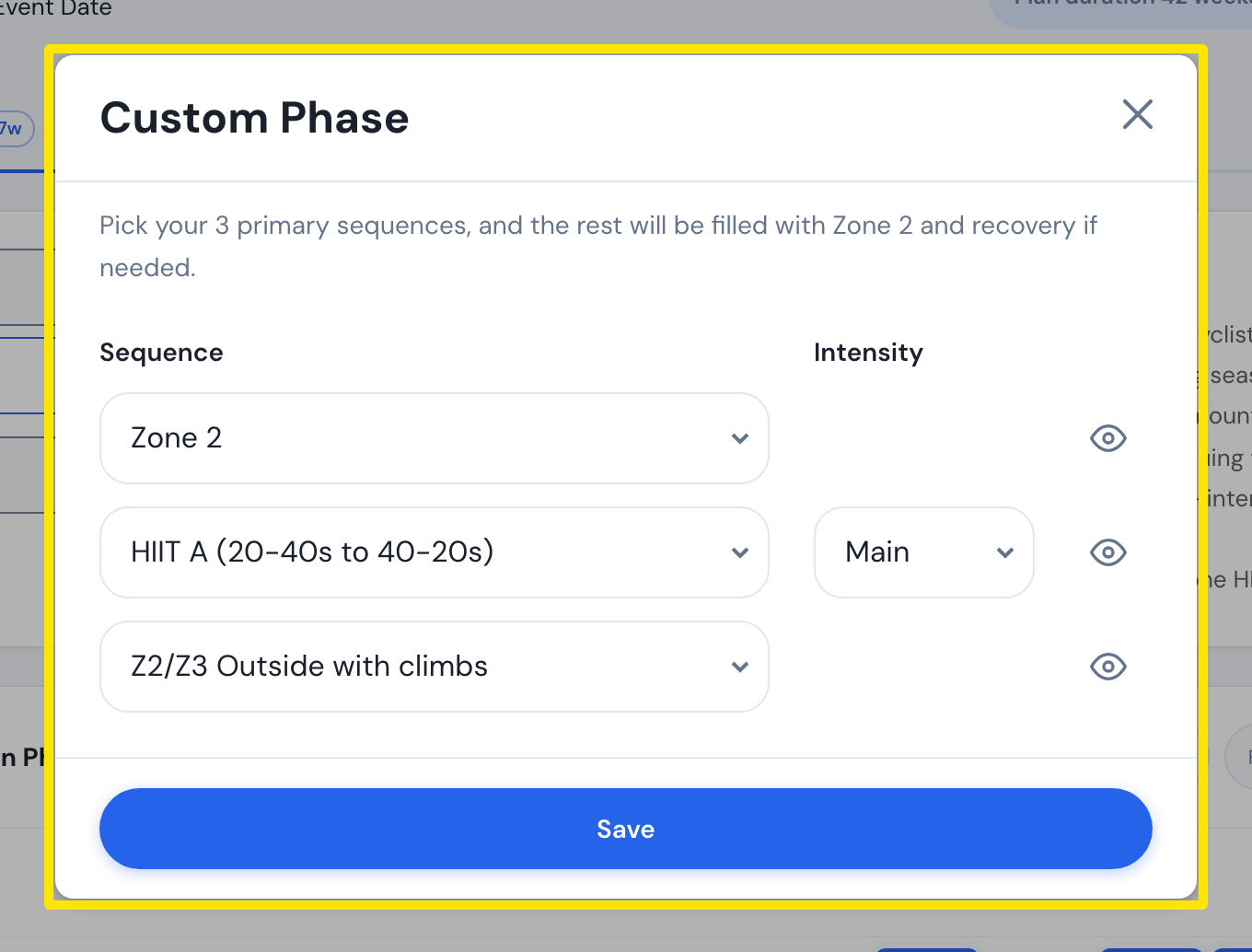 Where: Website · Coach Jack plan builder → Custom ⚙
- Click Save, give the phase a name, and click Save again.
- To change which days you ride, tick or untick the day checkboxes above the calendar.
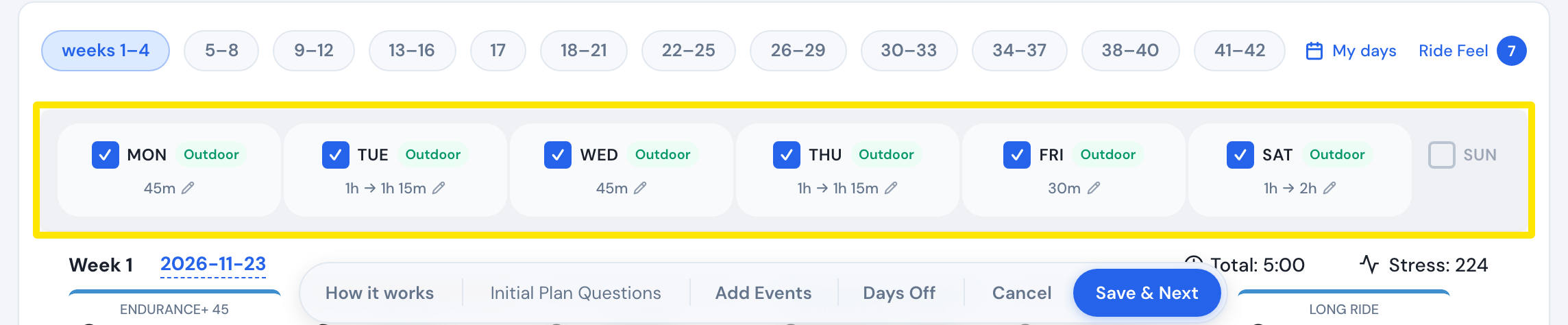 Where: Website · Coach Jack plan builder
Works on: website only. The mobile and desktop apps have no plan builder.