

How do I fix heart rate dropping to 0 during a workout?
Heart rate drops to 0 when the strap stops sending, usually because it lost skin contact, another app or device grabbed it, or it was paired in your phone's Bluetooth settings; fix it with these checks and the Heart Rate tag in the mobile app's Settings tab → Add Devices.
- In the mobile app, start with the strap: wet the contacts and wear it snug. A strap switches off when it isn't touching skin, and heart rate then shows 0.
- Close Zwift and every other app or device that could connect to the strap (watch, bike computer, another phone or computer). It can only talk to one at a time.
- Open your phone's Settings → Bluetooth. If the strap is listed, forget it. Connect it only inside TrainerDay.
- In TrainerDay, open the Settings tab and tap Add Devices.
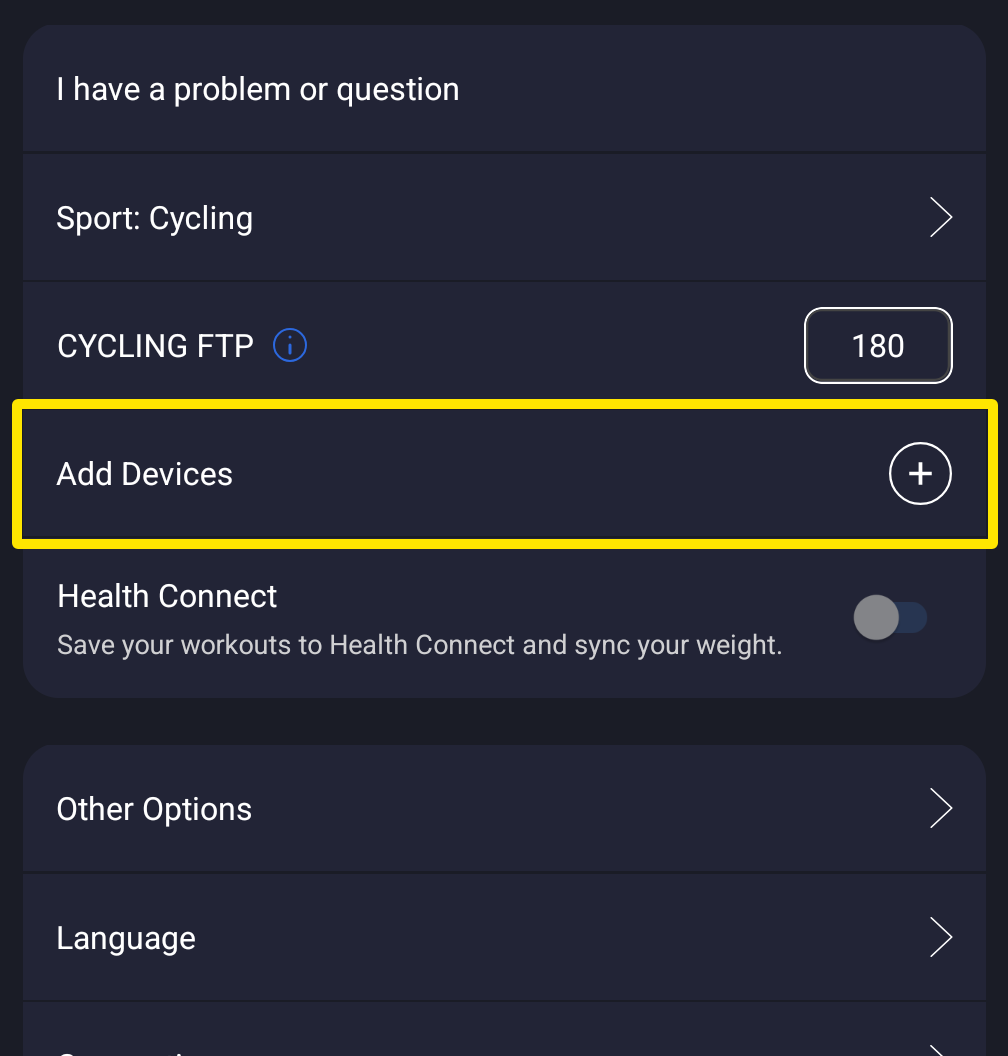 Where: Mobile app · Settings tab
- On the Devices screen, the strap's Heart Rate tag should be filled and show bpm. If another device holds Heart Rate, tap Heart Rate on the strap.
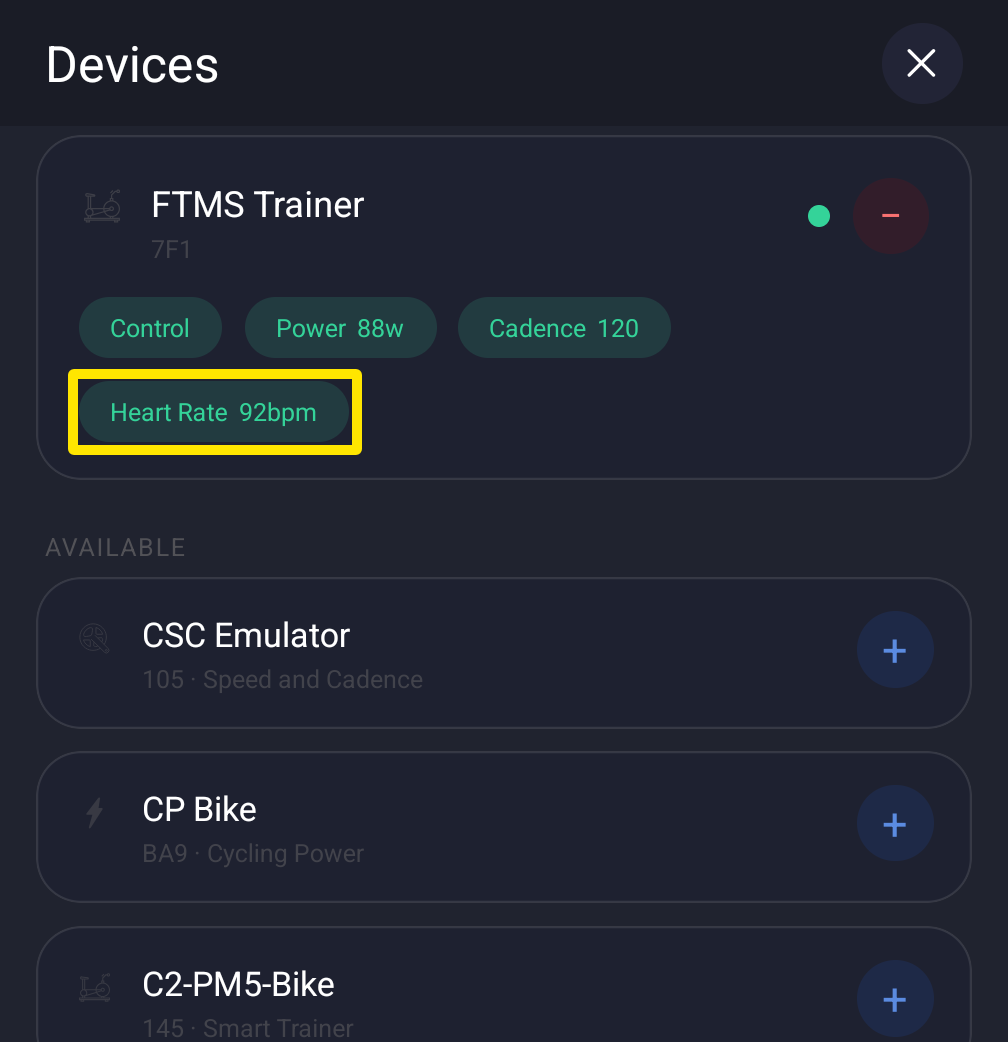 Where: Mobile app · Settings tab → Add Devices
- Still dropping? Tap Missing Device?, pick the strap and follow the steps. Replace an old battery, then turn Bluetooth off and on or restart the phone.
Good to know: The desktop app keeps showing the last heart rate for up to 3 seconds before 0, and Not connecting? under the strap in Devices opens the same help.
Works on: mobile app and desktop app; the website does not connect sensors.