

How do I use my Apple Watch for heart rate?
Turn on Apple Watch heart rate in the TrainerDay iPhone app by switching on Enable watch in Settings → Other Options, then adding the watch under Add Devices.
- In the TrainerDay iPhone app, open the Settings tab, tap Other Options and switch on Enable watch.
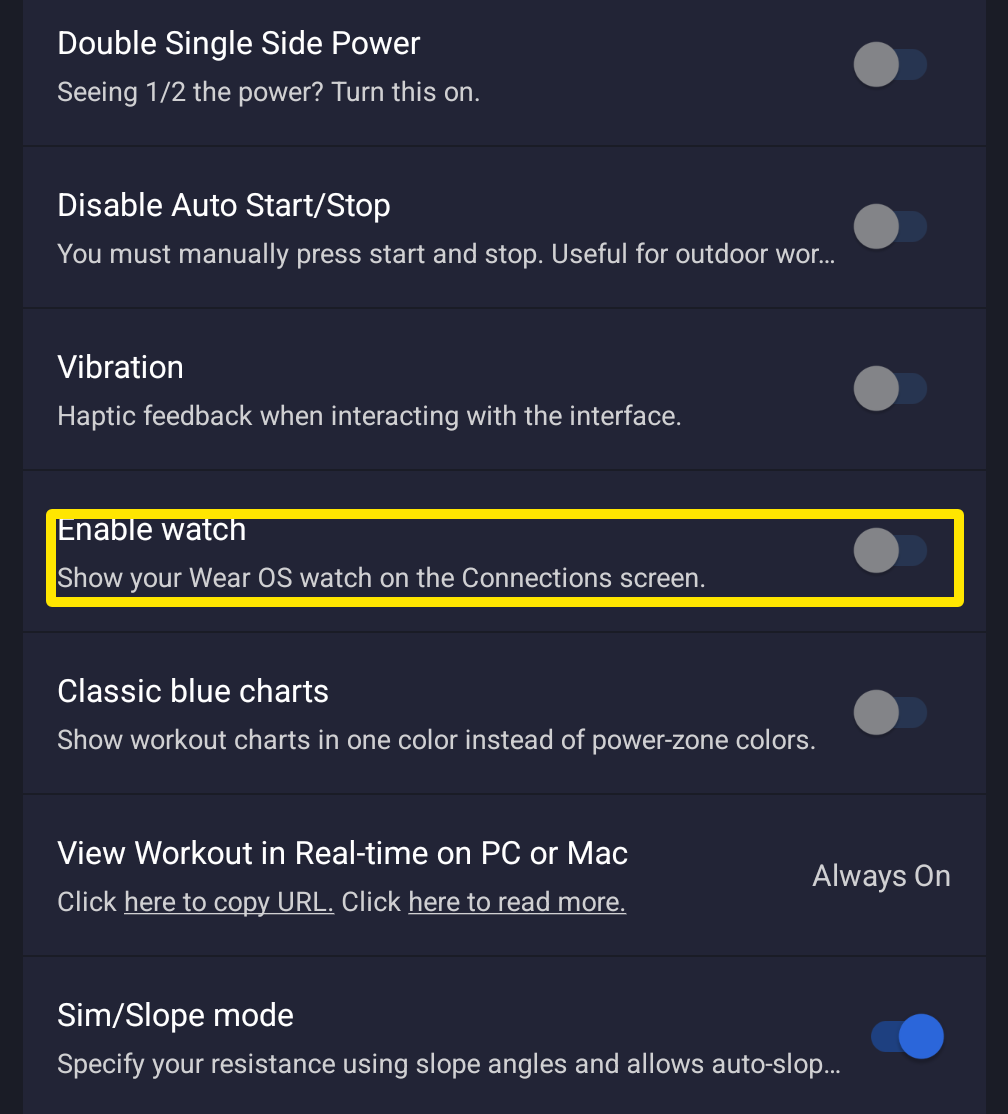 Where: Mobile app · Settings tab → Other Options
- Back in Settings, tap Add Devices. Tap + on the Apple Watch line.
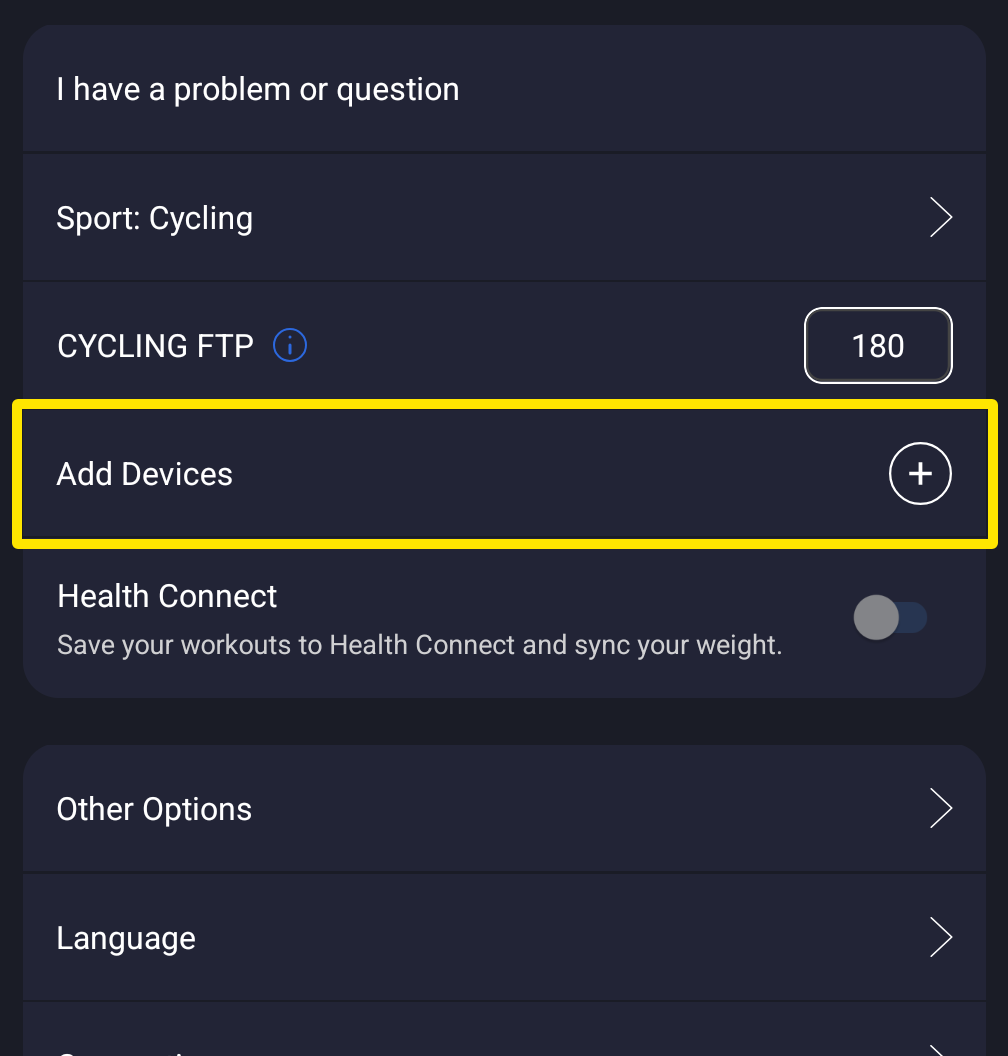 Where: Mobile app · Settings tab
- Allow TrainerDay access to Health when the iPhone asks.
- Start a workout. The TrainerDay app opens on the watch, and the Apple Watch card says Measuring heart rate.
Good to know: Watch heart rate is used only when no Bluetooth heart rate strap is connected, and it also works in HR+ mode. A chest strap gives more accurate heart rate.
Works on: iPhone with iOS 17 or newer and watchOS 10 (not iPad). On Android, the same switch shows a Wear OS watch. In the desktop app, use a watch that broadcasts heart rate over Bluetooth, such as a Garmin.