

How do I get heart rate from my Garmin watch?
Turn on heart rate broadcast on your Garmin watch, then add the watch in the TrainerDay mobile app under Settings → Add Devices, just like a heart rate strap.
- On your Garmin watch, turn on its heart rate broadcast (a Garmin setting, usually called Broadcast Heart Rate). Make sure nothing else is connected to the watch.
- In the TrainerDay mobile app, open the Settings tab and tap Add Devices.
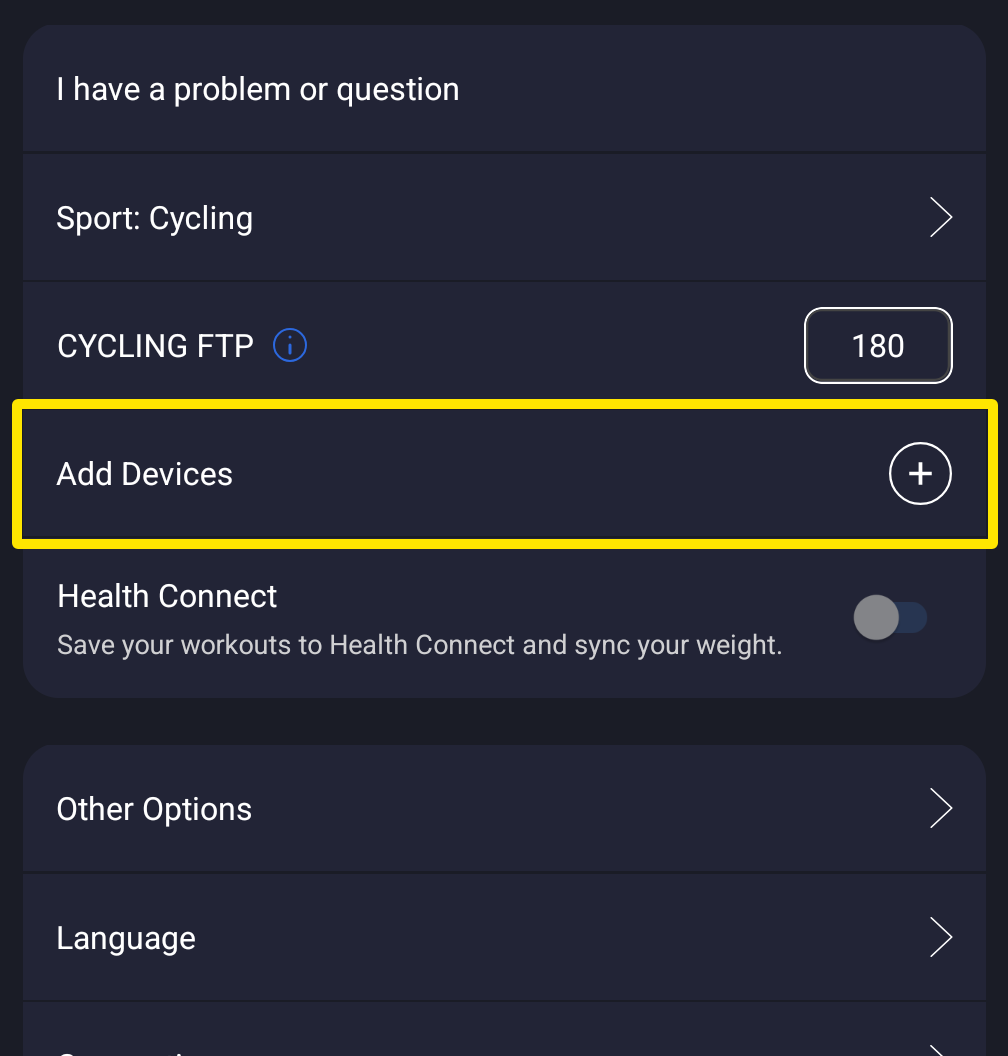 Where: Mobile app · Settings tab
- On the Devices screen, find the watch under Available and tap the + next to it.
- On the watch's card, check that the Heart Rate tag is filled and shows bpm. If your trainer holds heart rate, tap Heart Rate on the watch's card.
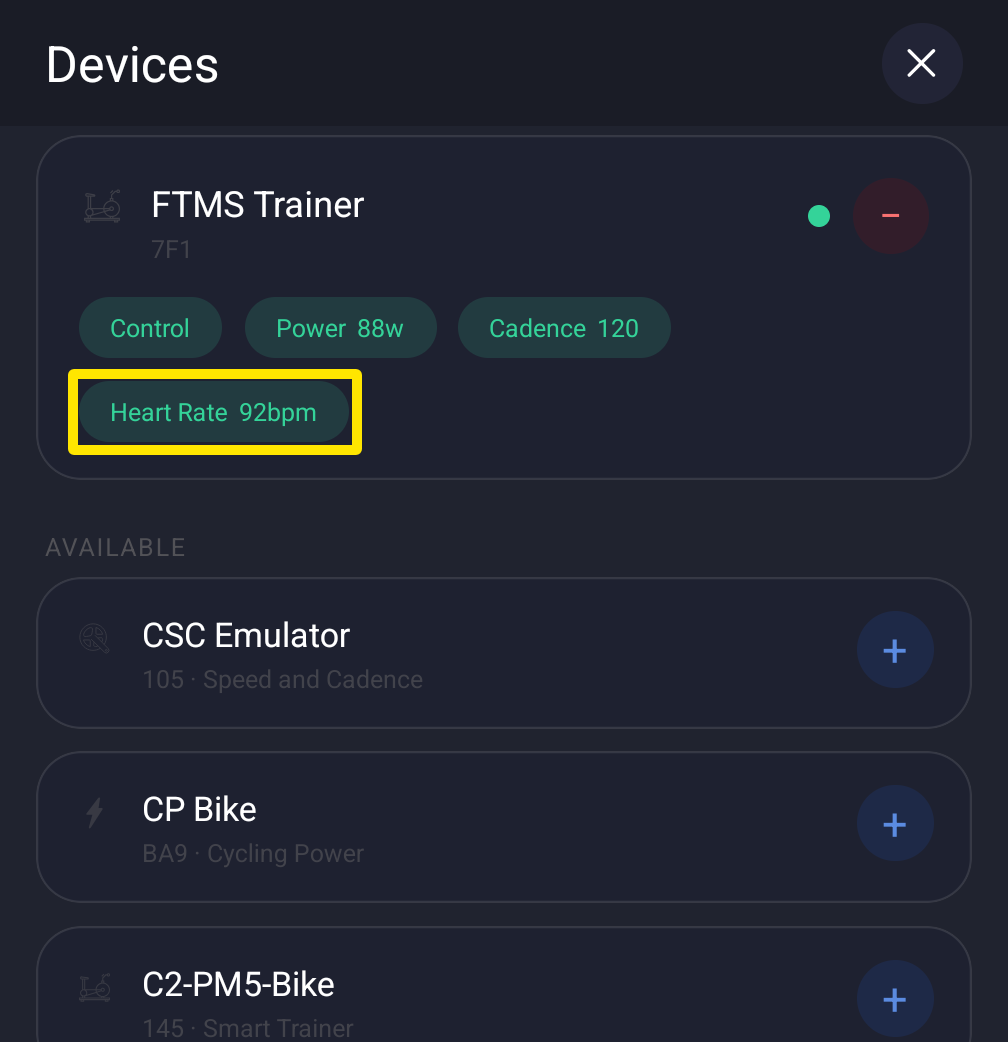 Where: Mobile app · Settings tab → Add Devices
- Tap Done.
Good to know: Pair the watch only inside TrainerDay, not in your phone's Bluetooth settings, or the connection can be blocked. In the desktop app, click the Bluetooth/ANT+ button at the top right, then Connect next to the watch.
Works on: mobile app and desktop app (Mac, Windows); not the website.