

如何在网站上订阅以获得最低价格?
在网站上登录,打开 trainerday.com/pricing,点击 Pro 下的立即升级,选择年度方案即可获得最低价格;网站价格比 App Store 或 Google Play 更低。
- 在网站上登录,然后打开 trainerday.com/pricing。
- 在 Pro 下,点击 立即升级。
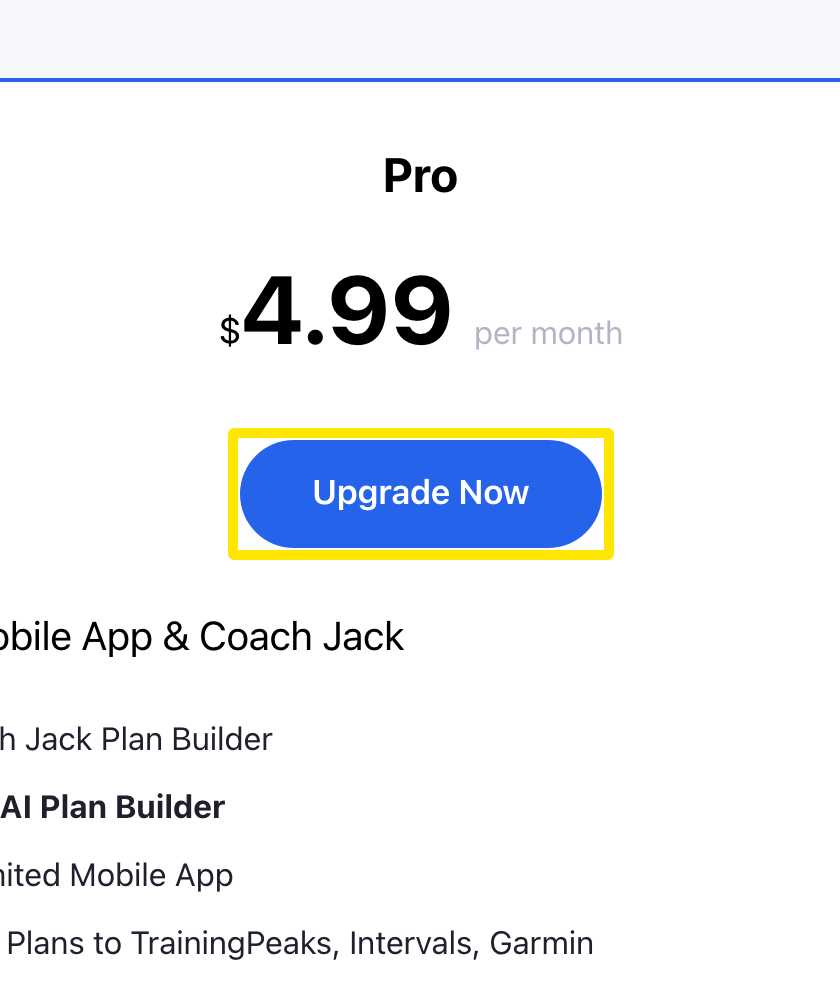 位置:网站 · trainerday.com/pricing
- 在订阅页面选择 年度($39.99 一年,“Save 33%”)获得最低价格,或选择 月度($4.99)。
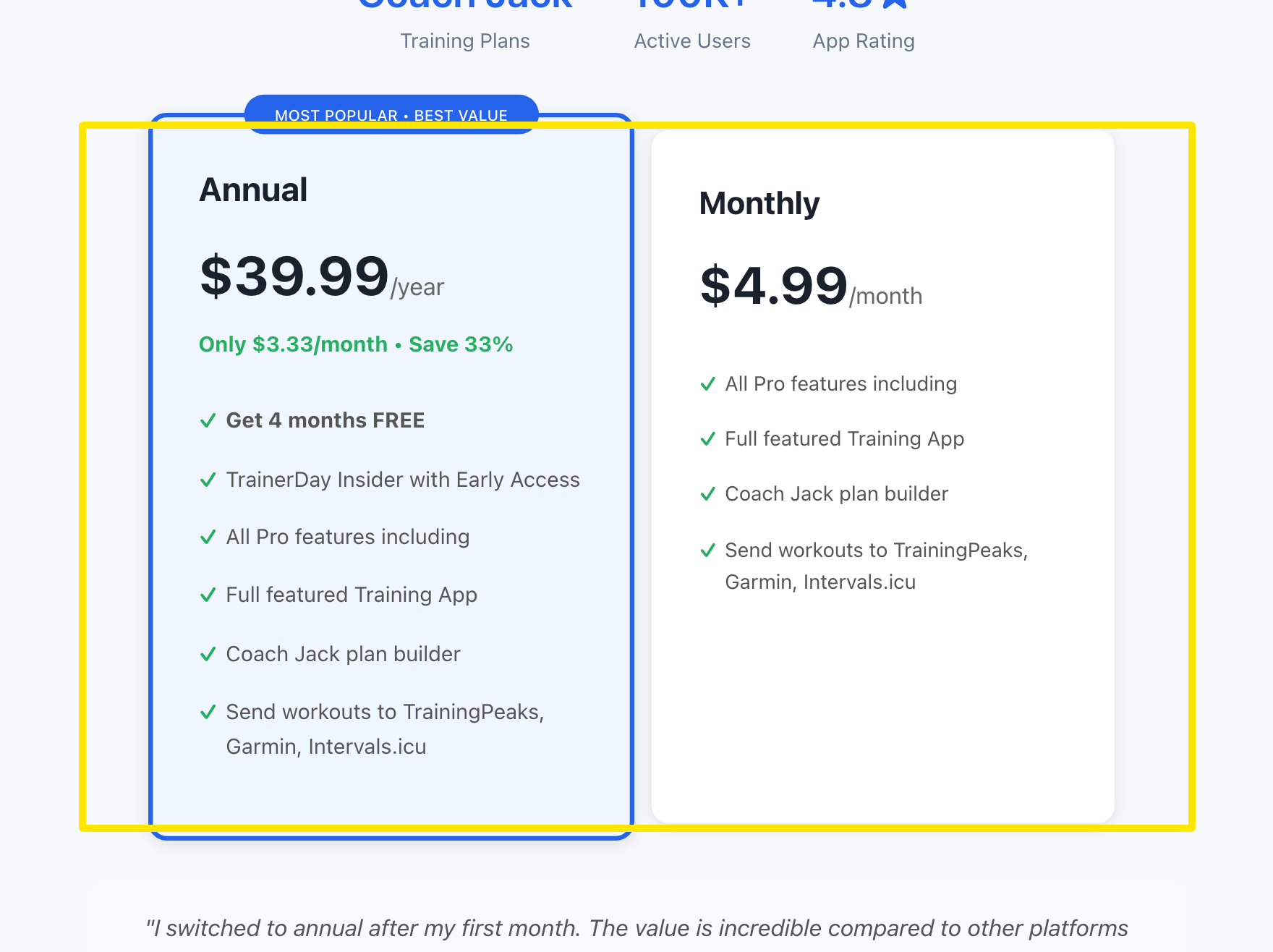 位置:网站 · trainerday.com/subscribe
- 输入银行卡信息,然后点击表单下方的蓝色按钮:年度订阅为 Get Instant Access - Save 33% →。如果想改用 PayPal 或 Stripe 付款,请点击该按钮下方的 Paypal 或 Stripe 链接。
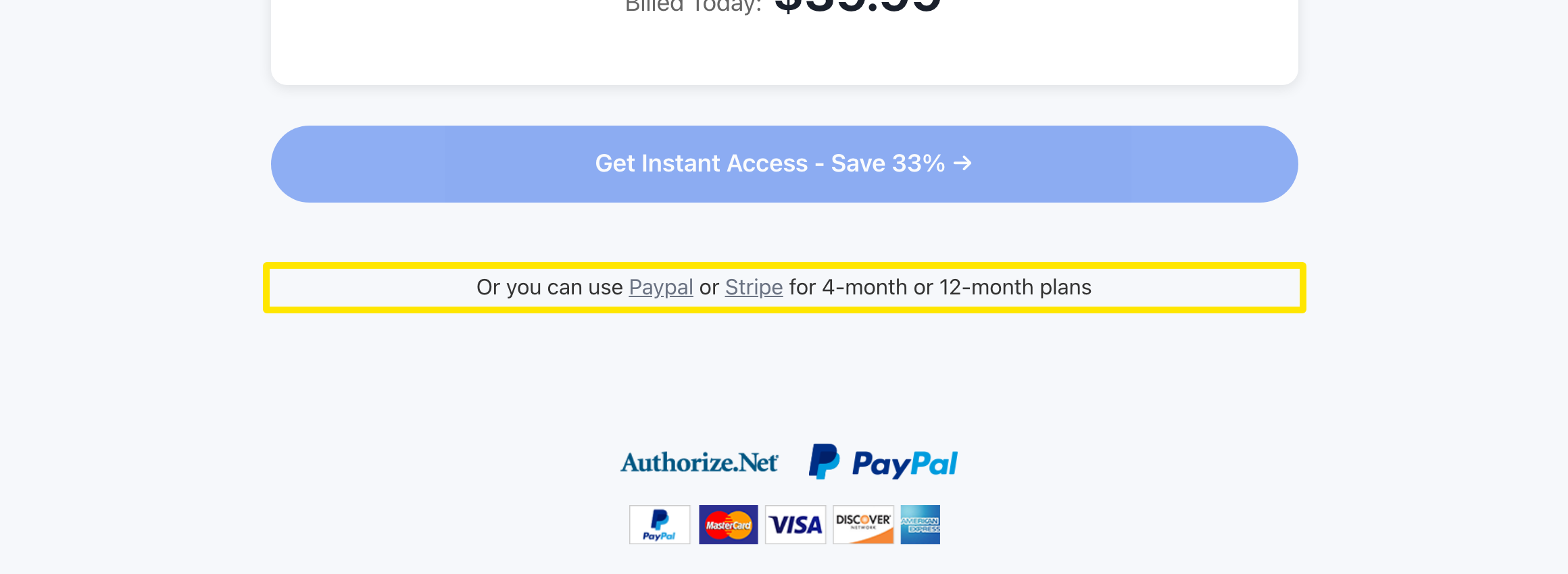 位置:网站 · trainerday.com/subscribe
提示: 在网站上订阅一次,你的账户就能在所有设备和网页上使用高级功能。
适用于: 网站。手机应用通过 App Store 或 Google Play 按其价格购买,桌面应用没有购买界面。