

email 連結出現錯誤時,怎麼重設密碼?
重設連結出現錯誤,通常是已經過期或用過了。請到 TrainerDay 登入頁面的「忘記密碼」重新申請一個,並在 8 小時內打開,而且只打開一次。
- 前往 trainerday.com/login,點 忘記密碼。
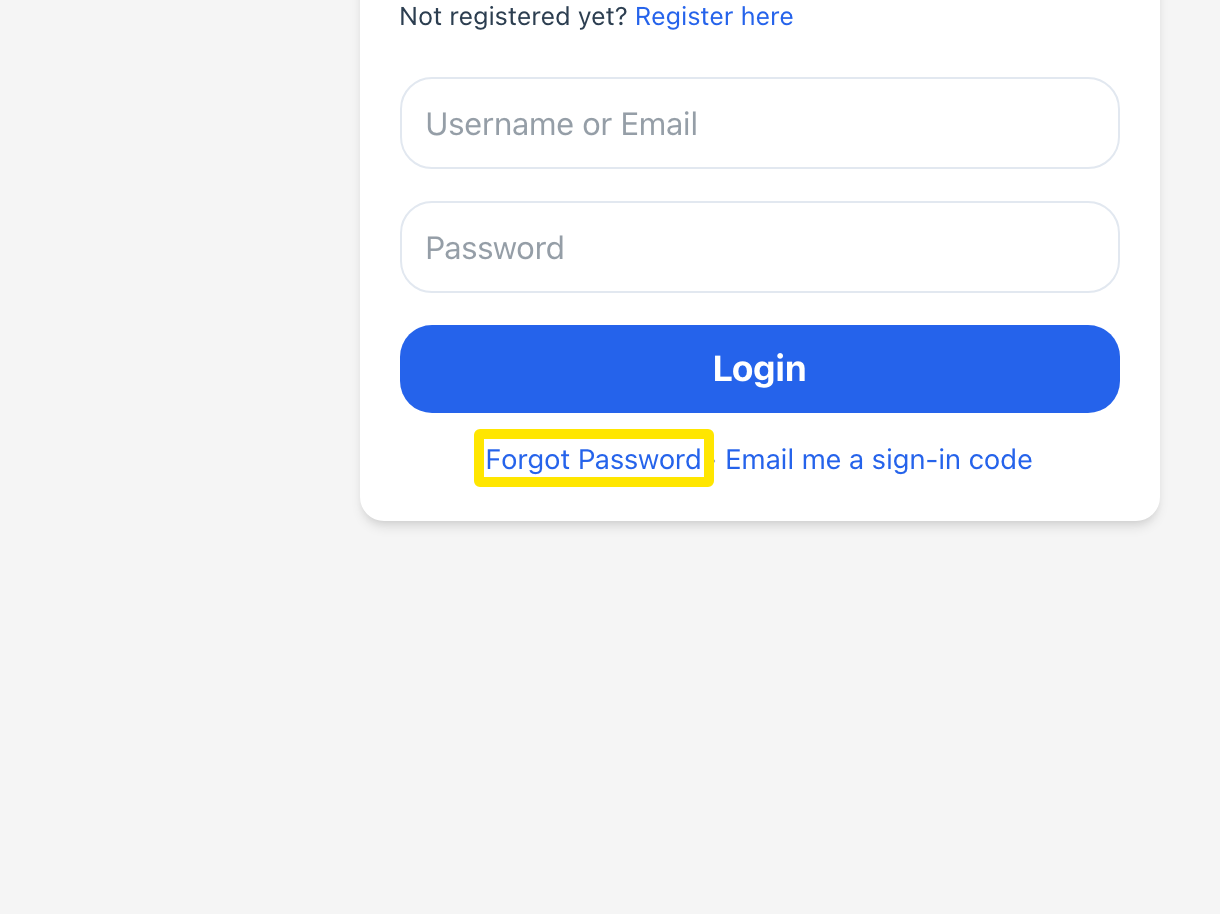 位置:網站 · trainerday.com/login · 打開
- 在 使用者名稱或電子郵件 輸入你的使用者名稱或 email,然後點 Reset Password。
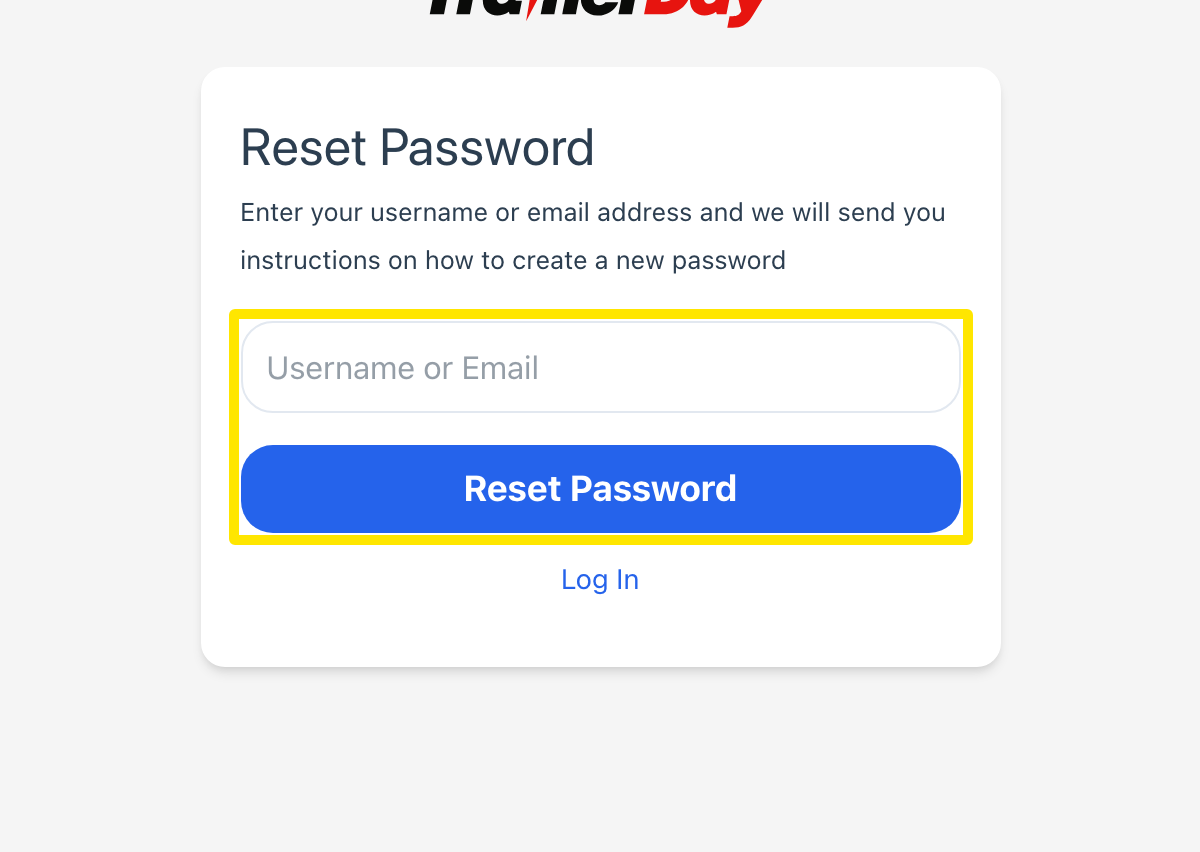 位置:網站 · trainerday.com/login → 忘記密碼 · 打開
- 打開 [email protected] 寄來最新的那封 email,主旨是「Change of Password Request」,點擊裡面的連結。正確的連結會以 HTTPS 打開 https://trainerday.com/reset-password/。如果頁面顯示 Error. Page unavailable,代表連結已過期或已經用過,請回到步驟 1。
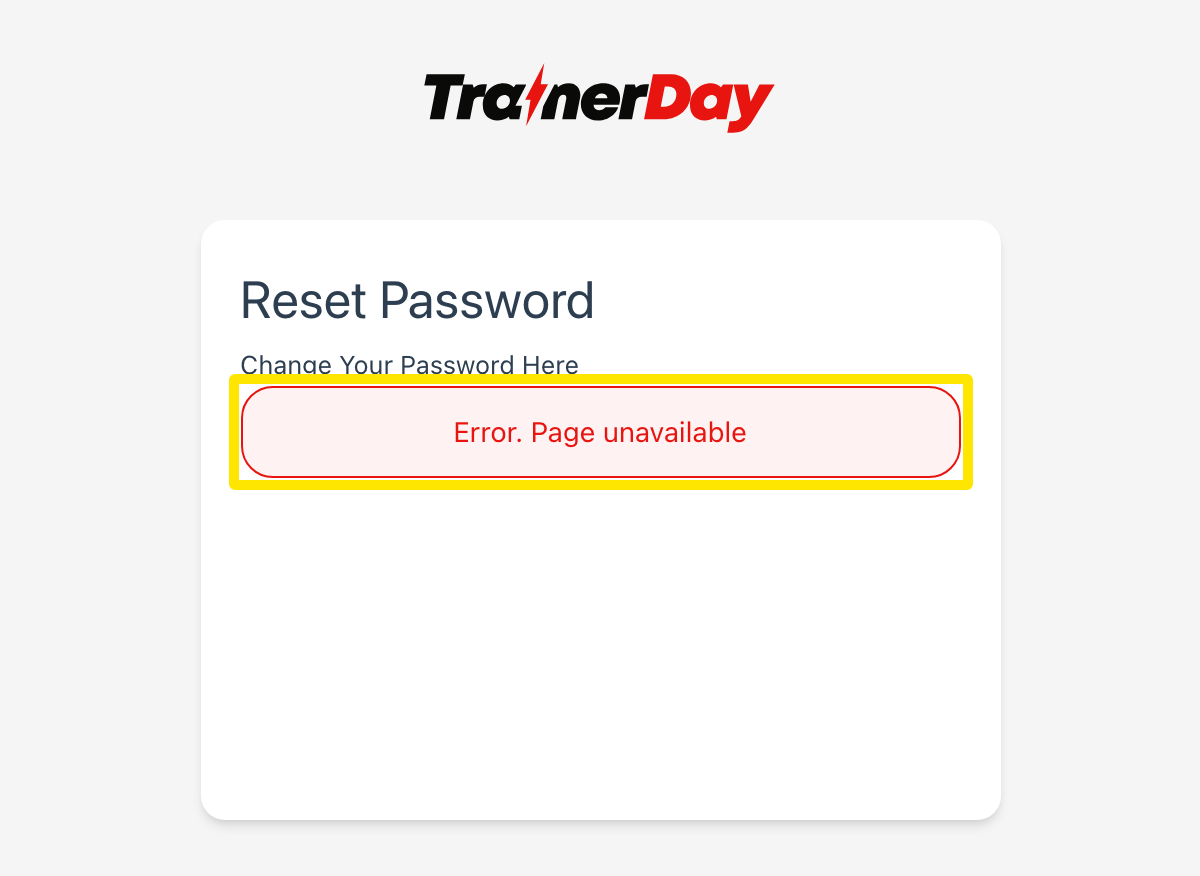 位置:網站 · trainerday.com/reset-password(email 裡的連結)
- 在 密碼 和 Confirm Password 輸入新密碼,至少要 4 個字元。然後點 Reset Password。
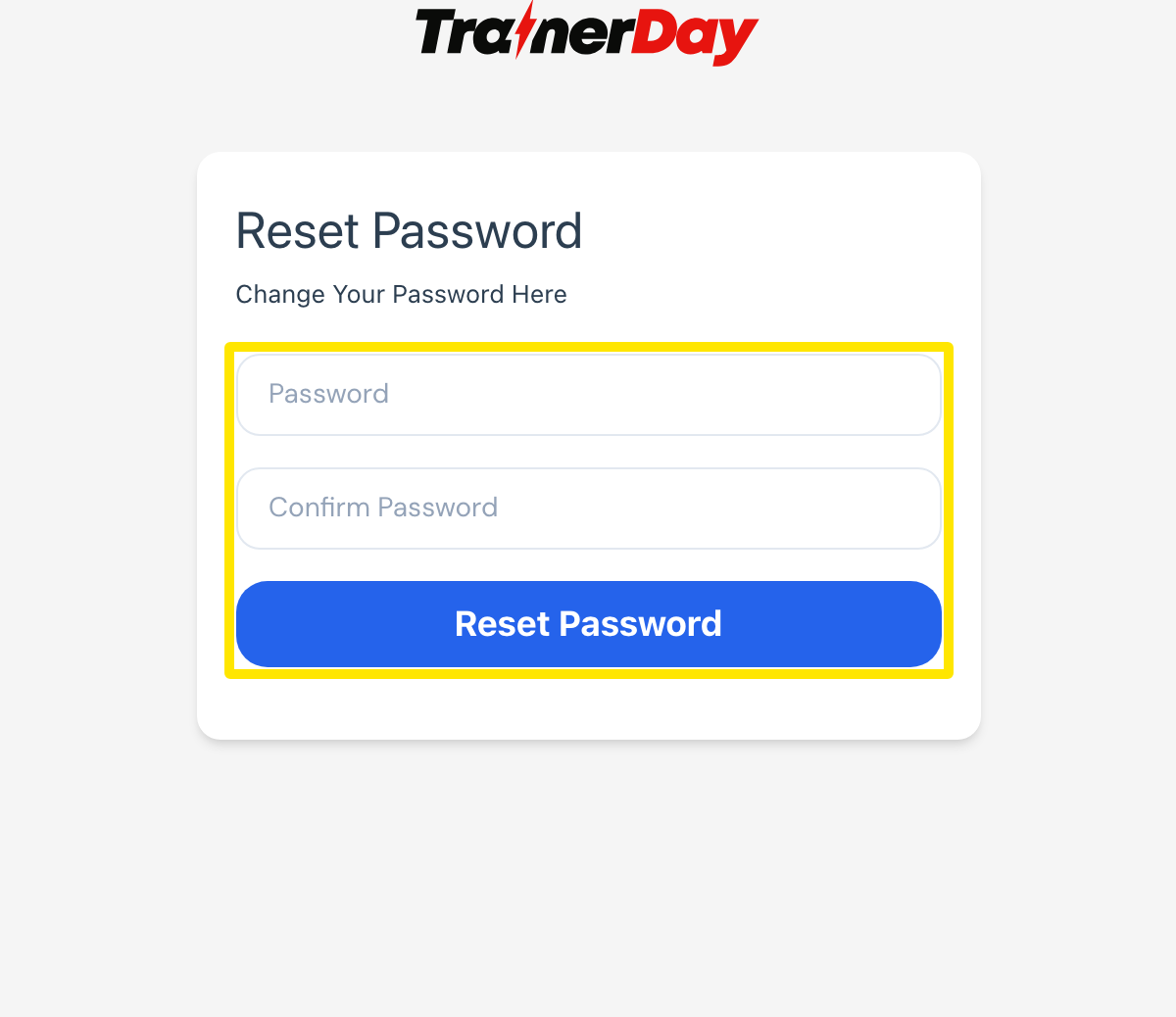 位置:網站 · trainerday.com/reset-password(email 裡的連結)
小提醒: 每個連結只能用一次,而且 8 小時內有效。如果你在這 8 小時內再申請一次,收到的會是同一個連結。
適用於: 網站、手機 app 和桌面 app。在 app 登入畫面點「忘記密碼」會寄出同樣的 email,連結一律會在網站上打開重設頁面。