

如何刪除我建立的訓練?
在 TrainerDay 網站的我的運動中,從你建立的訓練的 ⋯ 選單刪除它,再在刪除訓練視窗中確認。
- 在網站上,點側欄的 我的運動(app.trainerday.com/library),找到你建立的訓練。
- 在該訓練的卡片上點 ⋯ 選單,選擇 刪除訓練。這個選項只會出現在你自己建立的訓練上。
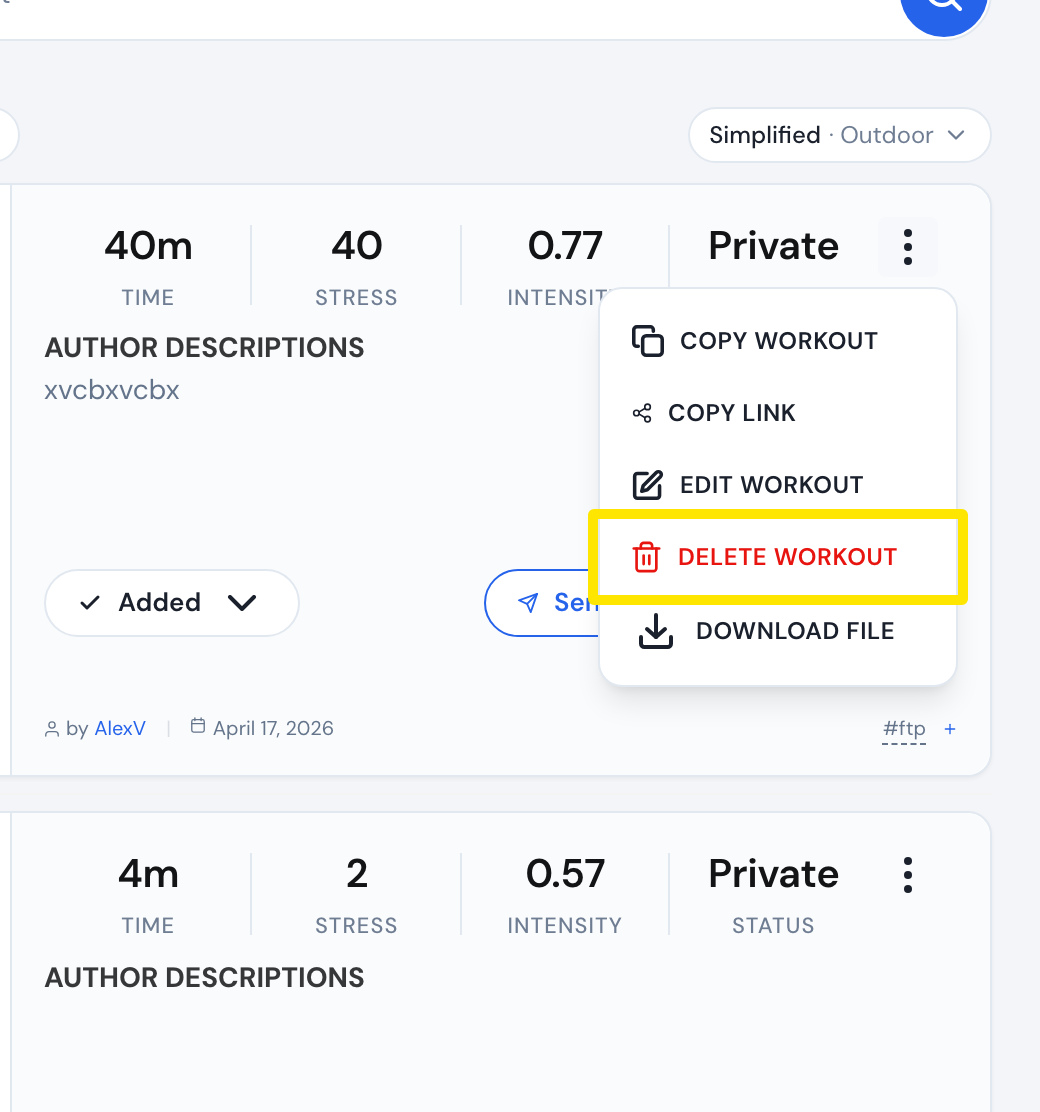 位置:網站 · 我的運動 · 前往
- 在 刪除訓練 視窗中,點 刪除訓練 確認。
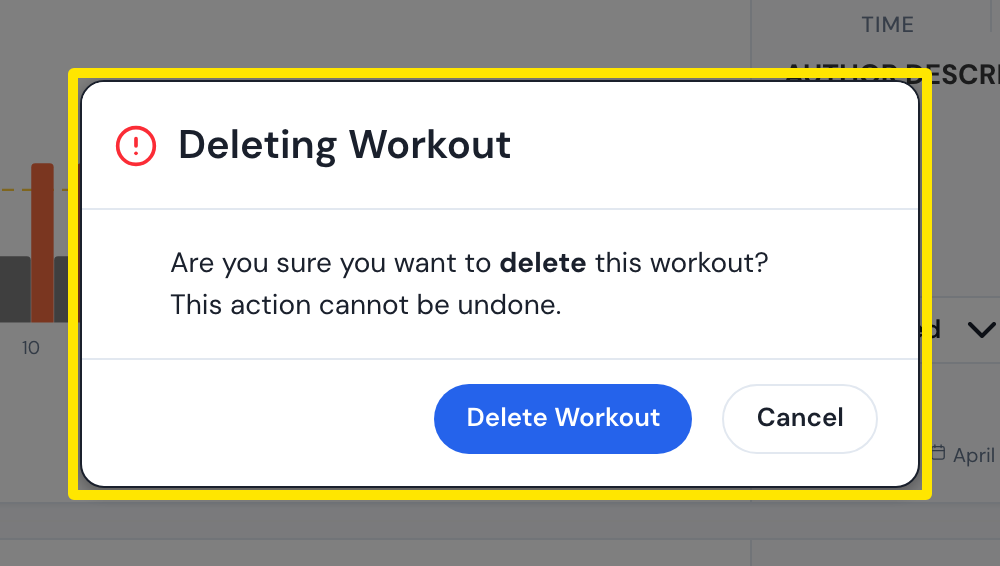 位置:網站 · 我的運動 · 前往
小提醒: 刪除後無法復原。訓練沒有垃圾桶或還原功能,而且一次只能刪一個。
適用於: 僅限網站。行動版和桌面版 App 無法刪除訓練。