

How do I reconnect my trainer after it drops during a workout?
If your trainer drops mid-workout, wait a few seconds for the app to reconnect it, and if it doesn't come back, tap the device counter at the top of the workout screen to add it again in Devices.
- In the mobile app, on the workout screen, first wait a few seconds: the app tries to reconnect a device that dropped by itself.
- If it does not come back, tap the device counter at the top of the workout screen to open Devices.
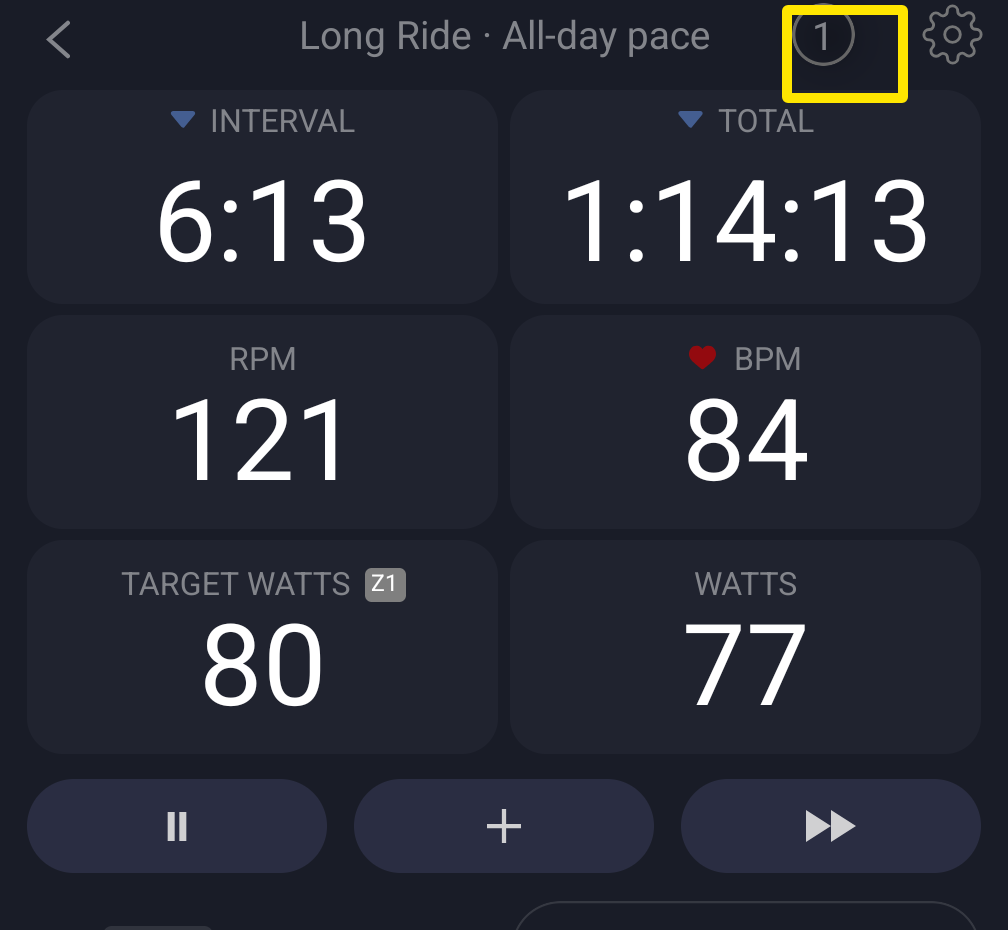 Where: Mobile app · the workout screen during a ride
- Pedal to wake the trainer. If it is under Not in range, tap − and add it again from Available with +.
- Tap Done and keep riding.
Good to know: The desktop app keeps searching until the trainer is back, and the top-right Bluetooth button pulses blue while it searches. Click that button to open Devices and check.
Works on: mobile app and desktop app (automatic). Not available on the website.