

How do I get power showing when my trainer is connected?
Power is missing when your trainer's Power tag is off or another device was chosen as the power source; in the mobile app go to Settings → Add Devices and turn on Power on your trainer.
- In the mobile app, open the Settings tab and tap Add Devices.
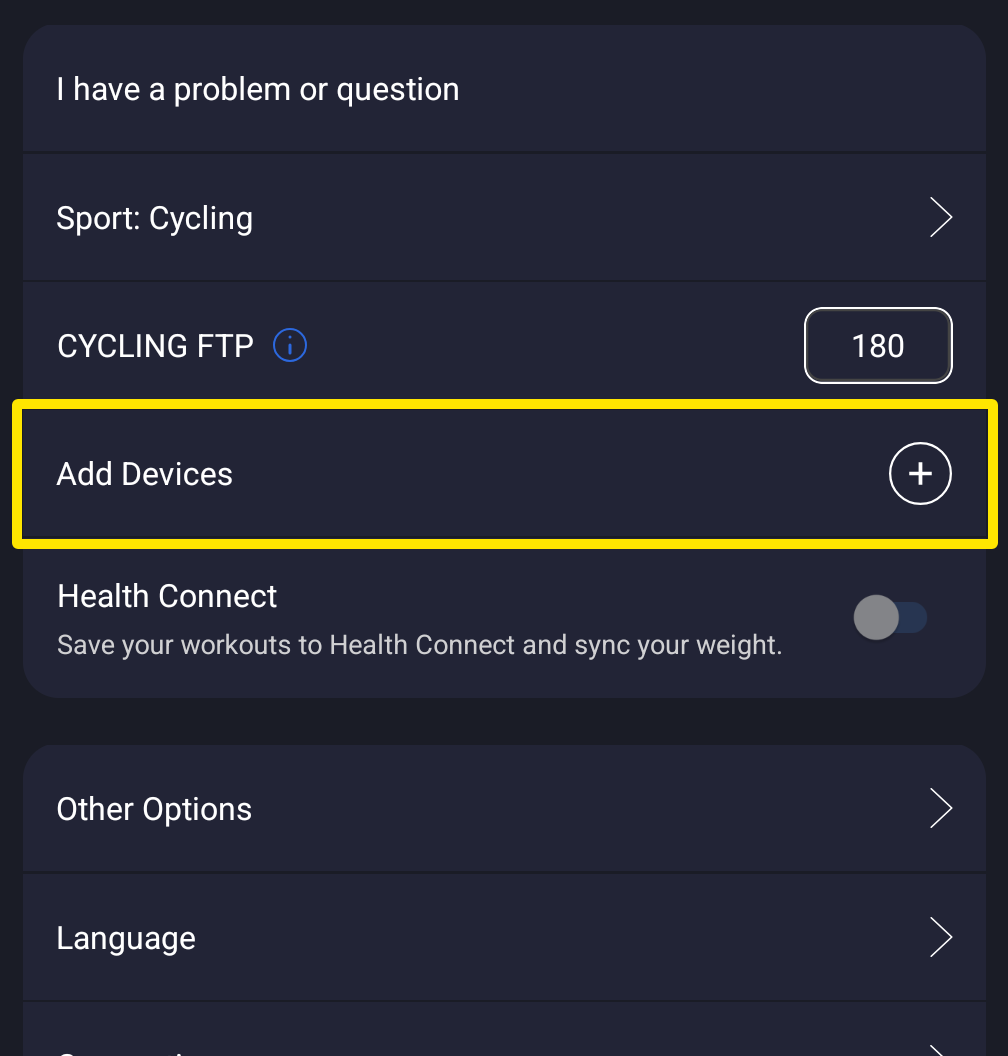 Where: Mobile app · Settings tab
- Find your trainer's card and pedal. When Power is on, it shows your live watts.
- If Power has a + (off), tap it so it is filled. If another device, such as a power meter, already has Power, tap Power on your trainer to make the trainer your power source.
- Tap Done. Your workout screen's watts now come from the trainer.
Good to know: In the desktop app, open the Bluetooth and ANT+ icon in the top bar and turn on Power for your trainer in Devices. A connected device with nothing selected shows "No features of this device are selected. Select a feature or disconnect."
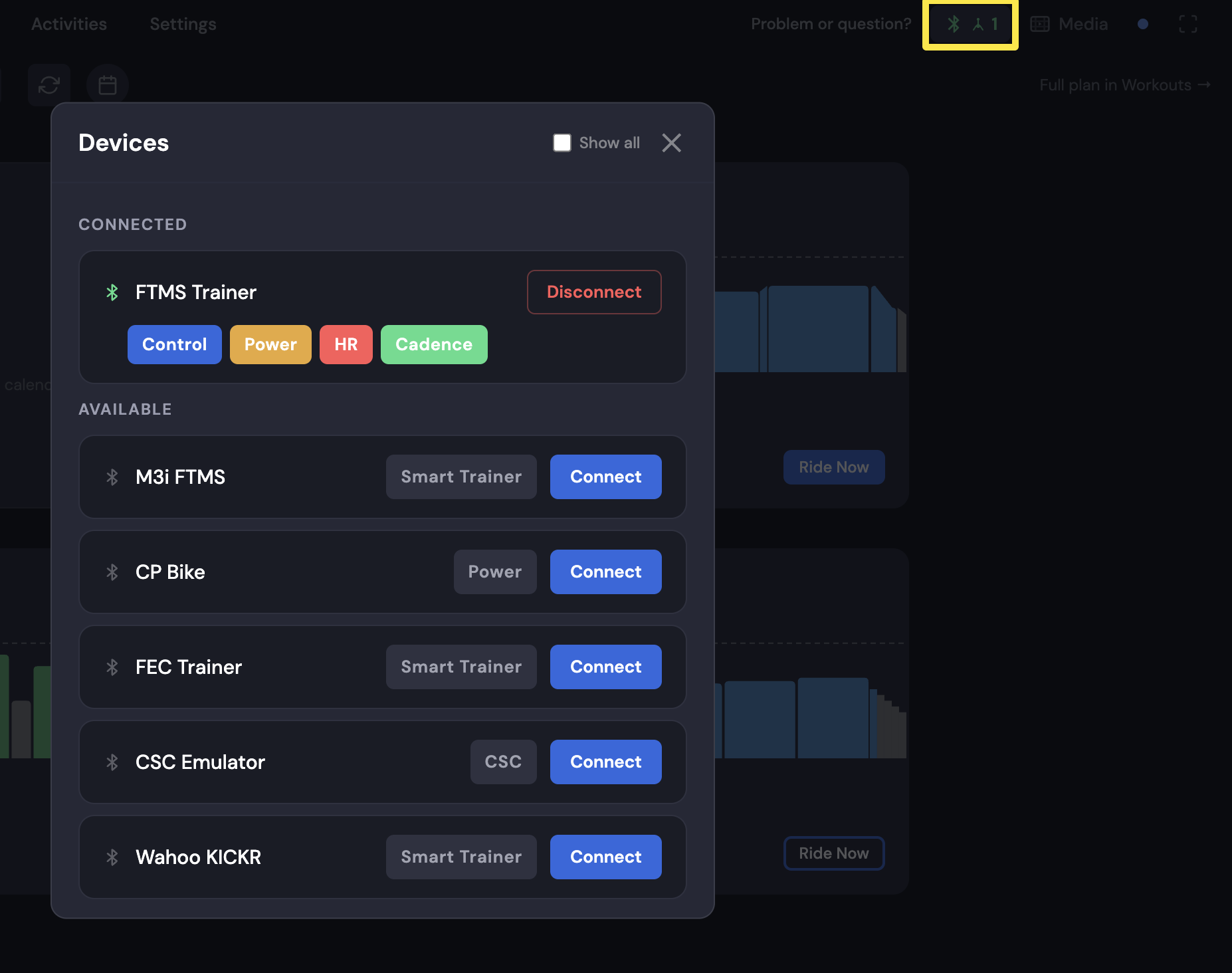 Where: Desktop app · Today tab
Works on: mobile app and desktop app; not the website.