

Can I recover a plan I deleted?
A plan deleted from My Plans cannot be undone, and a custom plan you built yourself is gone for good, but you can get an AI plan back from the AI Plan Builder's Chat History on the website.
Deleting a plan in My Plans cannot be undone, and it also removes that plan's workouts from your calendar. A custom plan you built yourself is gone for good. An AI plan's chat and versions stay in Chat History, so you can send it again:
- On the website, click Plan Builders in the left menu and open the AI Plan Builder. Click Chat History under the chat box.
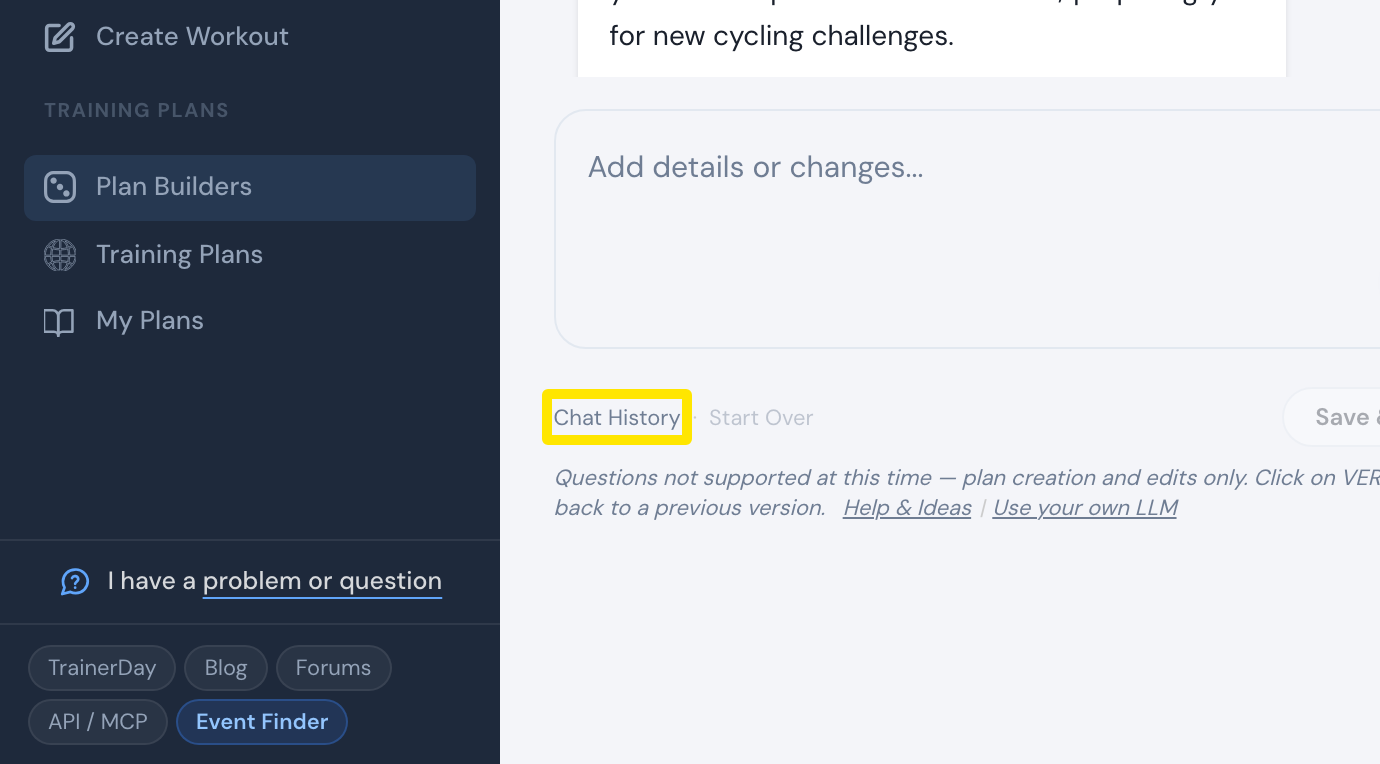 Where: Website · Plan Builders → AI Plan Builder
- In Chat History, click the deleted plan's chat. In that chat, its versions are the VER. n buttons.
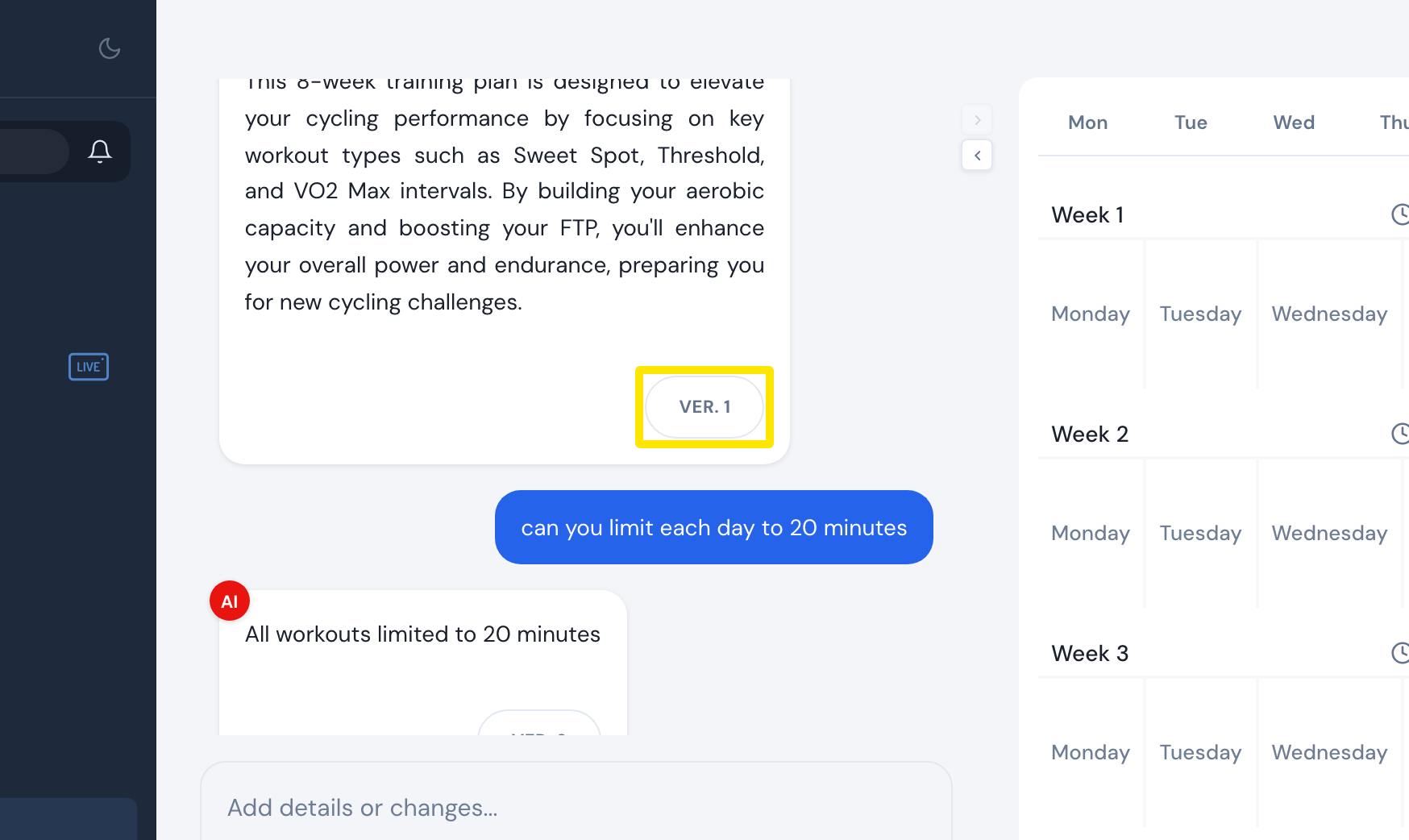 Where: Website · AI Plan Builder → the plan's chat
- Click the version you want. Its plan details open, and the preview on the right shows it.
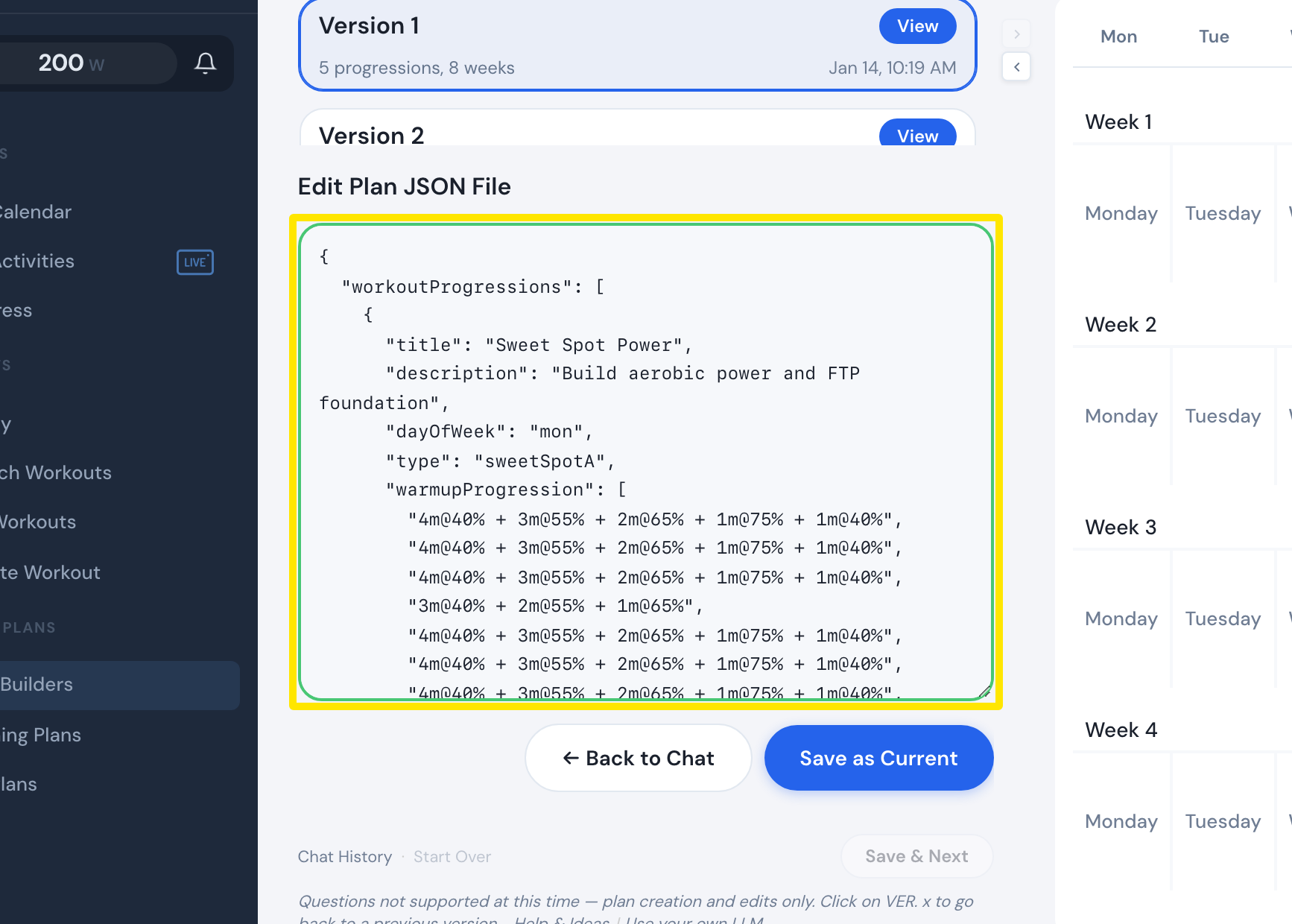 Where: Website · AI Plan Builder → version opened
- Click Save & Next, at the bottom of the same screen, to send the plan to your calendar or My Plans again. This creates a new plan.
Good to know: Chat History keeps your last 50 chats. To get a deleted Coach Jack plan back, build it again with Coach Jack. To get a deleted plan from Training Plans back, copy it again from Training Plans.
Works on: Website only. The apps cannot restore or rebuild plans.