

How do I share a Coach Jack plan?
On the TrainerDay website, open your Coach Jack plan from My Plans and use Share to copy a link you can send to another rider.
- On the website, in the left sidebar under Training Plans, click My Plans (app.trainerday.com/plans).
- Open the Coach Jack plan's ⋯ menu and click View.
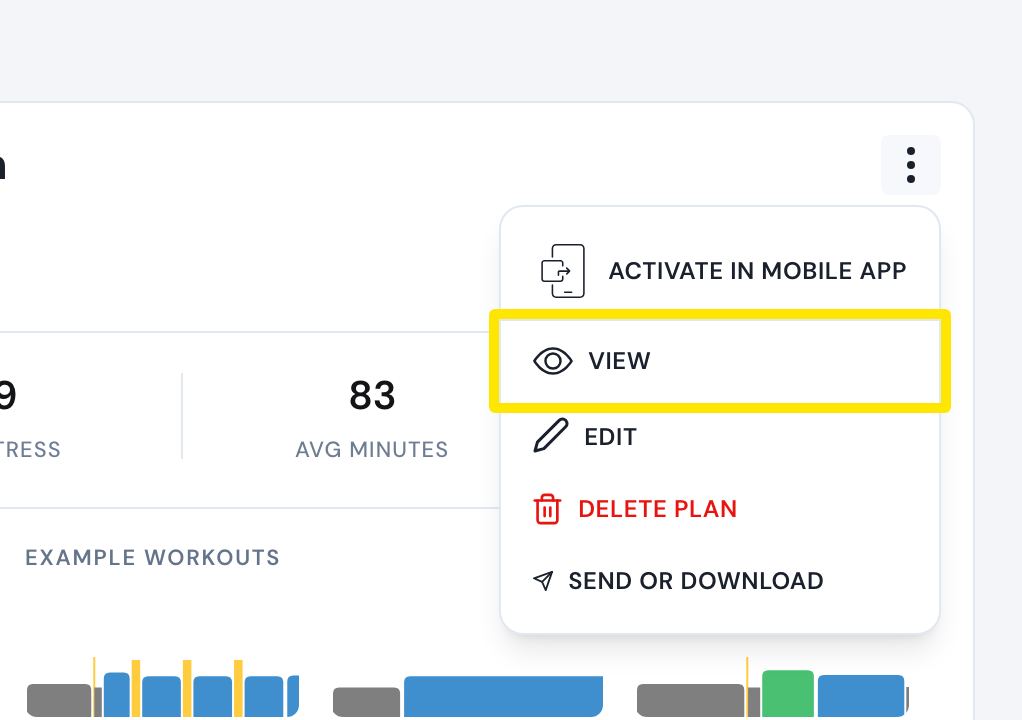 Where: Website · My Plans · open it
- Click Share, then Copy shareable link.
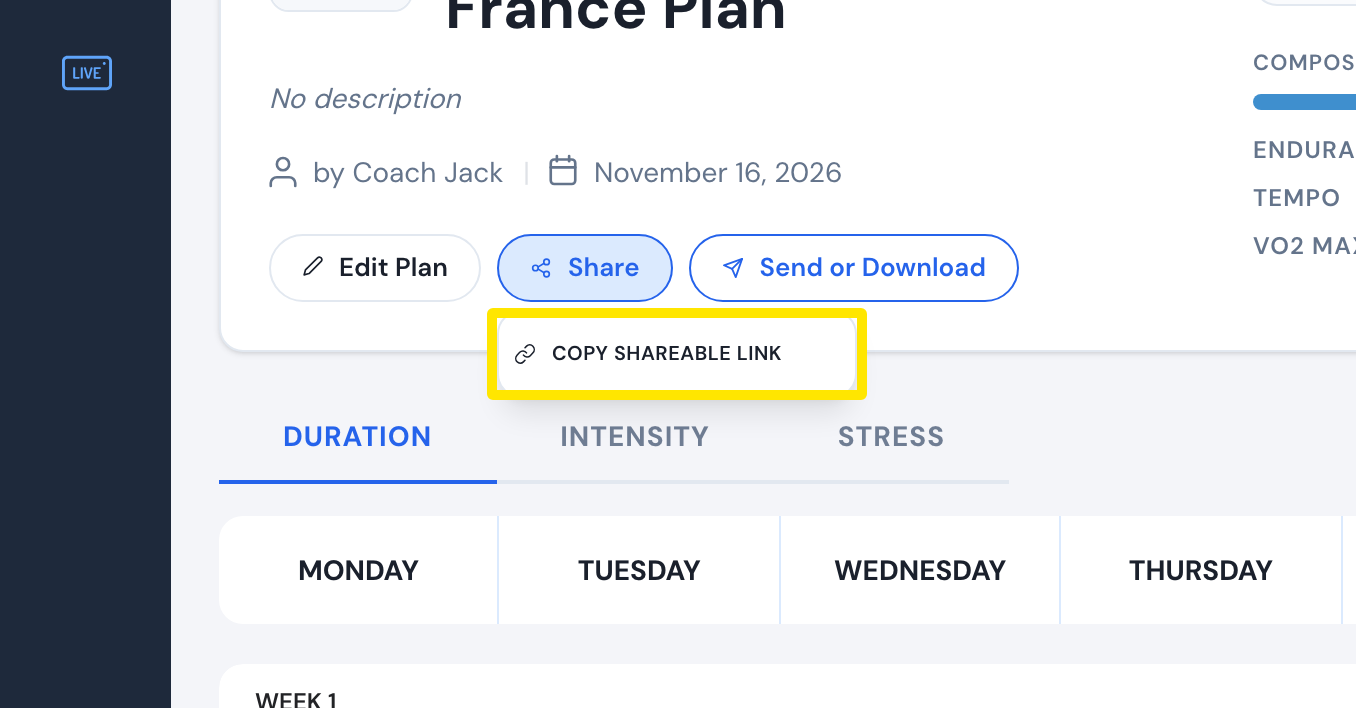 Where: Website · My Plans → plan ⋯ → View · open it
- Send the link. The other rider opens it and clicks Add to my plans to get their own copy.
Good to know: Coach Jack plans are private, so the other rider needs their own TrainerDay account with a paid subscription to open the link.
Works on: Website only.