

How do I choose what TrainerDay writes to my Strava ride?
TrainerDay has no settings for what it writes to Strava; each ride is uploaded with the activity's name as the title, and you can edit the title or description on Strava afterward.
- On the website, open Connections and look at Strava. There are no settings for what TrainerDay writes.
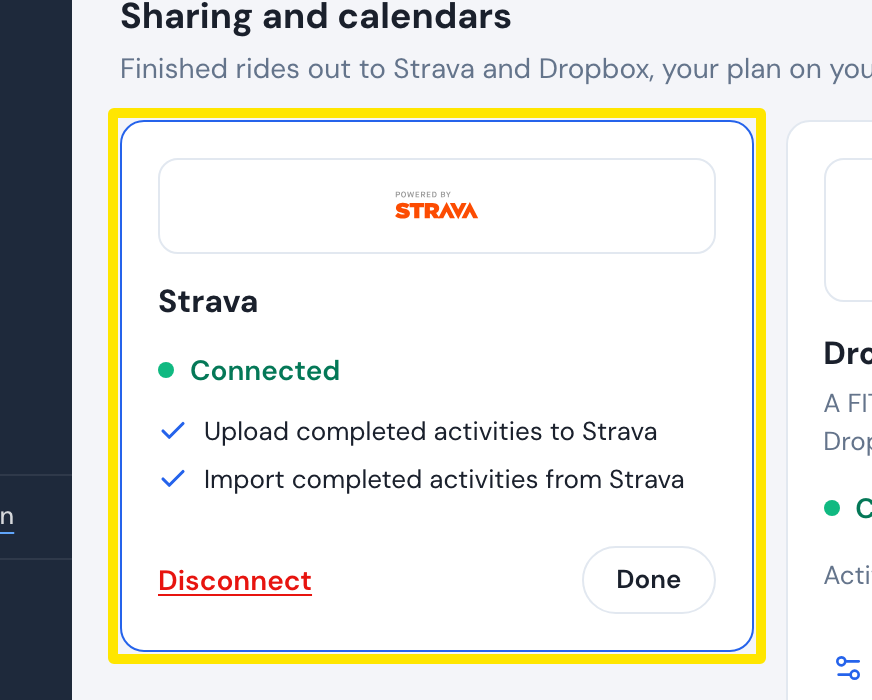 Where: Website · Connections · open it
- Each upload uses the activity's name (normally the workout's name) as the title. The description is trainerday.com, unless the activity has its own. The ride is uploaded as a Virtual Ride (indoor).
- To change the title or description, edit the ride on Strava after the upload.
Good to know: There is no switch for the map, GPS, title, description, file type or importing. The only way to stop uploads is to disconnect Strava.
Works on: Website, mobile and desktop apps all have no Strava upload options.