

How do I avoid duplicate rides on Strava?
Avoid duplicate rides on Strava by letting only one app upload each ride, or by disconnecting Strava in TrainerDay's Connections.
- Let one app send each ride to Strava. TrainerDay sends every ride you record in TrainerDay (one minute or longer) by itself.
- If you also record the same ride on a Garmin or other device that uploads to Strava, turn that upload off in that service, or record in one place only.
- Rides that came into TrainerDay from Garmin or Strava are not sent to Strava again.
- To stop TrainerDay's uploads instead: on the website, click the gear icon, then Connections → Strava → Disconnect.
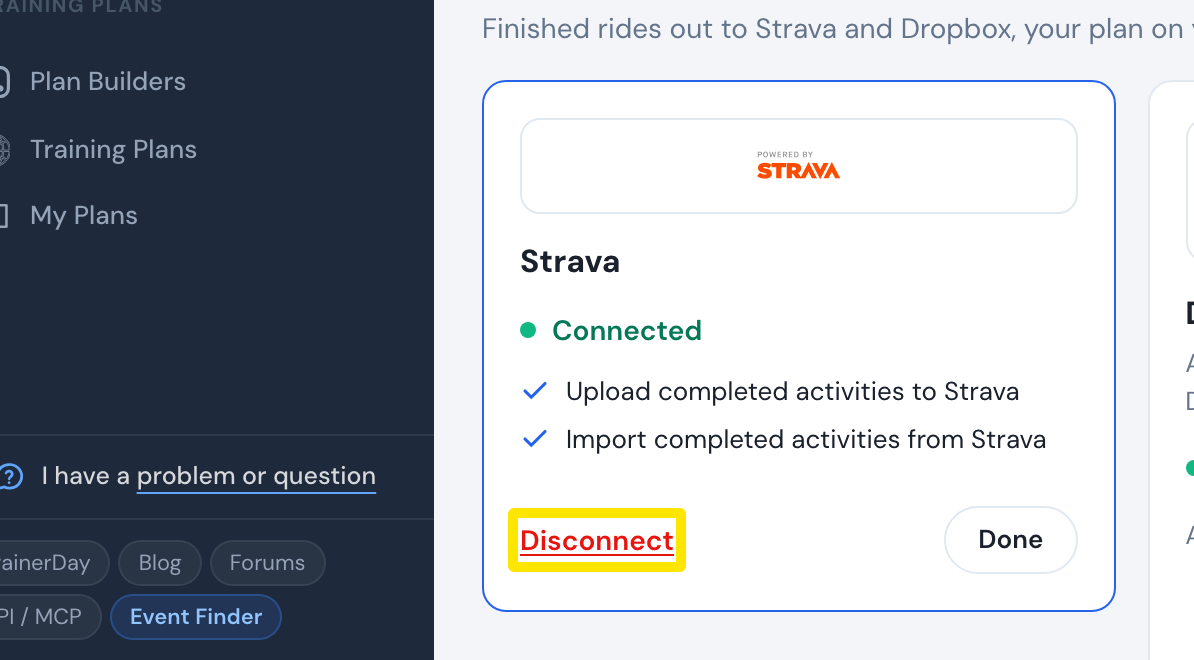 Where: Website · Connections · open it
Good to know: The Strava connection has no settings or upload switch. Disconnecting is the only way to stop TrainerDay's uploads.
Works on: Website (gear icon → Connections → Strava → Disconnect); mobile app (Settings → Connections → Strava → Disconnect); desktop app (Settings → Connections → Manage Connections).