

How do I fix Strava rides that show the wrong time?
Strava rides show the wrong time when the time zone is wrong on the phone or computer you rode with, or in TrainerDay or Strava; fix it by checking those settings.
- On the phone or computer you rode with, check that its time zone is the one you ride in. The TrainerDay mobile and desktop apps send the ride's start time using that device's time zone.
- On the website, start on My Calendar. Click the gear icon at the top of the left menu and choose Account.
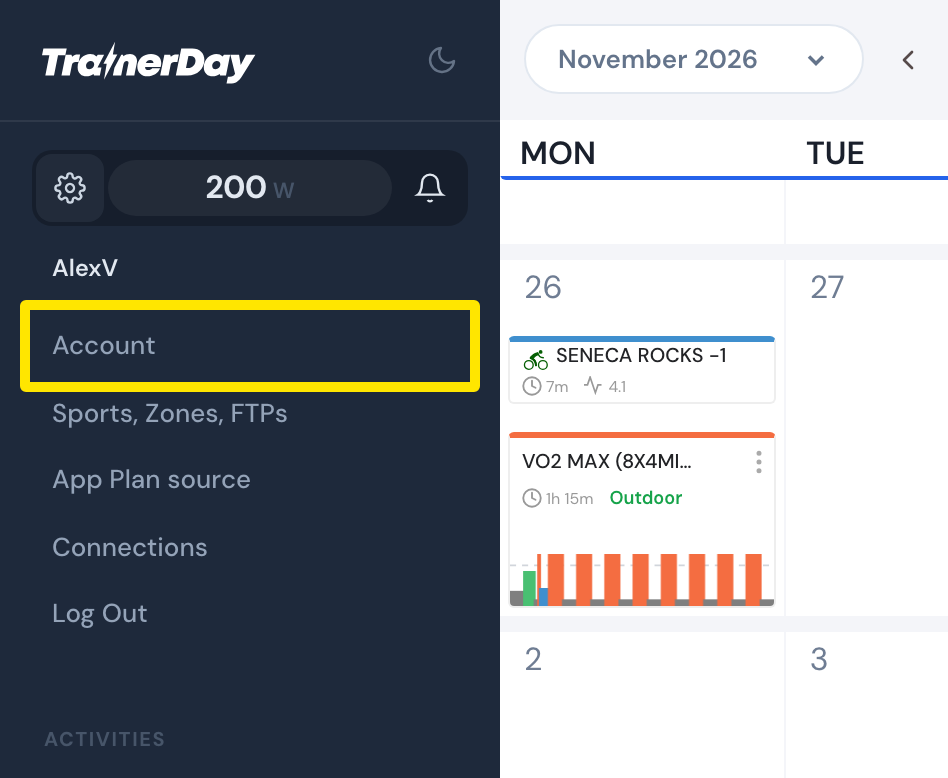 Where: Website · My Calendar · open it
- On the Account page, in Preferences, check that Time Zone is the one you ride in. Press Update Profile.
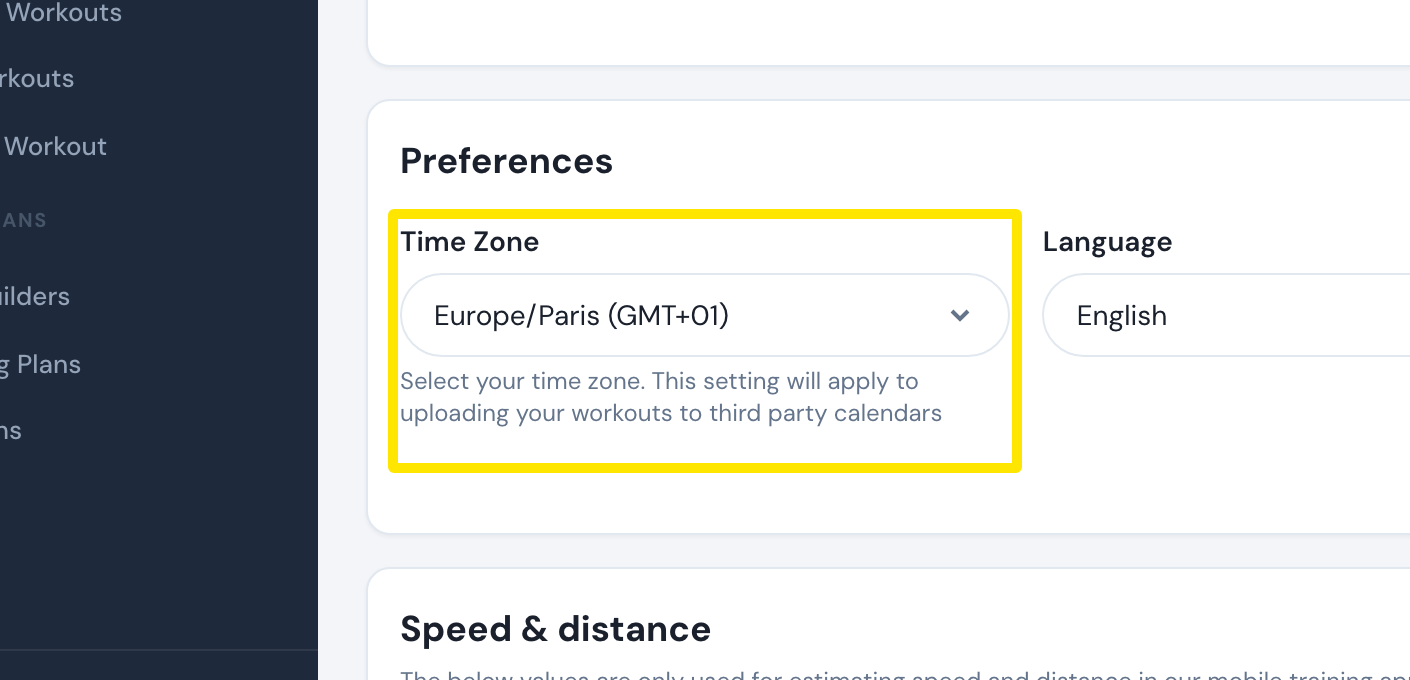 Where: Website · Account · open it
- If the time on Strava is still off, check the time zone in your Strava settings. TrainerDay sends the start time to Strava in world standard time (UTC).
Good to know: The TrainerDay Time Zone setting is only used for rides sent by older app versions that send the start time without the device's time zone.