

How do I fix a ride saved on the wrong date or time zone?
TrainerDay can't change the date or time of a saved ride, but you can set your time zone in Account → Preferences on the website so rides that arrive without one land on the right day from now on.
If the wrong time shows on Strava, see How do I fix Strava rides that show the wrong time?
A ride keeps the start time and time zone the recording app sent. TrainerDay can't edit the date or time of a saved ride. A ride that arrives without a time zone (MyWhoosh, Apple Health, some Garmin rides) gets the time zone in your TrainerDay profile.
- On the website, open My Activities and click the ride's name. Hover the time under the date to see the time zone it was recorded in.
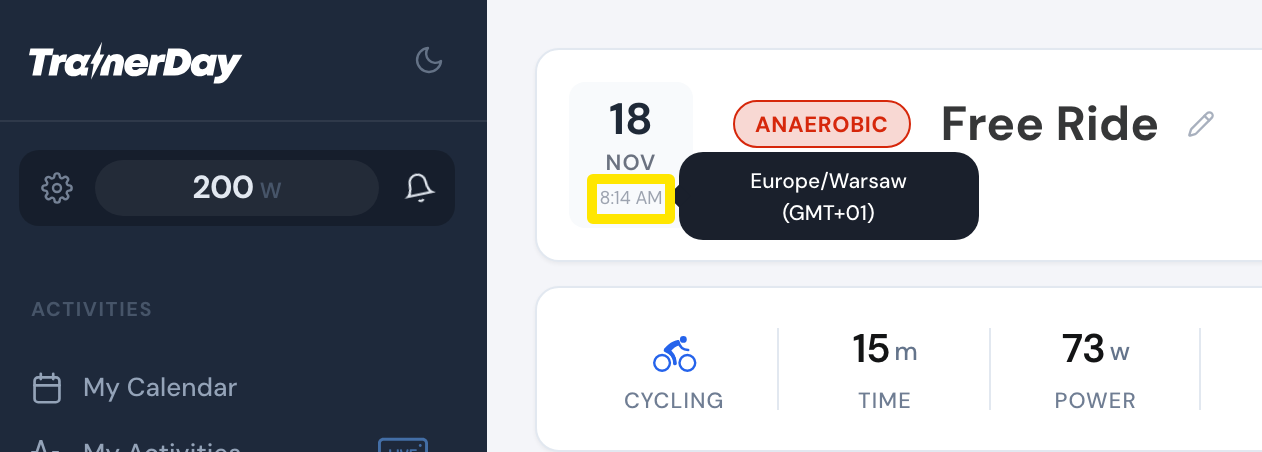 Where: Website · My Activities → click the activity's name · open it
- Click the gear icon at the bottom of the left menu, choose Account, and set Time Zone under Preferences.
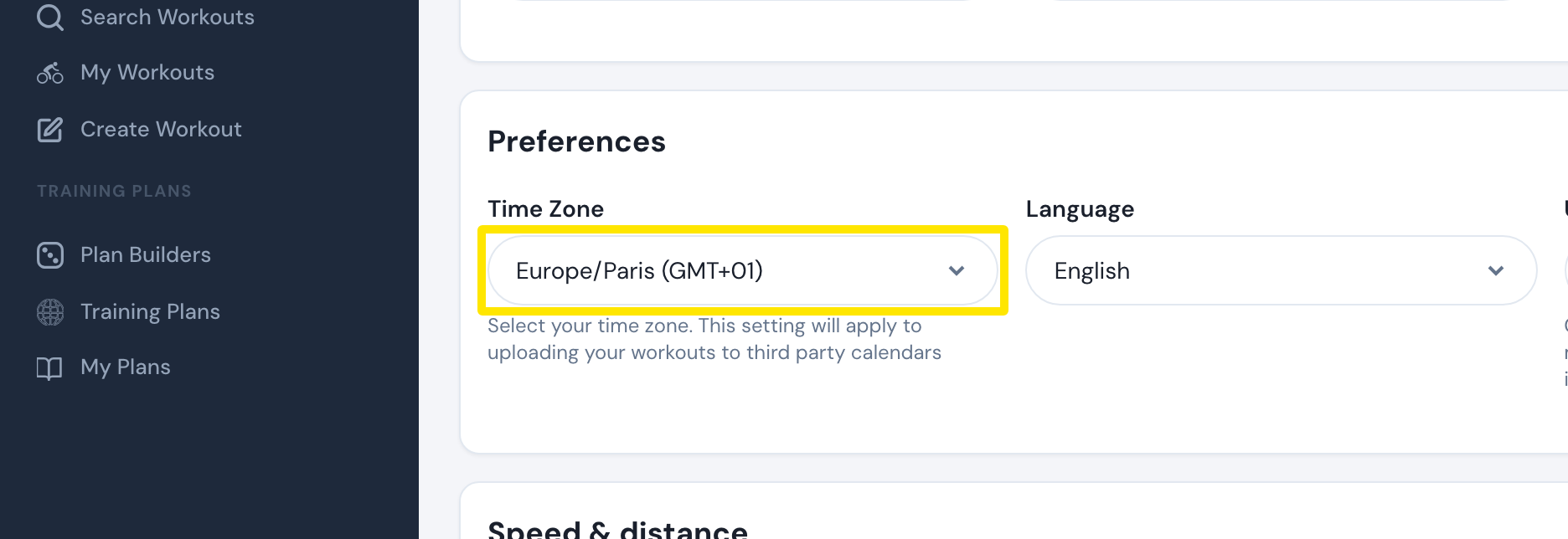 Where: Website · Account · open it
- Click Update Profile.
Good to know: Only rides saved after the change use the new time zone. Rides already saved keep their time.
Works on: Website. In the mobile and desktop apps, a ride takes your device's clock and time zone, and its date or time can't be changed.