

How do I restore a ride I deleted?
Restore a deleted ride from the trash: on the website use the trash-can button in My Activities, in the mobile app use Activities → Deleted Activities, and in the desktop app use Activities → Trash.
- On the website, click My Activities in the left sidebar (open it).
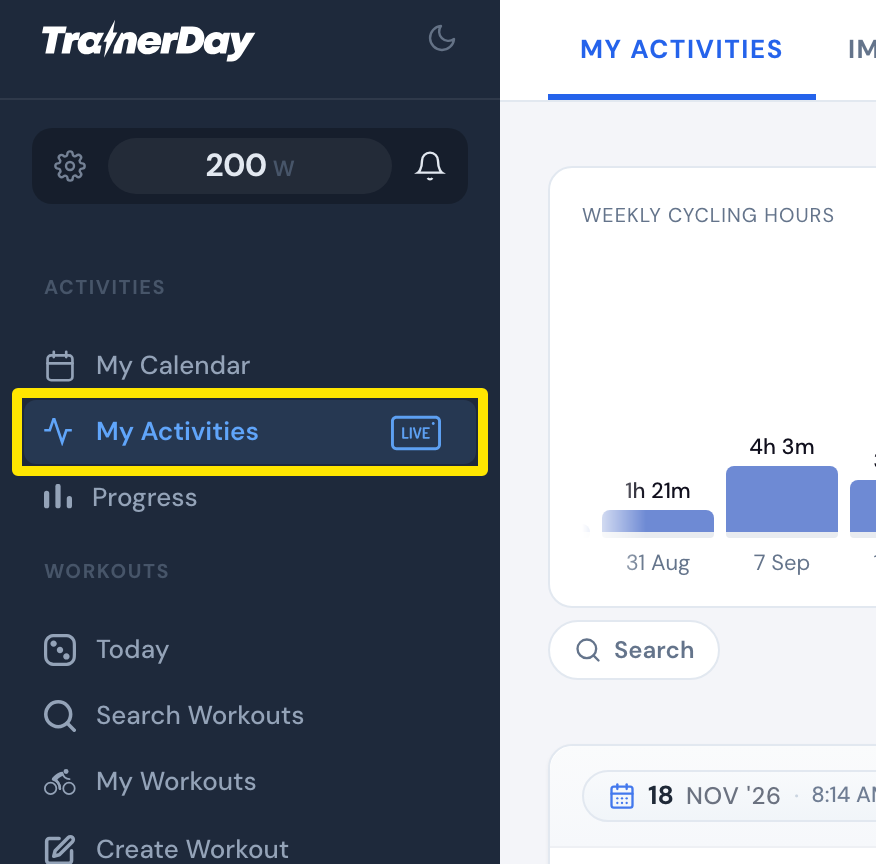 Where: Website · My Activities · open it
- Click the trash-can button at the right of the Search row. The number shows how many rides were deleted. It opens Recently deleted (last 14 days).
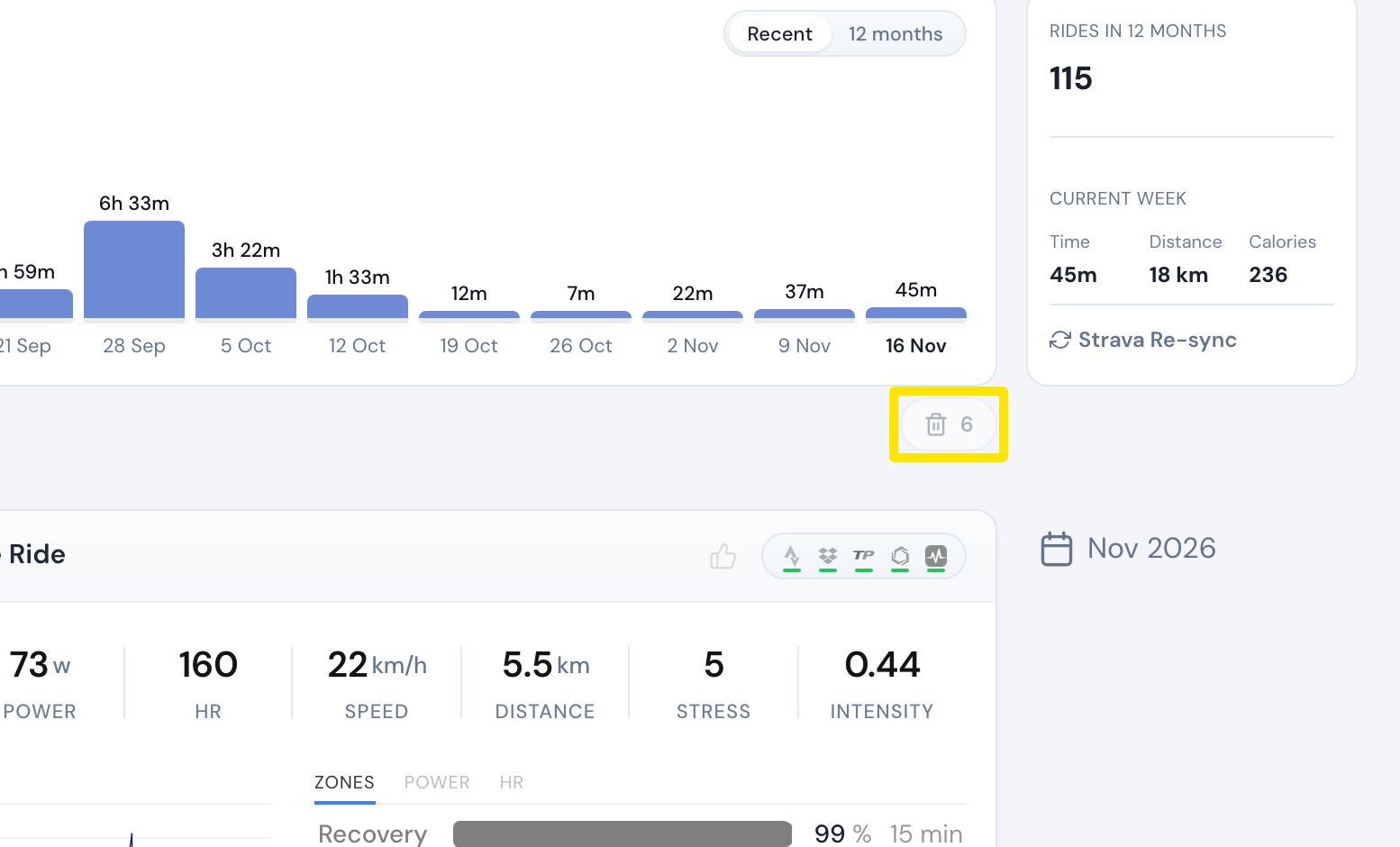 Where: Website · My Activities · open it
- On the deleted ride, click Restore (for example Restore TrainerDay or Restore Strava).
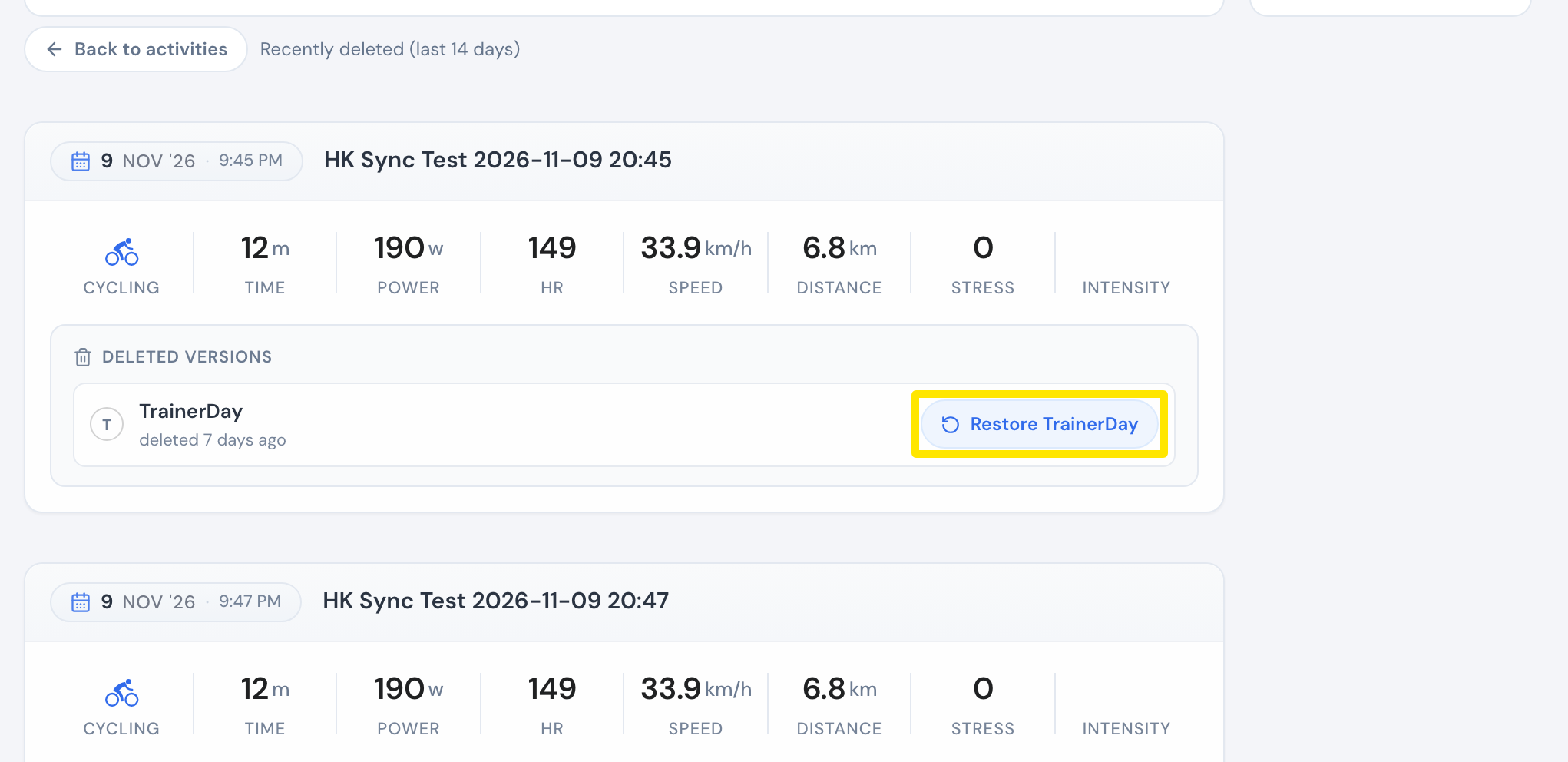 Where: Website · My Activities → the trash-can button · open it
- Discarded a ride in the mobile app? Open the Activities tab, tap the ⋮ menu at the top right, then Deleted Activities. Tap the ride and choose Restore or Download TCX file.
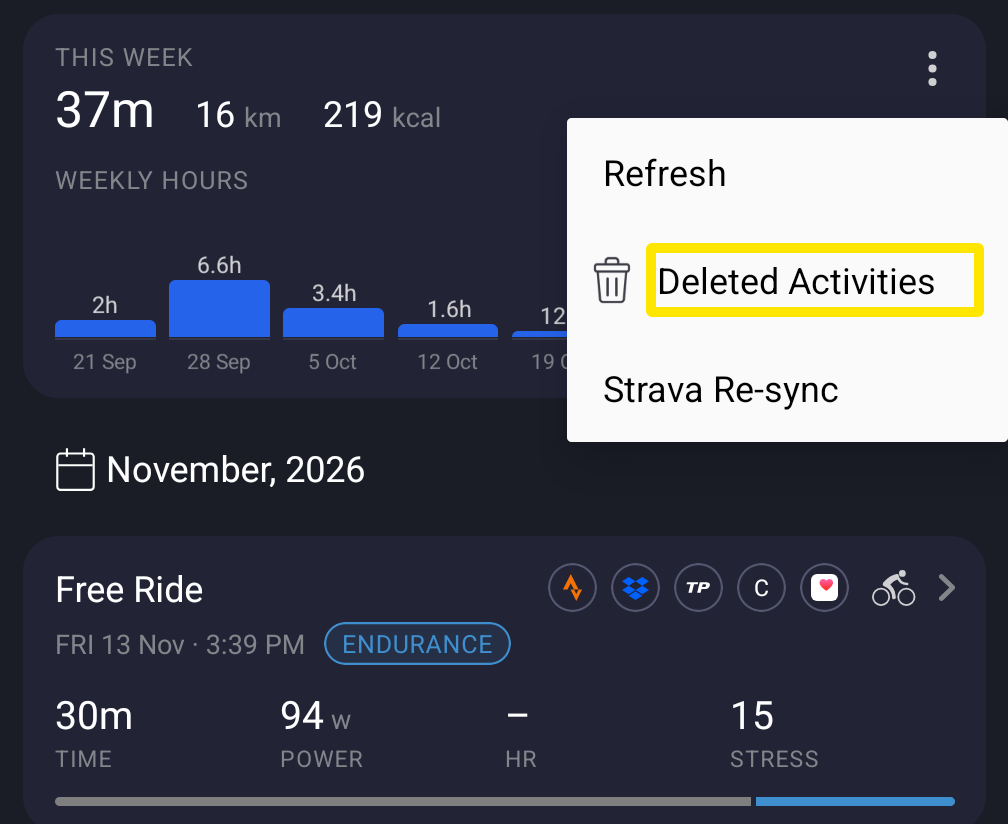 Where: Mobile app · Activities tab → the menu at the top right
- Discarded a ride in the desktop app? Open the Activities tab, click Trash at the top right, open the ride, then click Restore.
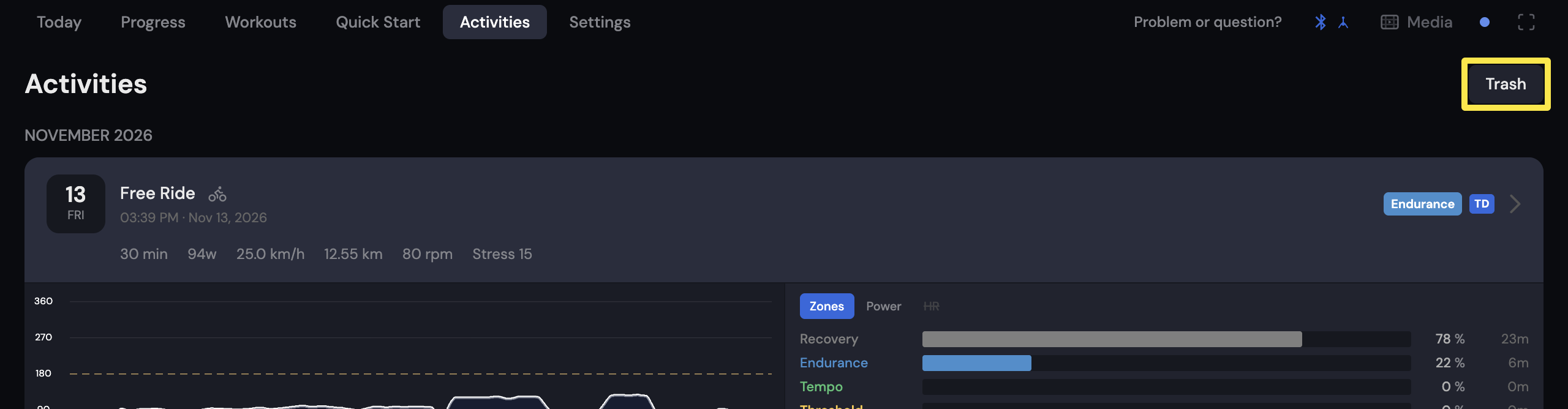 Where: Desktop app · Activities tab
Good to know: Each device keeps its own trash for 30 days. A ride discarded on your phone is only in that phone's Deleted Activities.
Works on: Website (Recently deleted, 14 days), mobile app and desktop app (trash, 30 days).