

怎麼把我以前的 Garmin 或 Strava 騎乘匯入 FitScore?
在 TrainerDay 網站上批次匯入你以前的 Garmin 或 Strava 騎乘:開啟 我的活動,進入 匯入歷史,上傳你的資料匯出 ZIP 檔。
- 在網站上,點左側欄的 我的活動(app.trainerday.com/activities)。
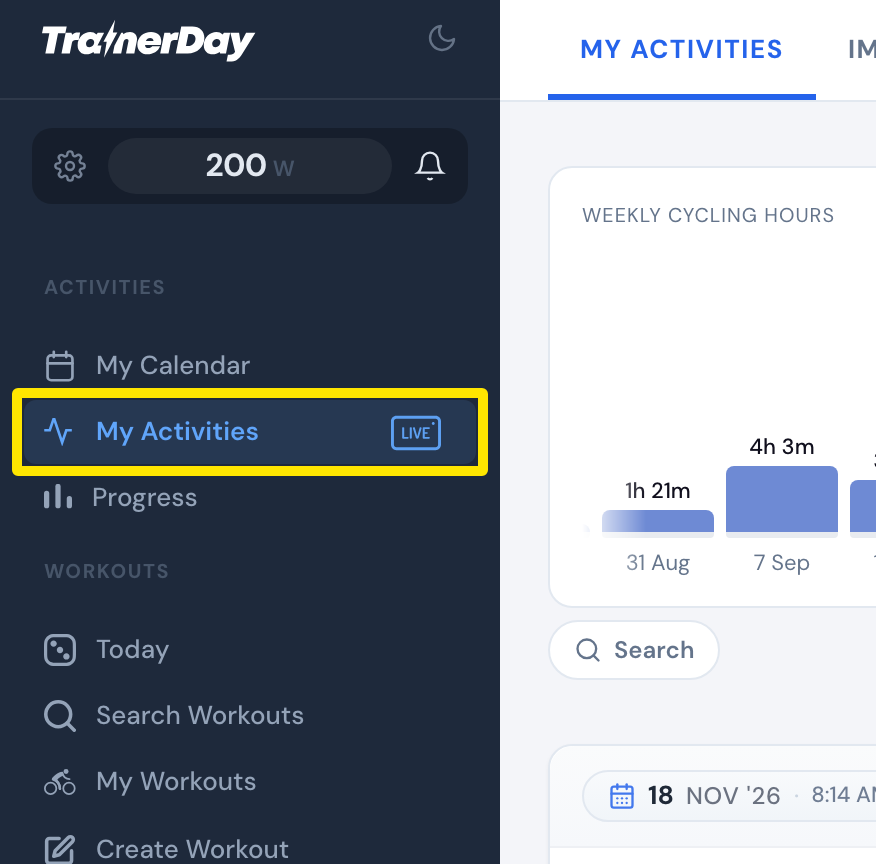 位置:網站 · 我的活動 · 開啟
- 點上方的 匯入歷史 分頁。
- 選擇 Strava 或 Garmin。
- 照著頁面上的匯出步驟取得你的資料匯出 ZIP 檔。Strava 的話,使用 Strava 資料匯出 連結,然後點 Request Your Archive。
- 把 ZIP 檔拖到上傳框,或點一下選擇檔案。直接上傳收到的檔案,不用解壓縮。
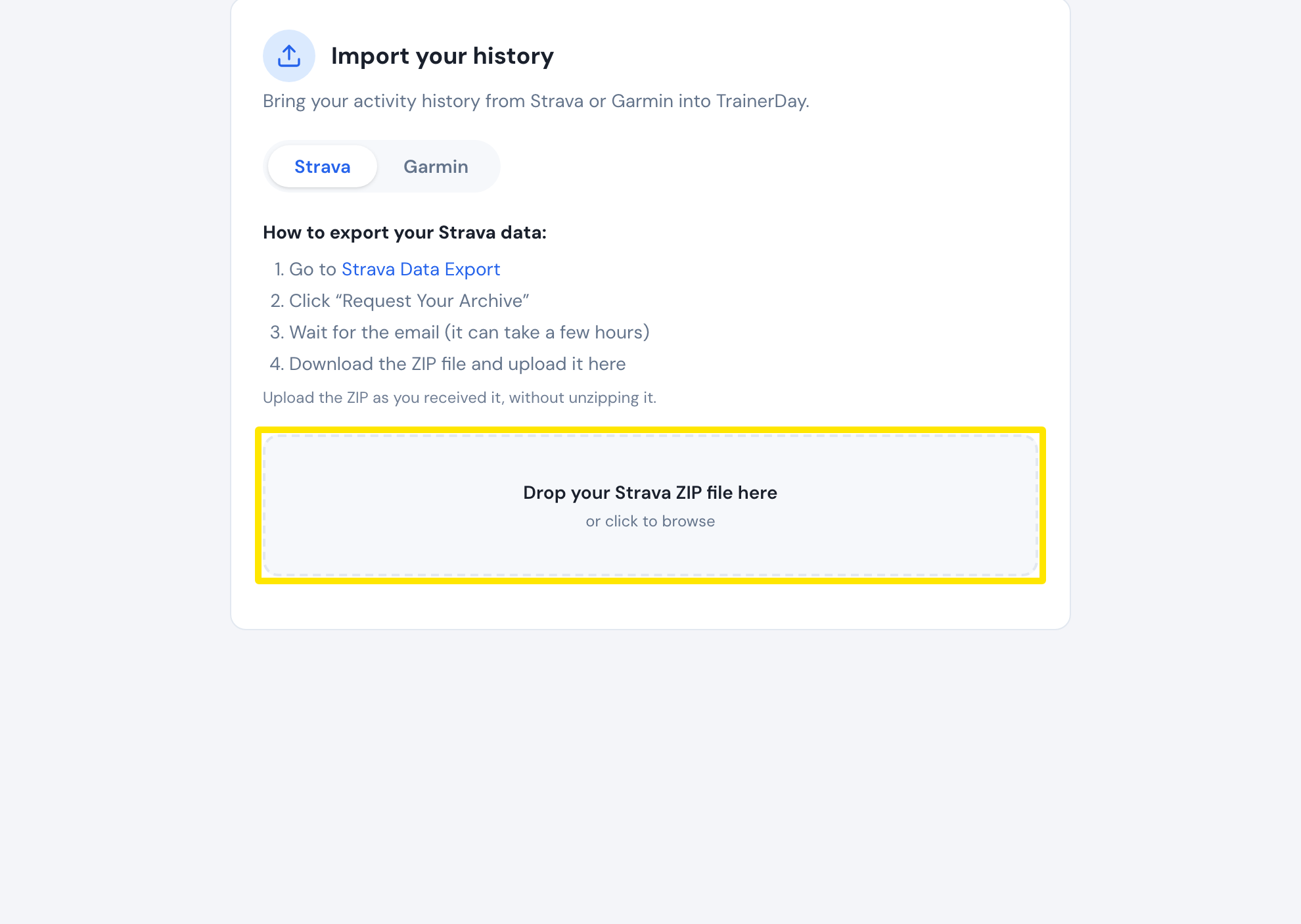 位置:網站 · 我的活動 → 匯入歷史
小提醒: 為 FitScore 批次匯入 Garmin 和 Strava 歷史的功能目前是 Beta 版。也可以從 fitscore.trainerday.com/import 使用。