

How to Determine Your W'
Alex VanLaningham · Founder of TrainerDay ·
To estimate your W' you need two maximal efforts of different lengths. Here is how to get them and what to do with them.
Where to find it:
- Website → Create Workout → W' switch below the workout graph · open it
- Mobile app: the W'bal line shows on the workout chart during a ride
You must do these 2 things
- Ride as hard as you can for approximately 3 minutes. Keep going if you can go longer than 3.
- Find an 8 to 20-minute max effort.
- Alternatively, you can put your FTP in the second box and enter 40 minutes.
Then just plug those values into our calculator.
VIEW CALCULATOR HERE
- This came from the GoldenCheetah Sweatpy project. We use the 2-parameter non-linear method.
You can always hop on your trainer, do a solid warm-up and go as hard as you can for these efforts. Try to pace yourself so it is even power and see what your average power is. You can repeat this a few times over a couple of weeks to get your maximum value. With practice, your pacing will be better and your W' will get more accurate.
For an all-out effort, you don't want ERG holding you back. In the mobile app, open the Settings tab → Other Options and turn Sim/Slope mode off, so the second mode button reads RESIST.
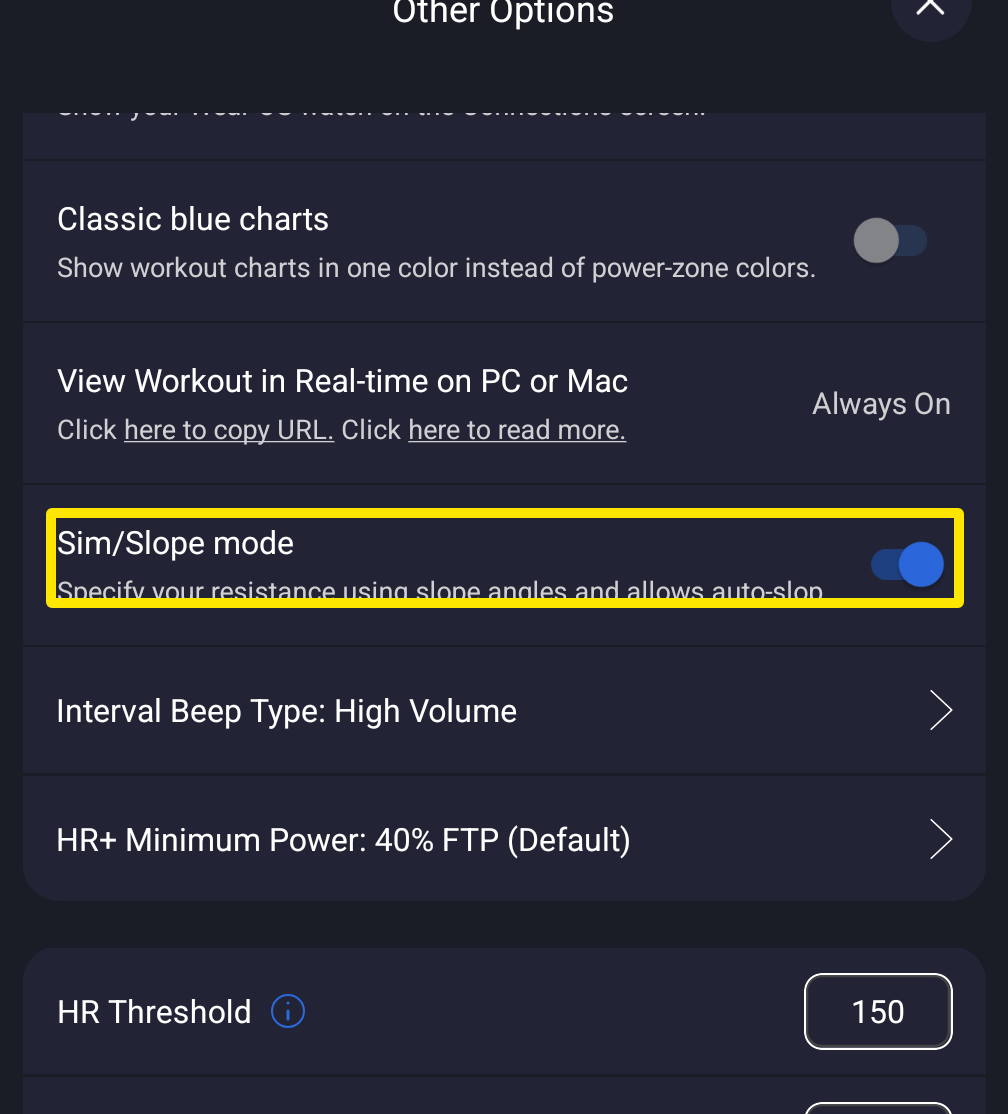 Where: Mobile app · Settings tab → Other Options
Then start your test workout, tap RESIST in the mode buttons (next to HR+ and ERG), use - and + to set the resistance, and ride all out.
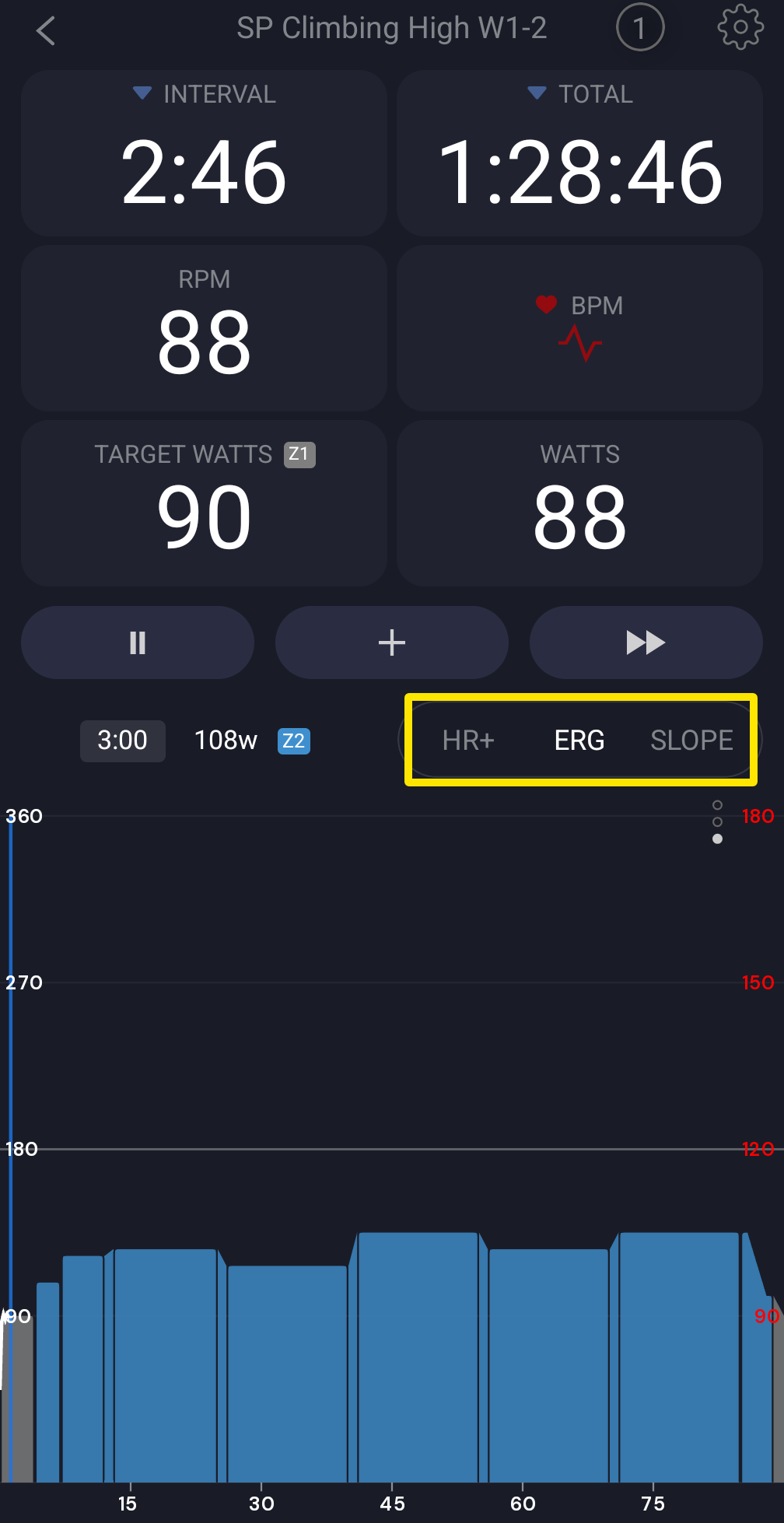 Where: Mobile app · the workout screen during a ride
On desktop, turn off Slope / Sim Mode in Settings → Workout Controls, then click RESIST in the bottom bar.
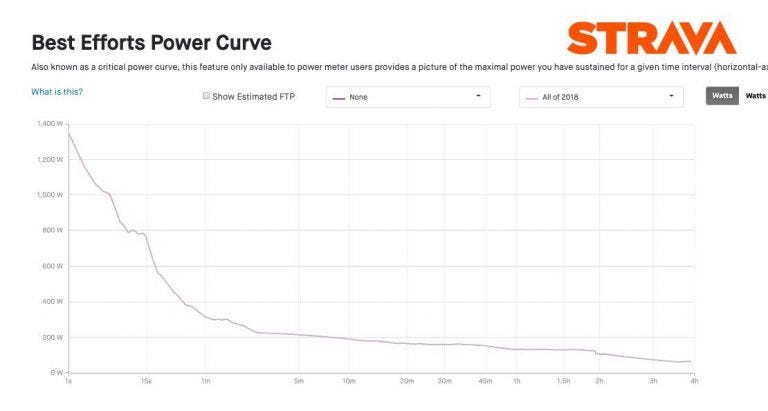
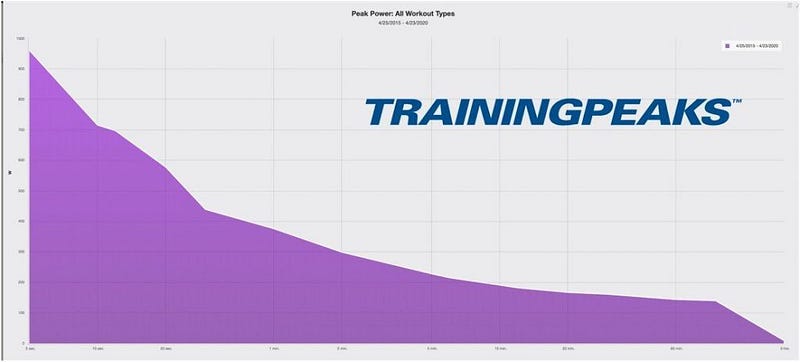
Find your best efforts without another test
If you have ridden close to failure recently in shorter efforts, you can use your best efforts. You must have a shorter one (around 1 minute) and a longer one (around 3 minutes). Pushing it hard on a hill is a good place.
Strava Summit, TrainingPeaks premium or GoldenCheetah will show you your best average power for X minutes. In TrainerDay, click Progress in the left sidebar and scroll to Power Duration Curve. It is built from your cycling rides, with 90 Days and 1 Year lines.
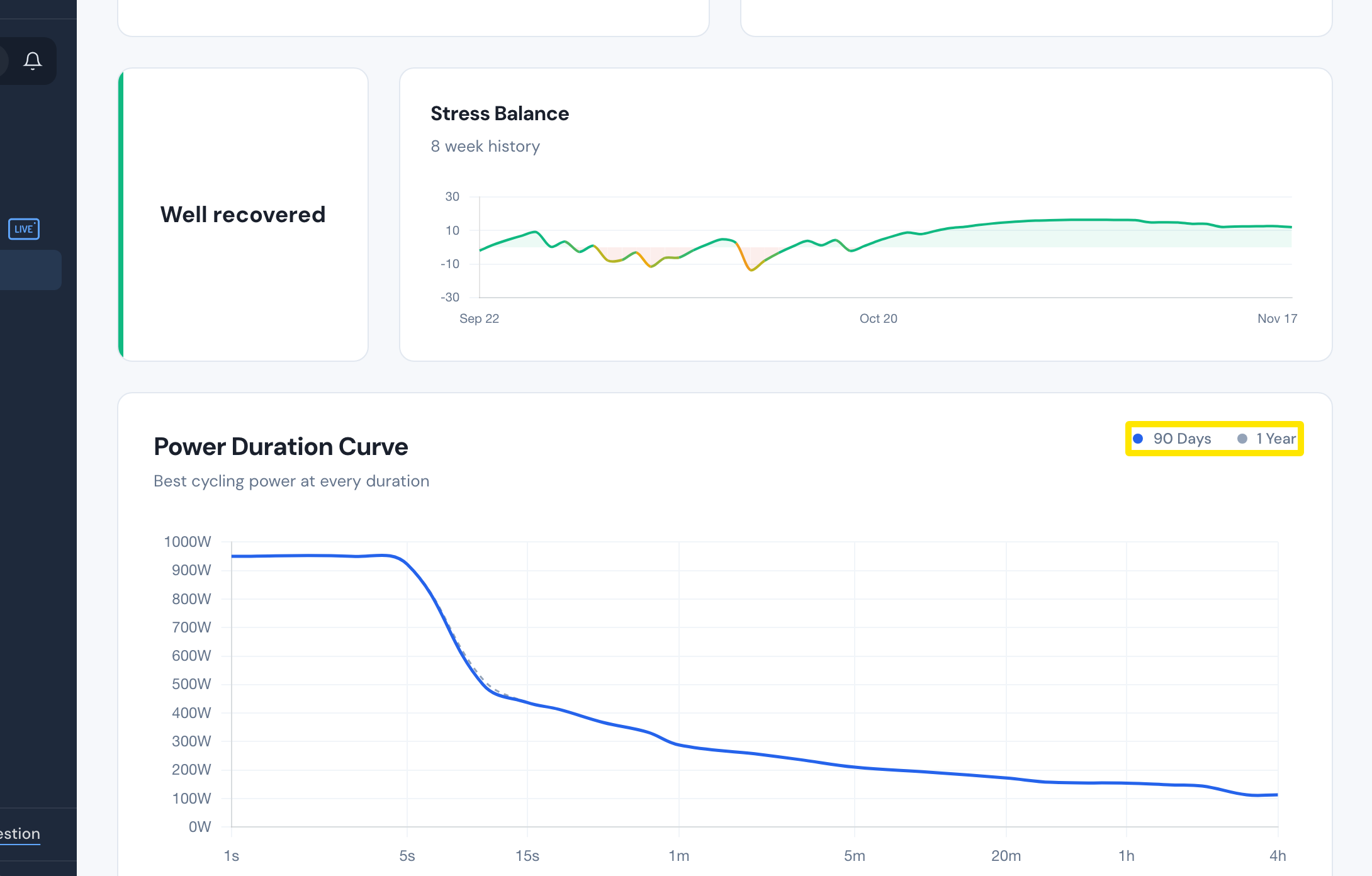 Where: Website · Progress · open it
To get your outdoor hill climbs in there, click the gear icon in the left sidebar to open Connections and click Connect on the Strava or Garmin tile. For older rides, use My Activities → Import history and upload the ZIP of your data export.
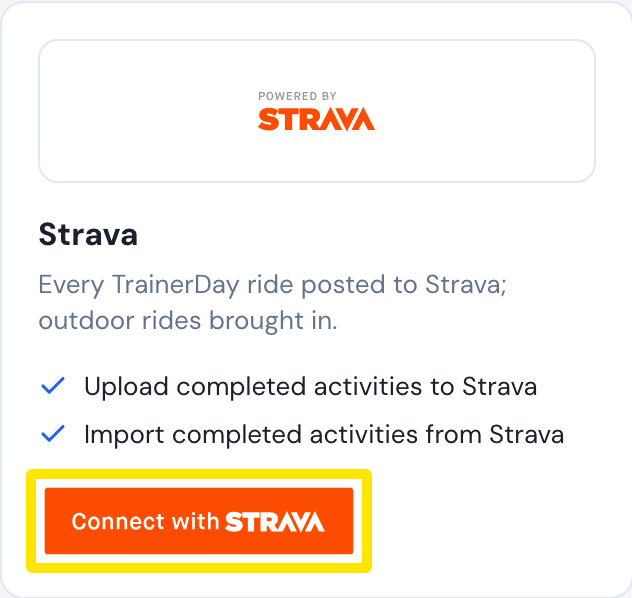 Where: Website · Connections · open it
Obviously, you must have a power meter for this.
A simple way to find your W'
Here is a workout that is like a ramp test that makes it fairly easy to determine your W' from your failure point. In the workout description, I describe how to play with the numbers after your workout to find your W'.
https://app.trainerday.com/workouts/w-prime-test-with-hiit
To check your numbers, open the workout in Create Workout and click W' on the Metrics/W' switch below the graph. The W'bal line shows your remaining anaerobic energy. It drains only when the target is above your CP, not your FTP, and if it runs out, the workout is impossible for you.
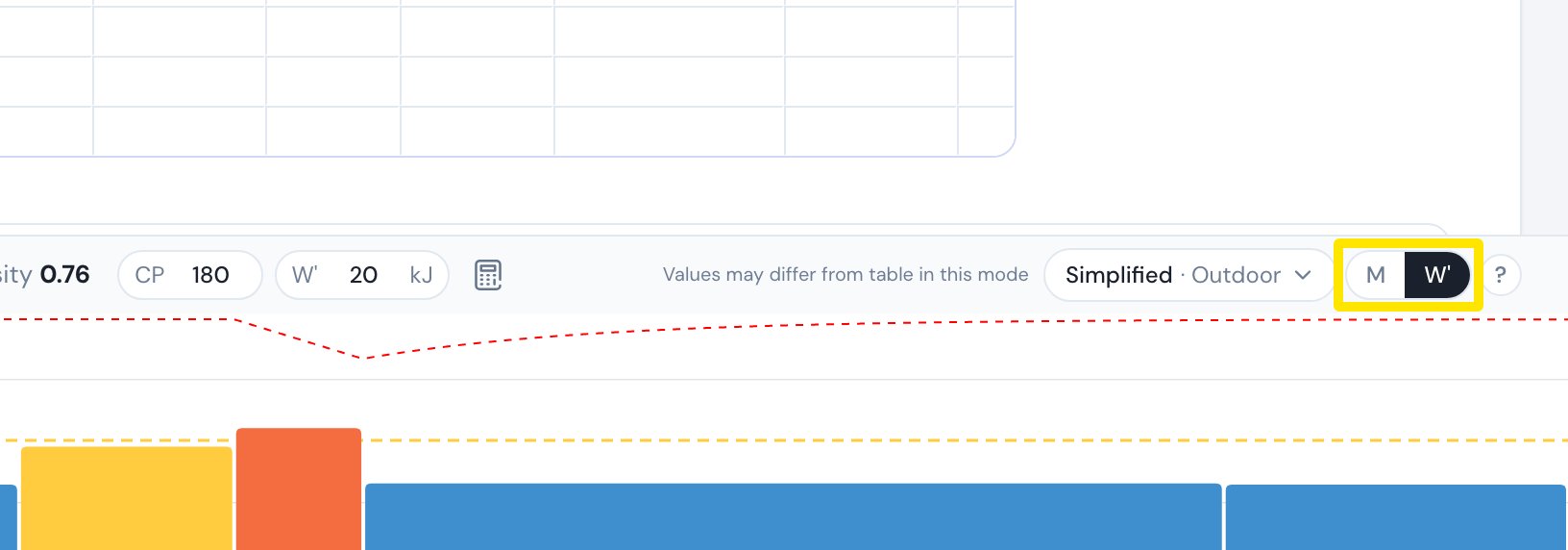 Where: Website · Create Workout · open it
What Now?
Once you know your CP and your W' you can use the workout creator to find or create the perfect interval workouts for your fitness profile. View the next article to learn more.
A quick 2-minute video showing you how to determine your estimated W' from GoldenCheetah or XERT
Quick answers
- How do I do an all-out test without ERG holding me back?
- How do I filter the power duration curve by activity type?
- How do I get my Strava or Garmin rides into TrainerDay?
- How do I see the W'bal graph for a workout?
- What does the W'bal line on a workout chart show?
- Where can I learn how to design intervals using W'bal?