

How do I check whether my refund has been processed?
Check your refund where you paid — your card statement, PayPal Activity or the Stripe receipt email — because the Payment History on the TrainerDay website does not show refunds.
- Don't rely on the website's Payment History (Manage your subscription): a refunded card or PayPal payment still says Approved, and a refunded Stripe payment simply drops off the list.
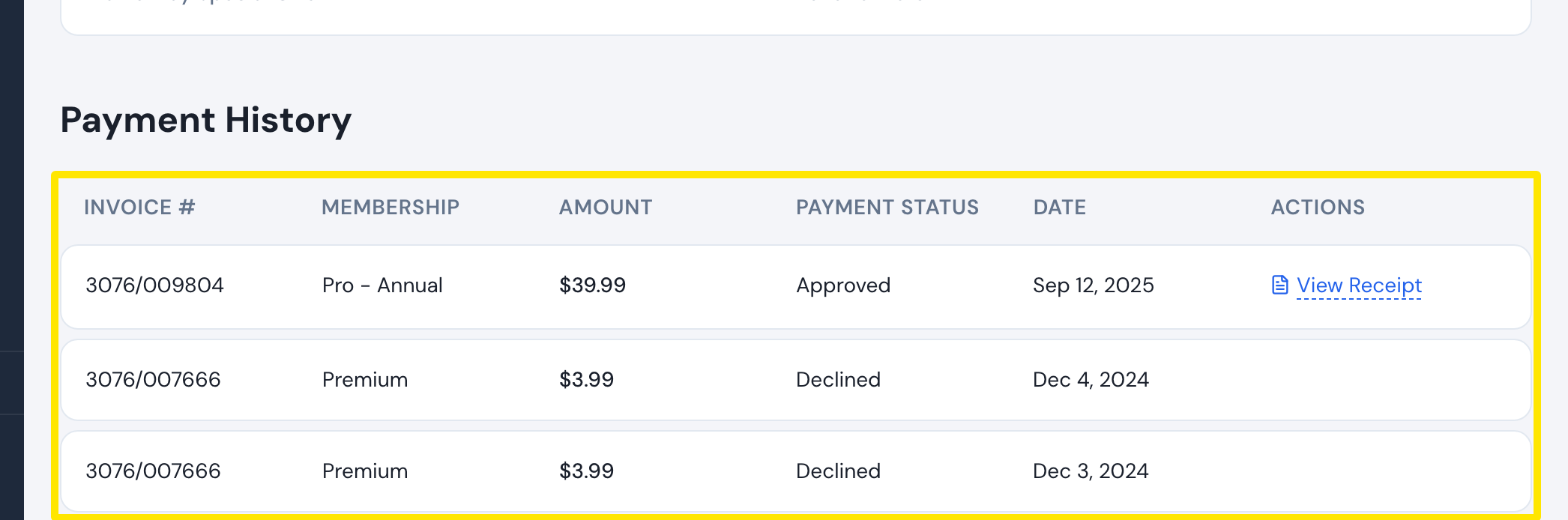 Where: Website · Manage your subscription · open it
- Check the refund where you paid: your card statement, PayPal (Activity) or the Stripe receipt email.
- If it has not arrived, write to [email protected].
Good to know: Only completed PayPal payments (money actually taken) are refunded. Pending PayPal charges that were never taken are released by PayPal itself.
Works on: Website payments as above. Mobile app purchases: check the App Store or Google Play order history. The desktop app has no billing screen.