

How do I get a refund for a subscription bought through Google Play?
Ask Google Play for a refund from Payments & subscriptions in the Play Store, or email TrainerDay support, which can refund a Google Play subscription itself.
- In the Google Play Store app, tap your Profile, then Payments & subscriptions → Budget & history, and request the refund from Google there. You can also use Google Play's refund request page.
- If Google denies it, or you'd rather not ask Google, email [email protected] from your TrainerDay account email. TrainerDay can refund a Google Play subscription itself, in full or prorated.
- To stop future charges, on the website click the gear icon, then Account.
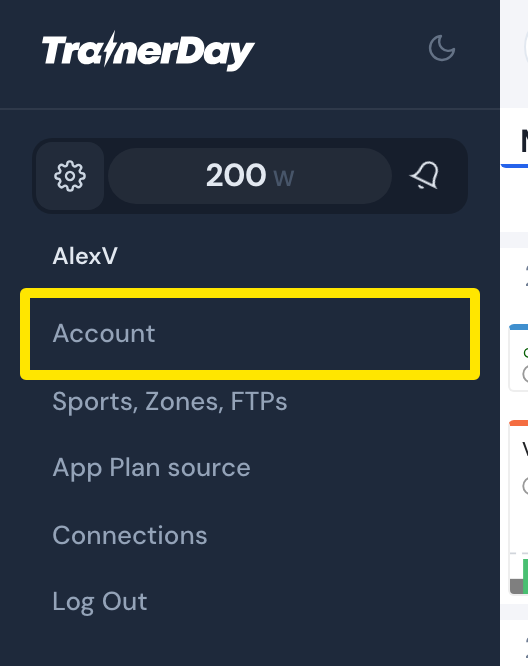 Where: Website · left menu → gear icon · open it
- On the Account page, click Manage your subscription, then Cancel subscription on the Android App Subscription row. Or cancel in Google Play: Profile → Payments & subscriptions → Subscriptions.
Good to know: A refund from TrainerDay revokes the subscription, and Pro ends at once.
Works on: In the Android app, Settings → Subscription Status → Unsubscribe opens Google Play's subscriptions page; the desktop app has nothing for this.