

How do I control which of my workouts and plans other apps can see?
You can't pick single workouts or plans for an app: you choose which kinds of data (like your calendar or workouts) an app may see when it connects, and you can disconnect it later on the website's Connections page.
To hide a workout from other TrainerDay riders, make it private instead: see How do I make a workout public or private?. This page covers apps you connect to TrainerDay.
There is no setting for single workouts or plans. You choose which kinds of data each app may see. An app with calendar access can read every workout on your calendar, including private workouts and workouts from plans.
- When an app asks to connect, TrainerDay's permission page lists what it can do, each with its own checkbox (for example View data about your calendar, View data about your workouts). Untick what the app should not see, then click Allow.
- To cut an app off later, go to the website. Click the gear icon at the top of the left menu and choose Connections.
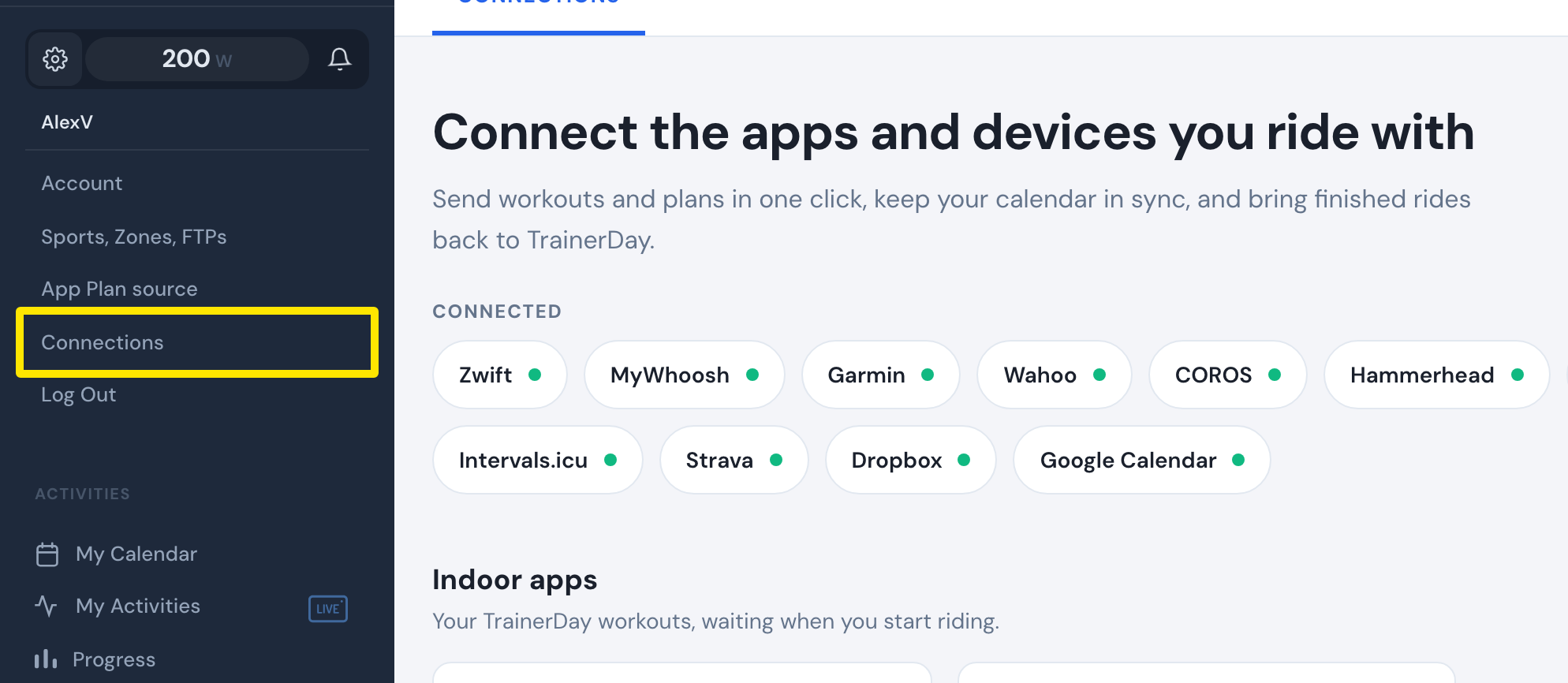 Where: Website · left menu, gear icon · open it
- Under Other integration partners, click Disconnect on the app's card. This removes the app's access.
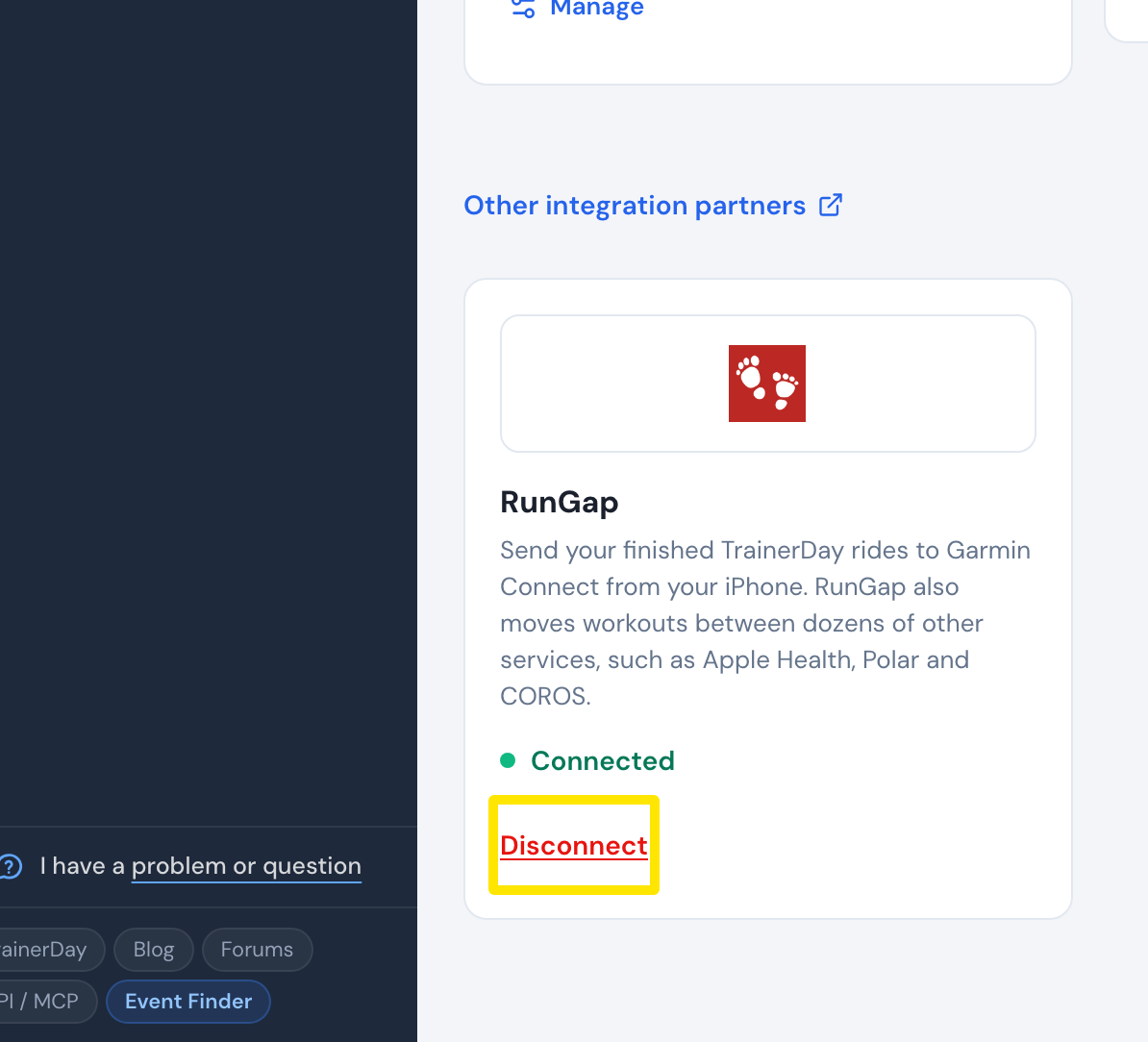 Where: Website · Connections · open it
Good to know: An app with no card there, such as an AI assistant, is disconnected in that app or by emailing [email protected].
Works on: Disconnecting is on the website only. The mobile app's Connections screen has no list of partner apps.