

How do I use AI to move workouts on my calendar and create, edit, or delete workouts in my library?
Connect an AI app such as Claude or ChatGPT to TrainerDay, then ask it in a chat to move workouts on your calendar or to create, edit or delete workouts in your library.
If you just want to create a workout from a description, start with TrainerDay's built-in AI workout creator: How do I create a workout by describing it to the AI?. The steps below are for connecting a separate AI app.
- On the website, open My Calendar. At the bottom of the page, click API / MCP to open TrainerDay's setup guides for AI apps.
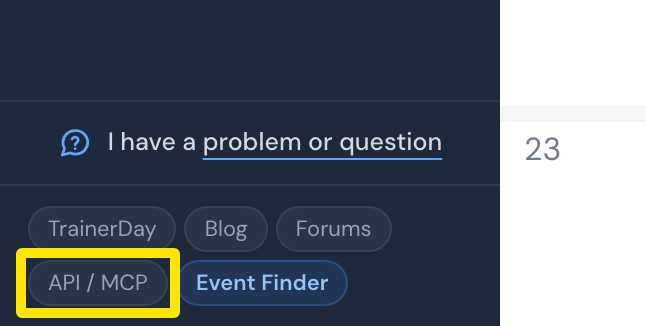 Where: Website · My Calendar · open it
- In your AI app, add a connection to TrainerDay. In Claude, choose Add custom connector. Enter TrainerDay as the name and https://api.trainerday.com/mcp as the URL, then click Add.
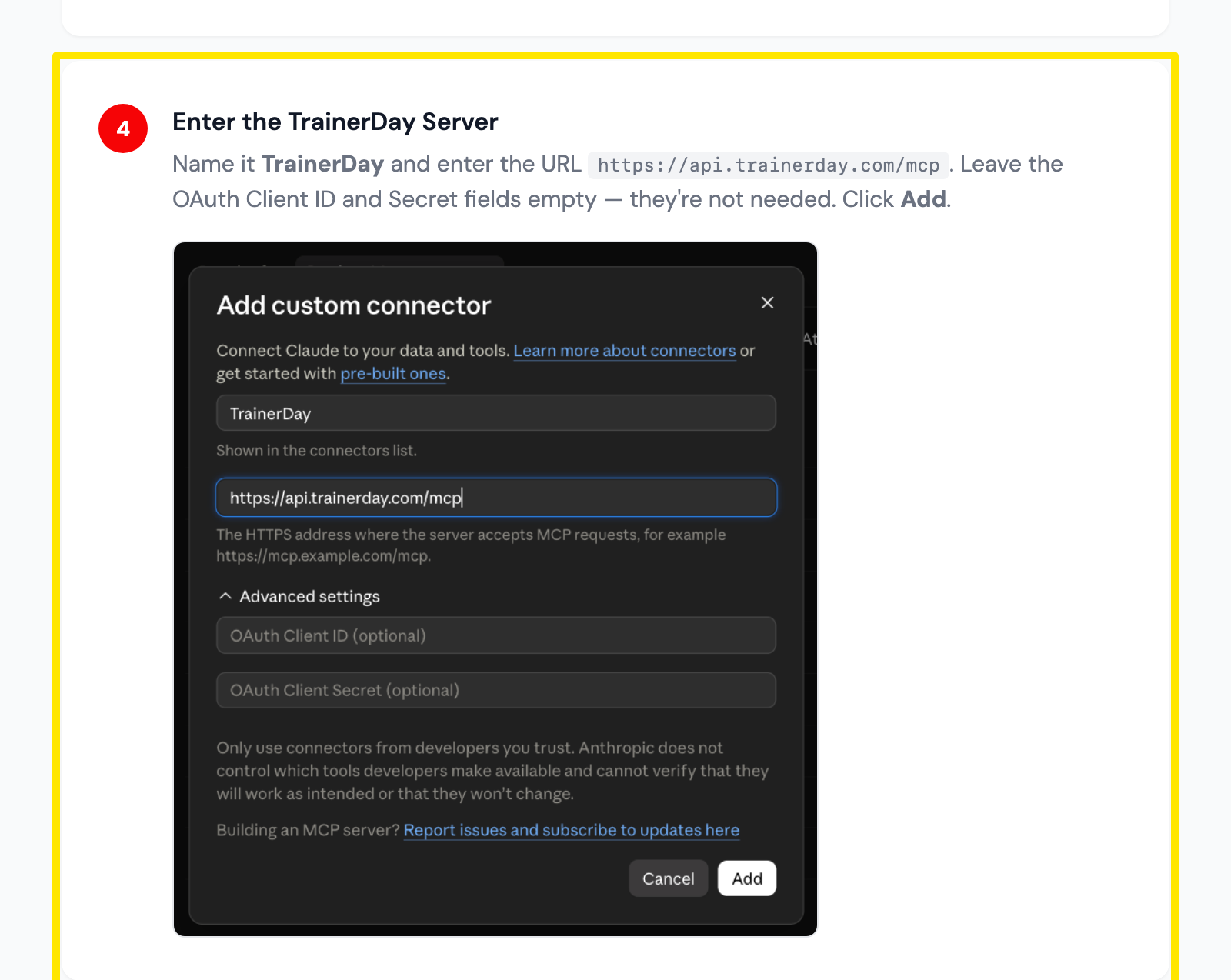 Where: Claude's Add custom connector window, as shown in TrainerDay's Claude setup guide
- Start a chat in your AI app. Ask it to move a workout on your calendar, or to create, edit or delete a workout in your library.
Good to know: In ChatGPT, use the same URL and choose OAuth for authentication.